Why AI Video Analytics Projects Fail
AI video analytics projects rarely fail because the underlying model cannot detect anything. They fail because the camera, workflow, integration, pilot design and operational ownership were never engineered as one system. This guide explains the failure points buyers should address before rollout.
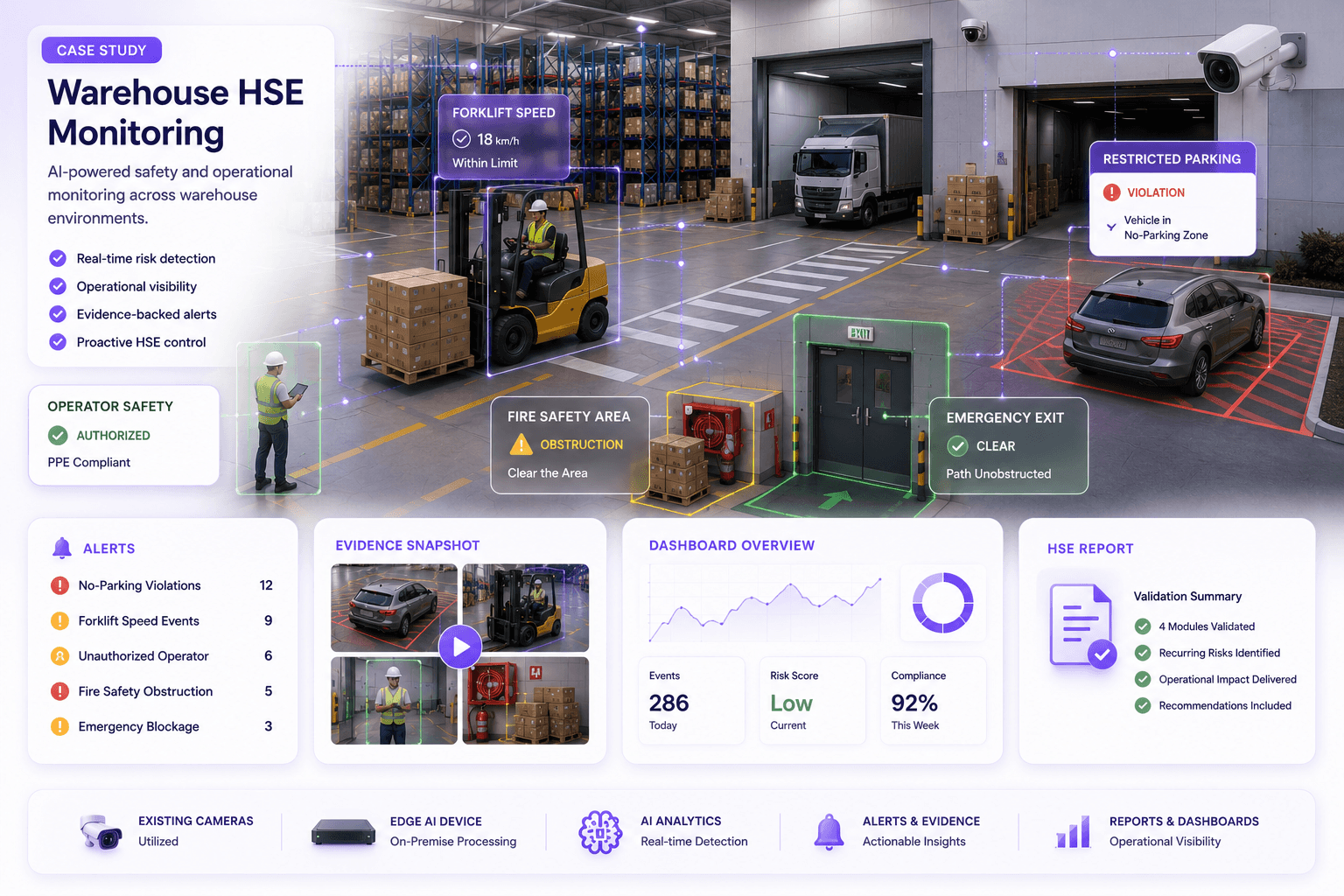
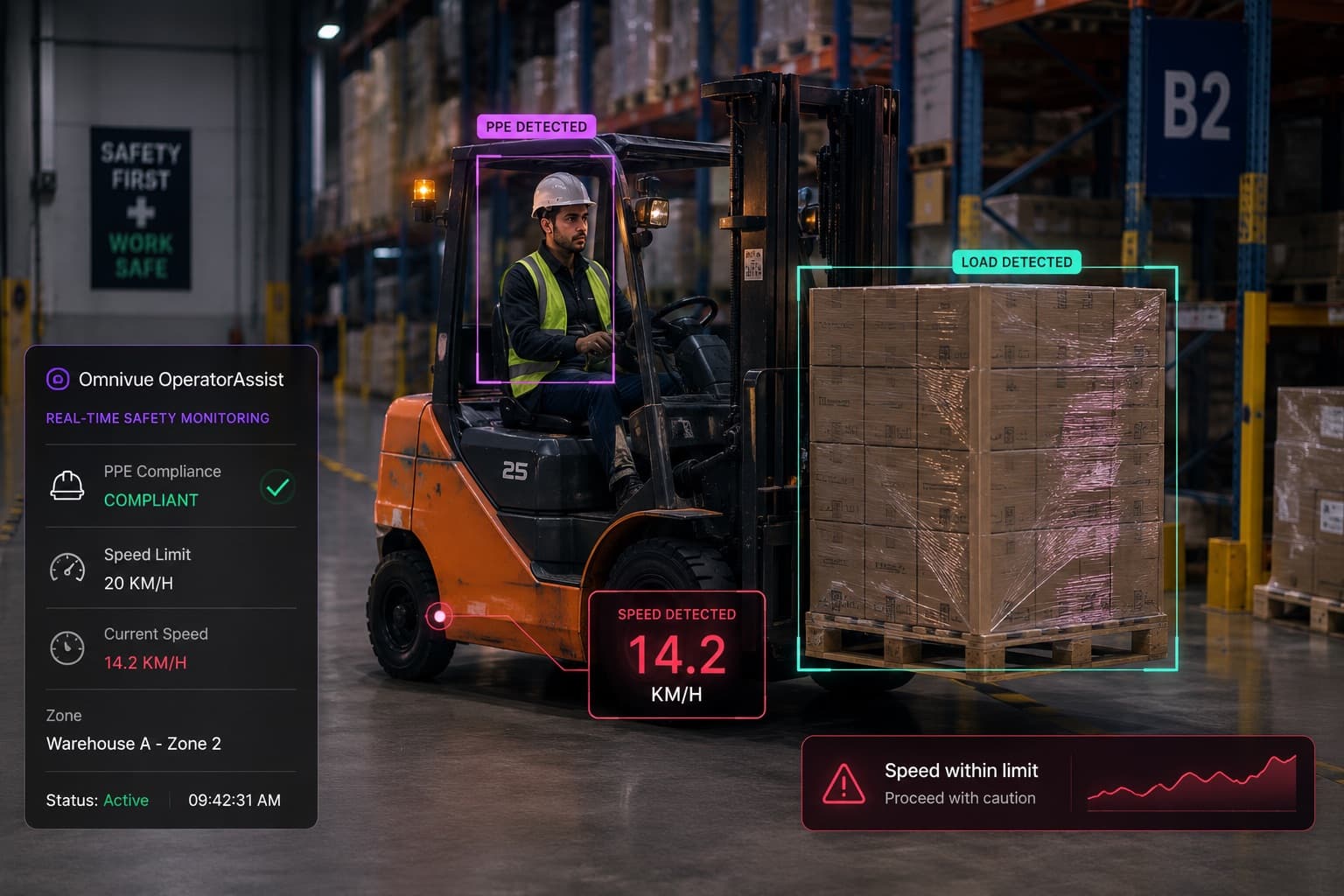
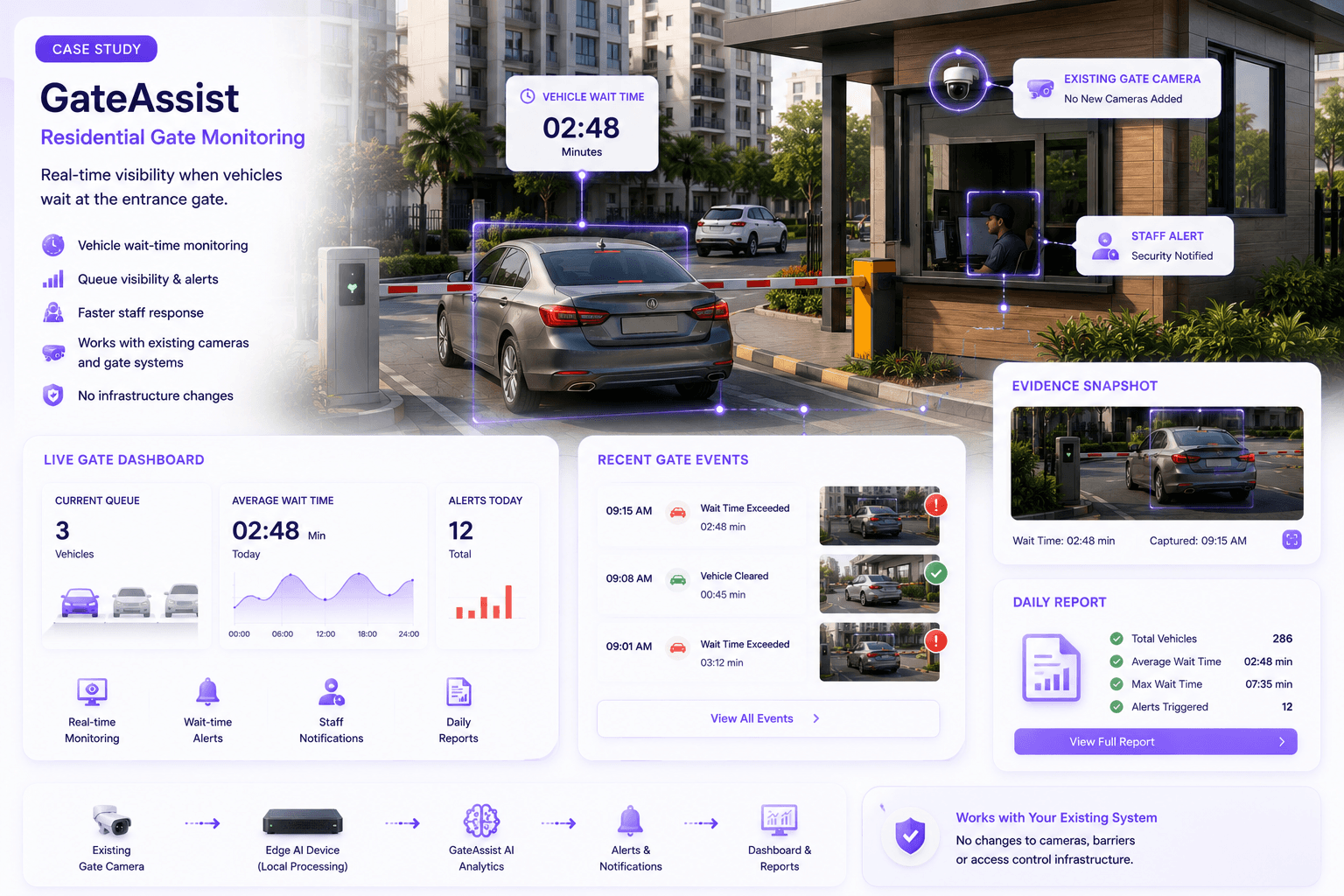
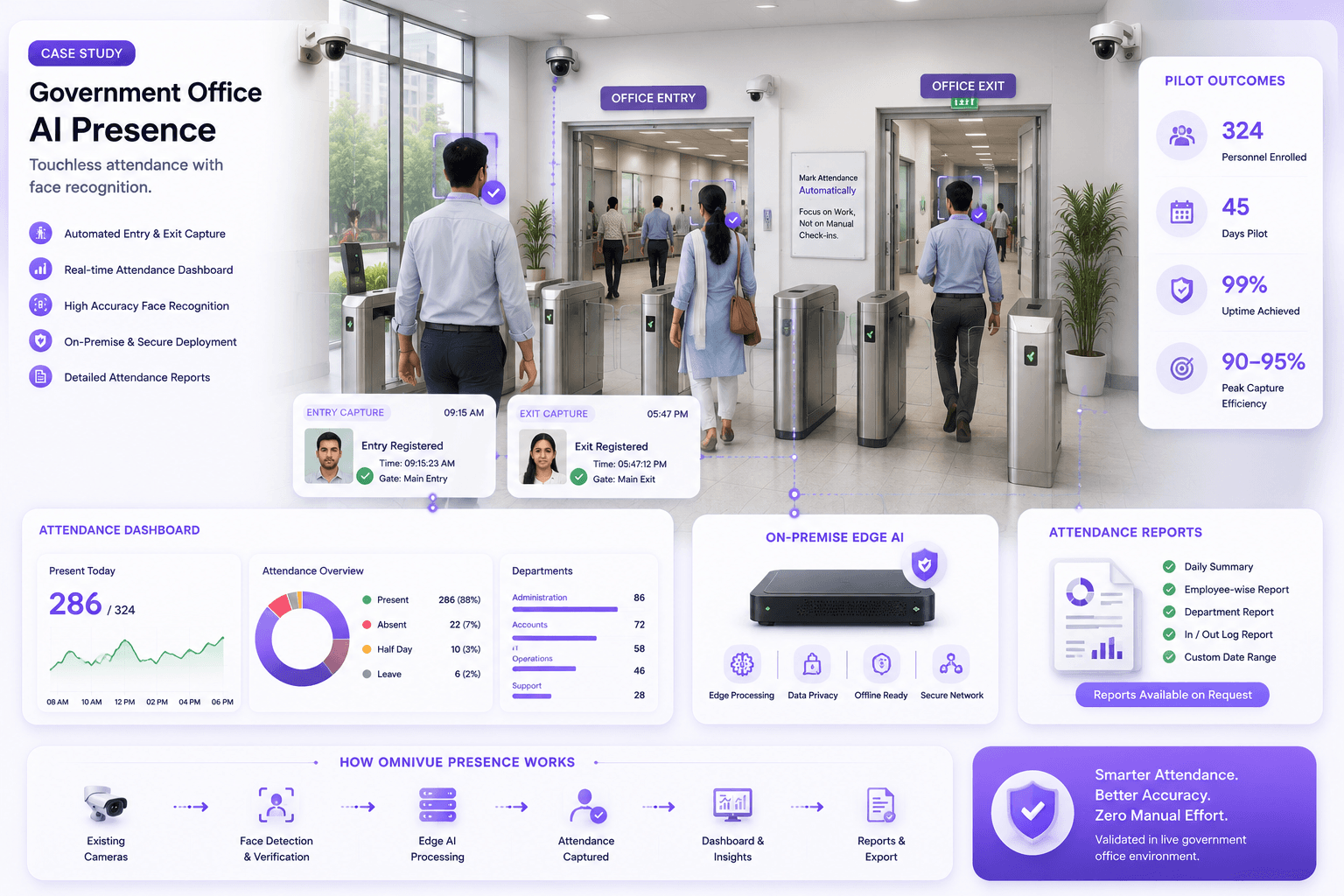
The demo worked. The detection looked accurate. The dashboard impressed the room. Six months later, operators stopped trusting the alerts.
This pattern is more common than many buyers expect.
AI video analytics projects rarely fail because the technology cannot identify a person, vehicle, plate, helmet or queue under any condition. They fail because a detection model is treated as the whole solution, while the camera environment, business workflow, integrations, exception handling and operating ownership are handled as separate afterthoughts.
A real deployment is not simply a camera connected to an AI model. It is a chain:
A weakness anywhere in that chain can make the entire project appear unreliable.
The practical question is therefore not, “How accurate is the model?” It is:
Failure 1: The project begins with a feature, not an operational problem
Many projects begin with a technology request: deploy face recognition, install ANPR, add PPE detection or enable intrusion analytics.
Those requests describe capabilities. They do not define the result the business needs.
“Detect vehicles” does not explain whether the customer wants faster gate entry, a searchable movement log, permit enforcement, parking billing or a blocked-vehicle alert. “Detect helmets” does not explain who receives the event, how it is verified or what corrective action follows.
Without a defined operational problem, teams tend to measure output volume instead of business value. The system may detect correctly and still solve nothing important.
How to prevent it
- Define one recurring operational problem in plain language.
- Name the operational owner who is accountable for the outcome.
- Document the decision or action that should follow each event.
- Agree on the evidence required to verify the event.
- Choose the AI capability only after the workflow is clear.
Failure 2: Buyers assume surveillance coverage equals AI-ready evidence
A camera can cover an area well enough for human observation and still be unsuitable for AI decision-making.
A wide camera may show that a vehicle entered a lane but not capture the plate clearly. A high-mounted entrance camera may show people moving through a lobby but not provide a consistent facial view. A warehouse camera may cover a large zone while rendering helmets or vests too small to evaluate reliably.
The model cannot recover visual information the camera never captured.
Common issues include excessive distance, steep angles, motion blur, backlighting, headlight glare, compression, occlusion, unstable streams and targets that occupy too little of the image.
How to prevent it
- Assess actual footage, not only camera specifications or installation drawings.
- Review day, night, peak, low-traffic and difficult conditions.
- Define the decision zone where the target must be visible.
- Reposition, reconfigure or selectively replace cameras where needed.
- Treat camera design as part of AI solution engineering.
Failure 3: The pilot is designed as a demonstration instead of a validation exercise
A controlled demonstration answers a narrow question: can the software produce an impressive result on selected footage?
A serious pilot answers a different question: can the complete workflow operate reliably at the customer site under representative conditions?
Weak pilots often use one camera, a short testing window, favorable lighting, limited traffic and hand-picked examples. They do not test network interruptions, difficult angles, unusual movement, unknown identities, unreadable plates, shift changes, crowded scenes or manual overrides.
The project then enters production with risks that were never measured.
How to prevent it
- Write the pilot scope before deployment.
- Define cameras, locations, events, test duration and operating conditions.
- Specify how events will be verified and classified.
- Include failure cases, exceptions and manual fallback.
- Set measurable success criteria and rollout conditions.
- Avoid changing the acceptance method after the pilot begins.
Failure 4: Accuracy is reduced to one headline percentage
A single “accuracy” figure is rarely enough to predict operational performance.
Buyers should distinguish between missed events, incorrect events, irrelevant but technically correct events, duplicate events and events that cannot be acted upon. The practical cost of each type differs by workflow.
For example, a small number of missed queue events may be tolerable in a trend-analysis use case. The same error pattern may be unacceptable when a barrier decision or restricted-area alert depends on the result.
Performance should be assessed by location, condition and event type - not only as one blended percentage.
How to prevent it
- Define true positive, false positive, false negative, duplicate and irrelevant event categories.
- Measure by camera, time period and operating condition.
- Report confidence thresholds and review rules.
- Evaluate the operational consequence of each error type.
- Use verified site data for acceptance testing.
Failure 5: The system produces alerts but no workable response
An alert is not a workflow.
Projects fail when the system generates events but nobody knows who should receive them, how quickly they must respond, what evidence they need or how the event should be closed.
A warehouse supervisor may receive a PPE notification without the camera location. A security operator may see an unknown vehicle but have no access to the approved list. A retail manager may receive queue alerts that do not distinguish temporary movement from a sustained service problem.
In each case, the AI may be functioning while the operational design is incomplete.
How to prevent it
- Define recipient, response time and escalation for each event.
- Include camera, location, timestamp and visual evidence.
- Provide acknowledgement, verification and resolution states.
- Connect the event to the data needed for a decision.
- Design manual override and fallback procedures.
Failure 6: Alert volume destroys operator trust
Even technically valid alerts can become operationally useless when they arrive too frequently or without prioritization.
Operators quickly learn to ignore systems that generate repeated events for the same condition, flag low-value activity, notify the wrong team or require too much manual verification.
This is often described as an accuracy problem, but the deeper issue may be poor event logic. The system needs thresholds, persistence rules, suppression windows, schedules, zones and escalation logic that reflect the site.
How to prevent it
- Prioritize events by operational risk and urgency.
- Suppress duplicates within a defined period.
- Use persistence rules for conditions that must continue before alerting.
- Apply schedules, zones and role-based routing.
- Track acknowledgement and resolution rates, not only detection counts.
- Tune for useful event volume, not maximum event volume.
Failure 7: Integration is postponed until after the AI is selected
AI video intelligence often depends on other systems to create value.
A plate read may need permit data and barrier control. A face event may need enrollment, access rules and visitor approval. Attendance may require HR identifiers and reconciliation logic. An incident workflow may need VMS evidence, notifications and case management.
When integration is treated as a later phase, the pilot proves only that the model can detect. It does not prove that the business process can operate.
How to prevent it
- Map required systems during discovery.
- Confirm APIs, protocols, credentials and data ownership early.
- Identify which integrations are required for pilot acceptance.
- Test device control, event exchange and failure behavior.
- Document manual alternatives when an external system is unavailable.
Failure 8: Infrastructure is sized for the demo, not the production load
A single-camera pilot may run comfortably on hardware that cannot support the intended rollout.
Production sizing must consider camera count, resolution, frame rate, number of models, concurrent workflows, evidence retention, dashboards, database growth, network capacity and peak usage.
Projects also fail when the deployment assumes permanent internet connectivity, ignores site power conditions or places all processing in a location that introduces avoidable latency and bandwidth cost.
How to prevent it
- Estimate production camera and workflow load before the pilot.
- Test representative concurrency, not only one ideal stream.
- Select edge, on-premise, cloud or hybrid architecture based on site requirements.
- Include capacity headroom and expansion assumptions.
- Define health monitoring, backup and recovery expectations.
- Measure stream stability and network behavior during the pilot.
Failure 9: Nobody owns data quality and enrollment
Recognition and verification workflows depend on reference data.
Access systems need accurate identities, permissions and expiry dates. Vehicle workflows need clean plate records, categories and permit status. Attendance systems need reliable employee mapping. Watchlists need governance and authorized ownership.
If data is incomplete, duplicated, outdated or entered inconsistently, the AI may be blamed for decisions caused by poor master data.
How to prevent it
- Assign ownership for enrollment and reference data.
- Define required fields, formats and approval steps.
- Create expiry, update and deactivation processes.
- Record who changed a permission or identity record.
- Test duplicate, unknown and expired cases during the pilot.
Failure 10: Exception handling is ignored
Real sites produce exceptions continuously.
A plate is dirty. A visitor is not pre-registered. A person changes appearance. A worker is partially hidden. A camera goes offline. A vehicle tailgates through a gate. An operator needs to allow access despite a failed read.
A workflow that performs only when every input is perfect is not production-ready.
How to prevent it
- List predictable exceptions before configuration.
- Define how unknown, unreadable and low-confidence events are handled.
- Provide manual review and override with audit logs.
- Specify fallback behavior during camera, network or integration failure.
- Measure exception volume and resolution time.
Failure 11: The project has a technical owner but no operational owner
IT, security, facilities, HSE, HR, retail operations and system integrators may all participate in an AI video project. But participation is not the same as ownership.
When no operational leader owns the workflow, requirements remain ambiguous, alerts are not reviewed consistently, user training is incomplete and the project is judged by anecdote rather than agreed measures.
Technology teams can maintain the platform. They cannot decide whether an operational response is useful on behalf of the business.
How to prevent it
- Name an operational owner for each workflow.
- Define responsibilities across customer, vendor and integration partner.
- Agree who reviews pilot events and signs acceptance.
- Train supervisors and operators before go-live.
- Schedule post-deployment reviews with measurable outcomes.
Failure 12: Buyers attempt a multi-site rollout before one workflow is stable
Pressure to demonstrate scale can lead organizations to activate too many cameras, sites and analytics at once.
This multiplies variability before the team understands what configuration, placement, thresholds and operating procedures work. Small issues become difficult to isolate, and every location appears to require custom tuning.
Scale should follow validated repeatability.
How to prevent it
- Stabilize one defined workflow at a representative site.
- Document the camera, infrastructure and operating template.
- Identify what must remain standard and what may vary by location.
- Expand in controlled batches.
- Compare performance between sites using the same verification method.
Failure 13: Privacy, security and auditability are considered too late
Enterprise AI video systems may process identities, vehicle records, event evidence and sensitive operational data. Delaying privacy and security review can block procurement or force late architectural changes.
Buyers need clarity on data location, access controls, retention, encryption, user roles, logs, evidence export and deletion. High-security or government-linked environments may also require on-premise processing and tighter deployment control.
How to prevent it
- Complete a data-flow and retention review before rollout.
- Use role-based access and audit logs.
- Define where video, images, metadata and identities are stored.
- Limit collection and retention to the operational requirement.
- Select deployment architecture consistent with organizational policy.
- Document administrative access and evidence-export controls.
Failure 14: The commercial model rewards the pilot, not the long-term outcome
Some projects are structured to win approval for a demonstration rather than sustain the deployed system.
The customer receives software, a few configured cameras and initial tuning, but ongoing monitoring, support ownership, model updates, infrastructure maintenance and expansion rules remain unclear.
When operating costs appear later, confidence declines and scale is delayed.
How to prevent it
- Define licensing, support and infrastructure responsibilities before the pilot.
- Separate one-time deployment work from recurring software and support.
- Clarify camera, network, server and integration ownership.
- Include health monitoring and incident response.
- Agree how new sites, cameras and workflows will be priced and validated.
Failure 15: Success is measured by detections instead of outcomes
A dashboard with many events can create the appearance of activity without demonstrating operational value.
The meaningful measures are usually closer to the business problem: reduced manual verification, faster gate throughput, better traceability, shorter investigation time, improved audit coverage, fewer unresolved safety exceptions or more consistent queue response.
If the project cannot show how the workflow changes an operational measure, it will struggle to compete for budget after the pilot.
How to prevent it
- Choose outcome metrics before deployment.
- Establish a baseline where possible.
- Track event quality, response and resolution.
- Separate system activity from operational impact.
- Use the pilot review to decide whether to expand, redesign or stop.
What a serious AI video analytics project should include
A production-minded project should connect technical validation with operational readiness.
- A clearly defined operational problem and owner
- Camera and site feasibility assessment
- Representative footage and environmental review
- Documented workflow from event to action
- Pilot scope and acceptance criteria
- Error categories and verification method
- Alert thresholds, routing and escalation
- Integration and infrastructure plan
- Exception and fallback procedures
- Privacy, security and retention controls
- Operator training and support model
- Outcome metrics and staged rollout plan
A practical stage-gate model
Stage 1: Opportunity qualification
Confirm that the problem is recurring, important and visually observable.
Stage 2: Discovery
Define the workflow, users, decision, evidence and action.
Stage 3: Feasibility
Review cameras, lighting, streams, network, compute, data and integrations.
Stage 4: Pilot design
Set scope, duration, conditions, verification and success criteria.
Stage 5: Site validation
Test representative conditions, exceptions and operational response.
Stage 6: Production readiness
Complete security, sizing, training, support and handover.
Stage 7: Controlled rollout
Expand in batches using a repeatable site template.
Stage 8: Outcome review
Measure operational value and decide what to improve or add next.
The lesson: deployment engineering decides whether AI becomes trusted
AI video analytics succeeds when it is treated as an operational system, not a software feature.
The model matters. But so do the camera, scene, network, business rule, reference data, integration, operator, exception path, security controls and measurable outcome.
Organizations that address these elements early do not eliminate every challenge. They make the challenges visible, testable and manageable before rollout.
That is the difference between demo theatre and production intelligence.
A strong project does not promise that AI will work perfectly everywhere. It establishes where the workflow is feasible, what conditions it requires, how success will be verified and what the organization will do when the real world does not behave like a demo.
AI video project readiness
Plan the Workflow Before You Plan the Rollout
Bring us the site, workflow and expected outcome. We will help structure a practical feasibility and pilot plan rather than a generic feature demonstration.