
AI video workflows for customer flow, queues, promotion engagement and store operations.
Use existing CCTV or IP cameras to monitor customer movement, dwell time, checkout queues, promotion zones, POS counters, stockroom access, store exceptions and evidence-backed retail reports.
Flow
Customer movement
Queues
Checkout visibility
Insights
Dwell and engagement
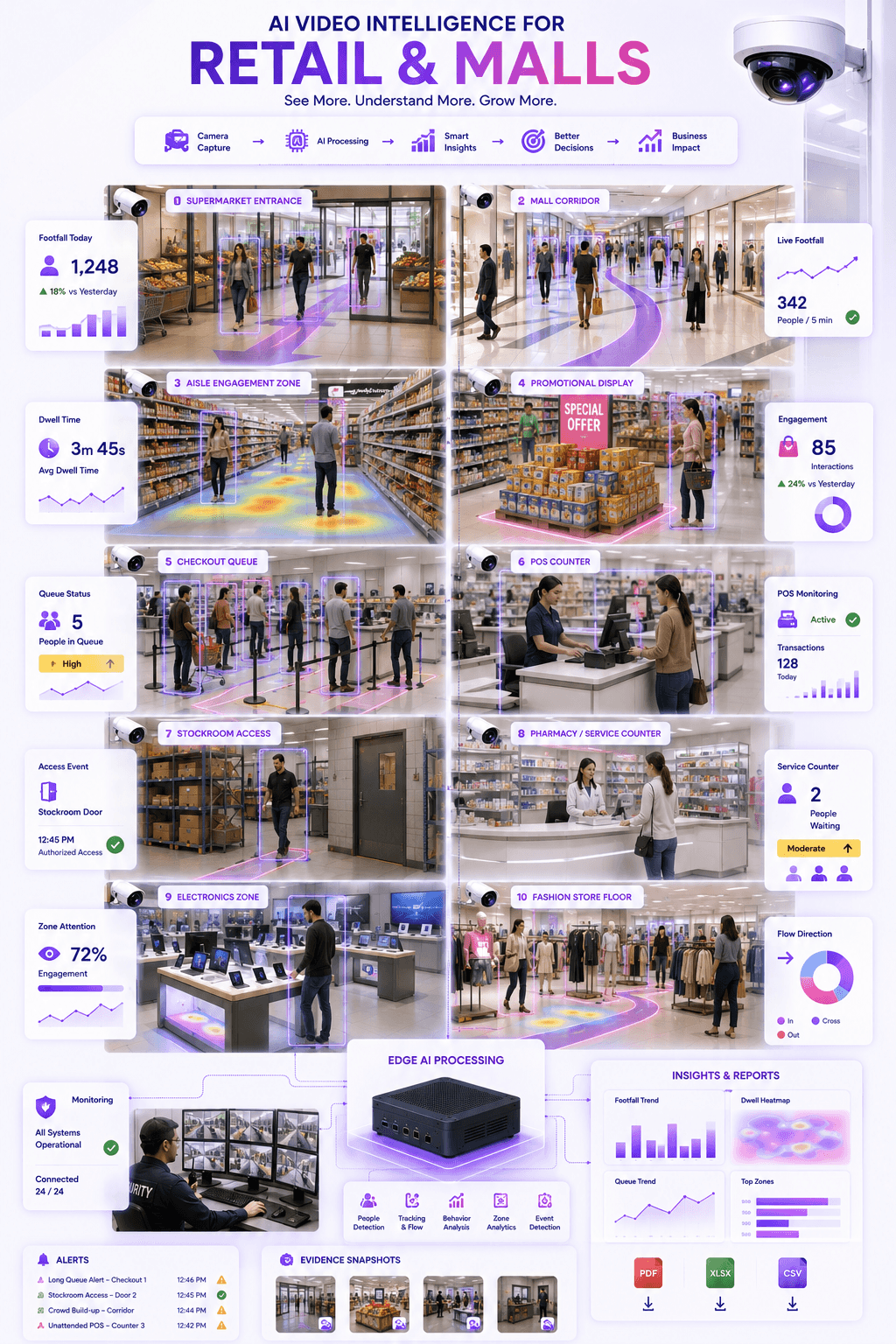
Entrance
Footfall event
Queue
Counter pressure
Display
Engagement zone
POS
Evidence trail
Priority workflows
Retail teams need live operational intelligence, not only after-the-fact CCTV footage.
Stores and malls need visibility across entrances, aisles, displays, queues, POS counters, stockroom doors and customer service areas. Omnivue turns camera views into measurable retail workflows.
Core idea
Every important retail signal should be linked to zone, camera, time, activity type, evidence and review status.
Customer Flow & Footfall
Understand customer movement across entrances, aisles, zones, counters, floors and mall corridors.
Queue Monitoring
Monitor checkout queues, service counters, billing areas, pharmacy counters and mall waiting zones.
Promotion Engagement
Measure activity around promotional displays, campaign areas, endcaps and high-value product zones.
Dwell Time & Zone Attention
Identify where customers spend time across aisles, shelves, counters, displays and product areas.
POS & Counter Visibility
Improve visibility around POS counters, billing desks, cash areas, service counters and transaction zones.
Evidence & Reports
Create searchable records for exceptions, queue events, store activity, stockroom access and operational reports.
Operational gap
Retail stores already have cameras. The missing layer is store intelligence.
CCTV footage is useful after an incident. Omnivue helps retail and mall teams turn selected camera views into customer flow, queue, promotion, POS and evidence workflows.
Store decisions depend on manual observation
Managers often rely on walkarounds, staff feedback or delayed reports to understand queues, flow and customer engagement.
Promotion performance is difficult to verify
Retail teams need better visibility into which displays, aisles and product zones actually attract attention.
Queue and counter issues are noticed late
Long checkout queues, unattended counters and service delays affect customer experience before teams respond.
Incident review depends on CCTV search
POS disputes, stockroom access, crowding, queue complaints and loss-prevention reviews often require manual video search.
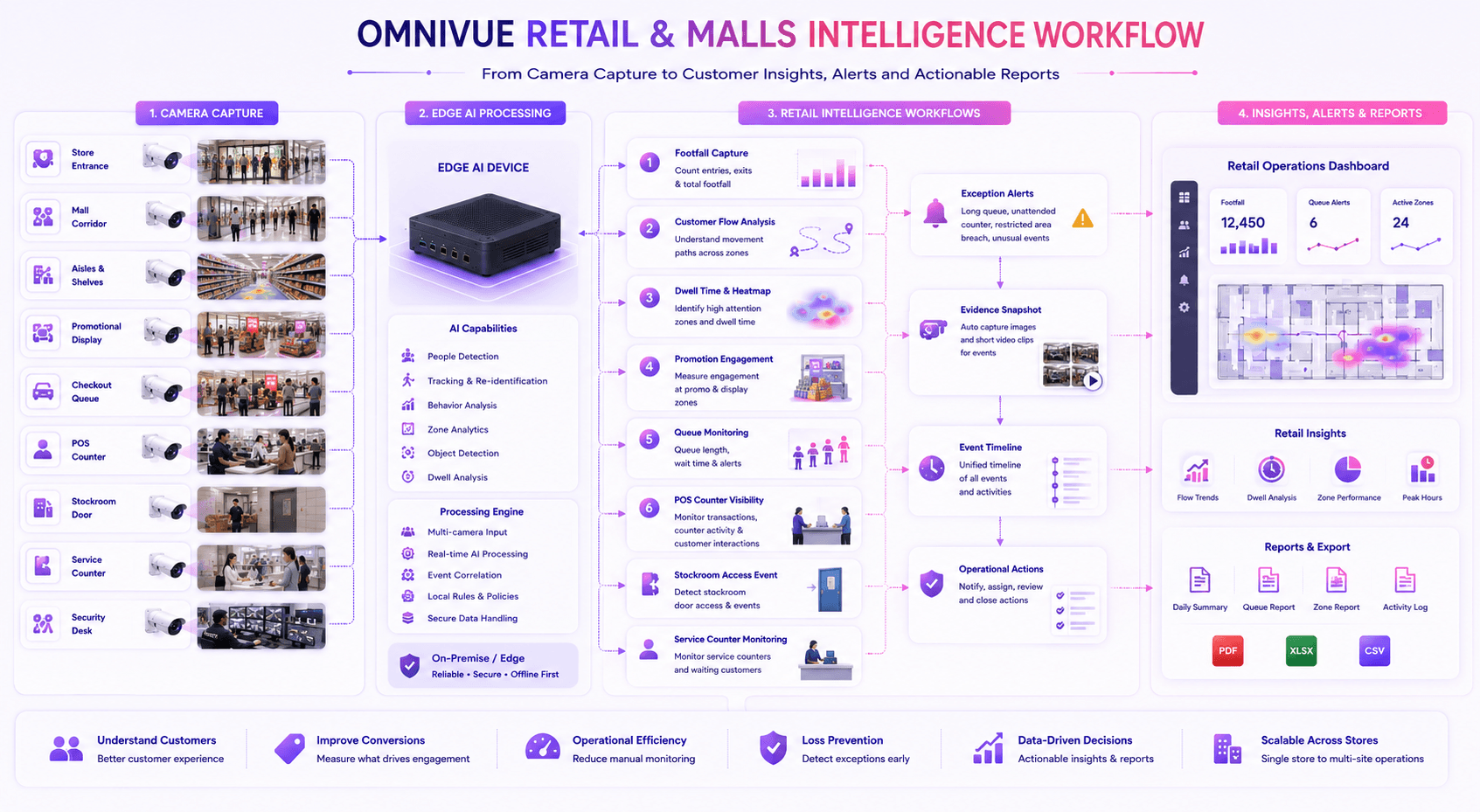
Recommended Omnivue stack
The industry page maps retail workflows to the right modules.
Retail and mall deployments can combine customer flow analytics, queue monitoring, promotion engagement, access workflows, staff visibility, POS monitoring and safety alerts.
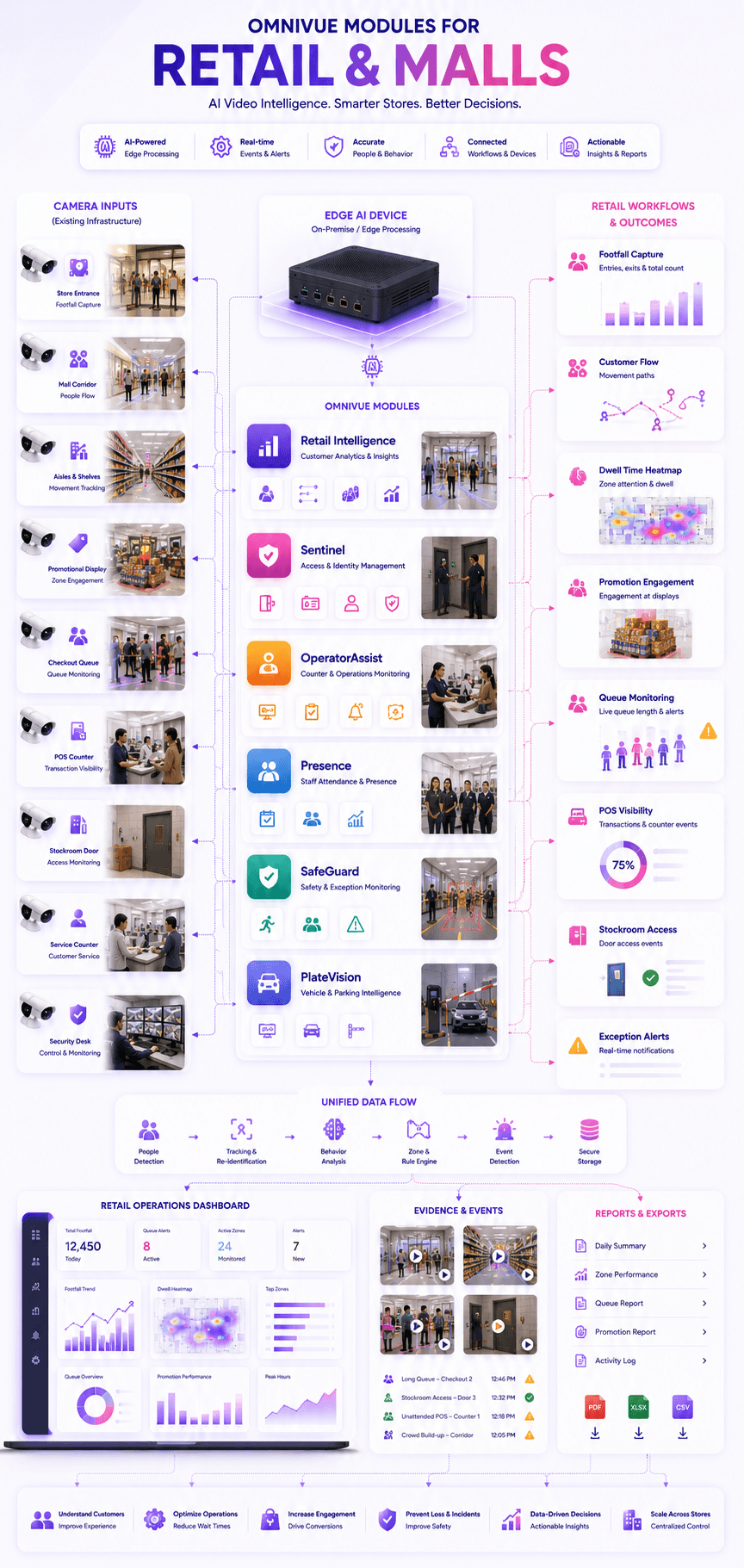
Retail Intelligence
Customer flow, dwell time, queue monitoring, promotion engagement and retail reports
Sentinel
Staff, visitor, vendor, stockroom and restricted-area access workflows
OperatorAssist
Counter visibility, staff presence, POS area monitoring and operational compliance
Presence
Staff attendance, shift visibility and store-level workforce presence
SafeGuard
Emergency exits, restricted areas, crowding and safety exception alerts
PlateVision
Vehicle movement records for mall parking, staff entry, service gates and logistics access
Deployment zones
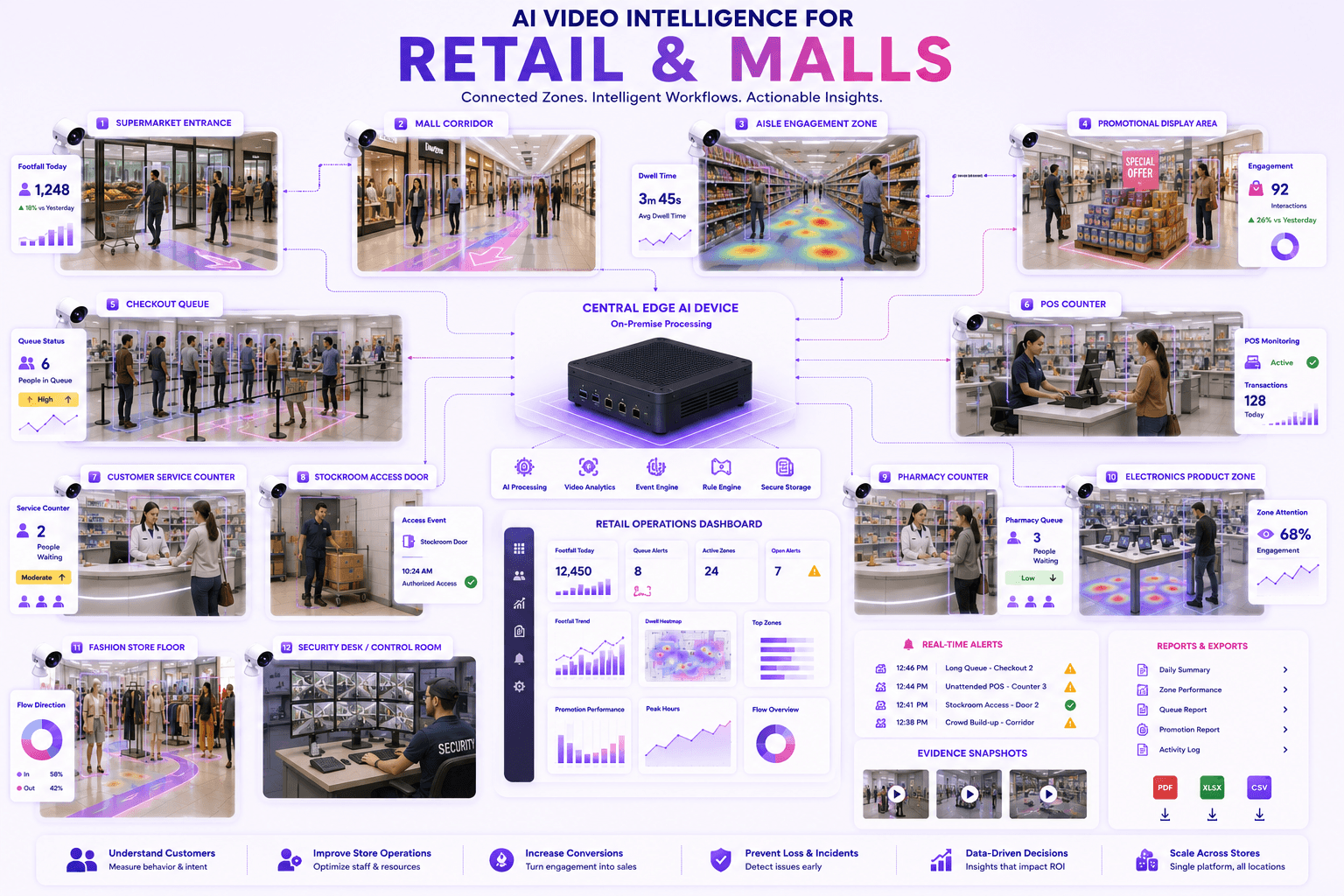
Map AI workflows around real retail and mall spaces.
Each zone can have different rules: footfall at entrances, dwell time at displays, queue alerts at checkout, POS visibility at counters and access events at stockroom doors.
Store entrance
Mall entrance or corridor
Checkout queue
POS counter
Promotional display zone
High-value product area
Aisle engagement zone
Customer service counter
Stockroom access door
Pharmacy or electronics counter
Fashion store floor
Security desk and control room
Outcomes
What improves after deployment?
Improve visibility into customer flow and queue pressure
Understand dwell time and promotion-zone engagement
Reduce manual store monitoring and delayed reporting
Create evidence-backed records for retail exceptions
Improve POS, counter and stockroom visibility
Support multi-store and multi-site retail operations
Fit & readiness
What should be planned first?
Store zone mapping
Identify entrances, aisles, queues, counters, promotional displays, stockroom doors and high-value zones before deployment.
Camera coverage planning
Camera angles should clearly cover movement paths, checkout queues, POS counters, displays and access doors.
Retail rule definition
Define queue thresholds, dwell rules, engagement zones, counter visibility rules and exception triggers.
Operations ownership
Define who receives alerts, who reviews evidence and how reports are used by store, retail and operations teams.
Implementation approach
A practical deployment path for retail stores and malls.
The goal is not to replace the entire surveillance system. The goal is to add an AI workflow layer over selected entrance, aisle, queue, display, POS and stockroom camera views.
Store assessment
Map entrances, aisles, cameras, counters, queue areas, displays, POS zones and stockroom access points.
Workflow configuration
Configure customer flow, dwell, queue, promotion, counter, access and exception rules by store zone.
Edge deployment
Run AI processing locally where required and connect selected events to dashboards, alerts and reports.
Reporting and review
Generate store activity reports, queue trends, promotion insights, evidence snapshots and exception records.
Share your retail workflow. We’ll map the right setup.
Tell us your store layout, cameras, entrances, aisles, checkout queues, promotion zones, POS counters, stockroom access points and reporting needs. Omnivue can help design the right retail operations AI workflow.