
Real-time gate queue alerts for smoother vehicle entry.
GateAssist helps security teams detect vehicles waiting at entry barriers, identify queue build-up, and respond faster with timestamped visual evidence.
Pilot validation
Validated during a 45-day on-premise pilot at Danube Opalz main gate with 827 confirmed alerts and zero false positives.
Pilot Duration
45 Days
Deployment
On-prem
Alerts
Real-time
What GateAssist manages
More than camera viewing. A real-time gate response workflow.
GateAssist connects vehicle presence, waiting duration, queue detection, evidence snapshots, dashboard alerts and reports into a structured operational view.
Vehicle Queue Monitoring
Detect vehicles waiting at the gate barrier beyond a configured duration threshold.
Entry Gate Awareness
Give guards live visibility into blocked entry flow, vehicle waiting and gate build-up.
Real-time Alerts
Raise dashboard alerts when confirmed vehicle queue events require guard attention.
Evidence Snapshots
Capture visual evidence, timestamps, camera context and event metadata for each alert.
Guard-led Response
Support security teams without replacing access checks or overriding gate control systems.
Reports & Audit Trail
Maintain searchable vehicle queue records, event history and operational reports.
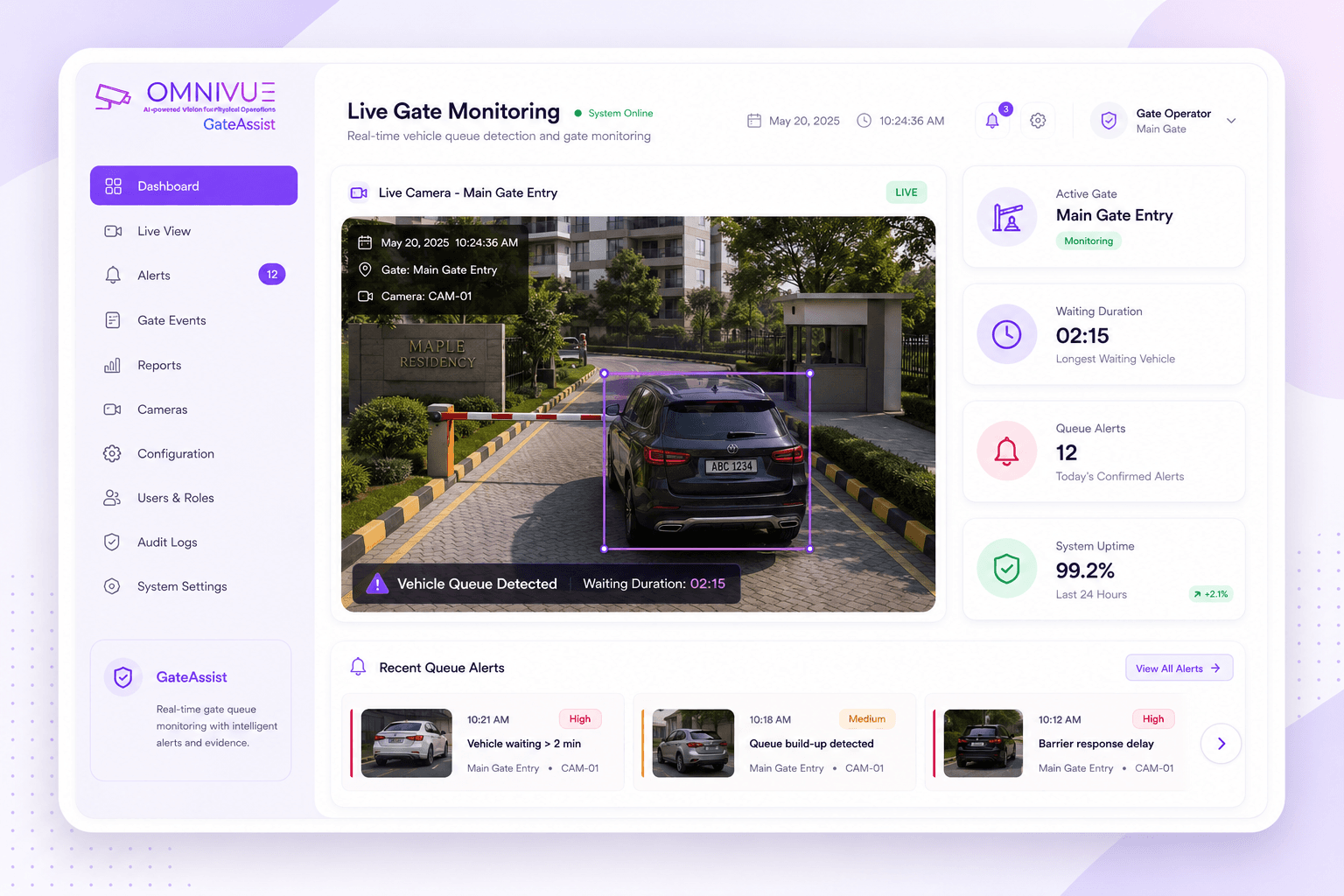
Live gate overview
Know when vehicles are waiting, blocking or causing build-up.
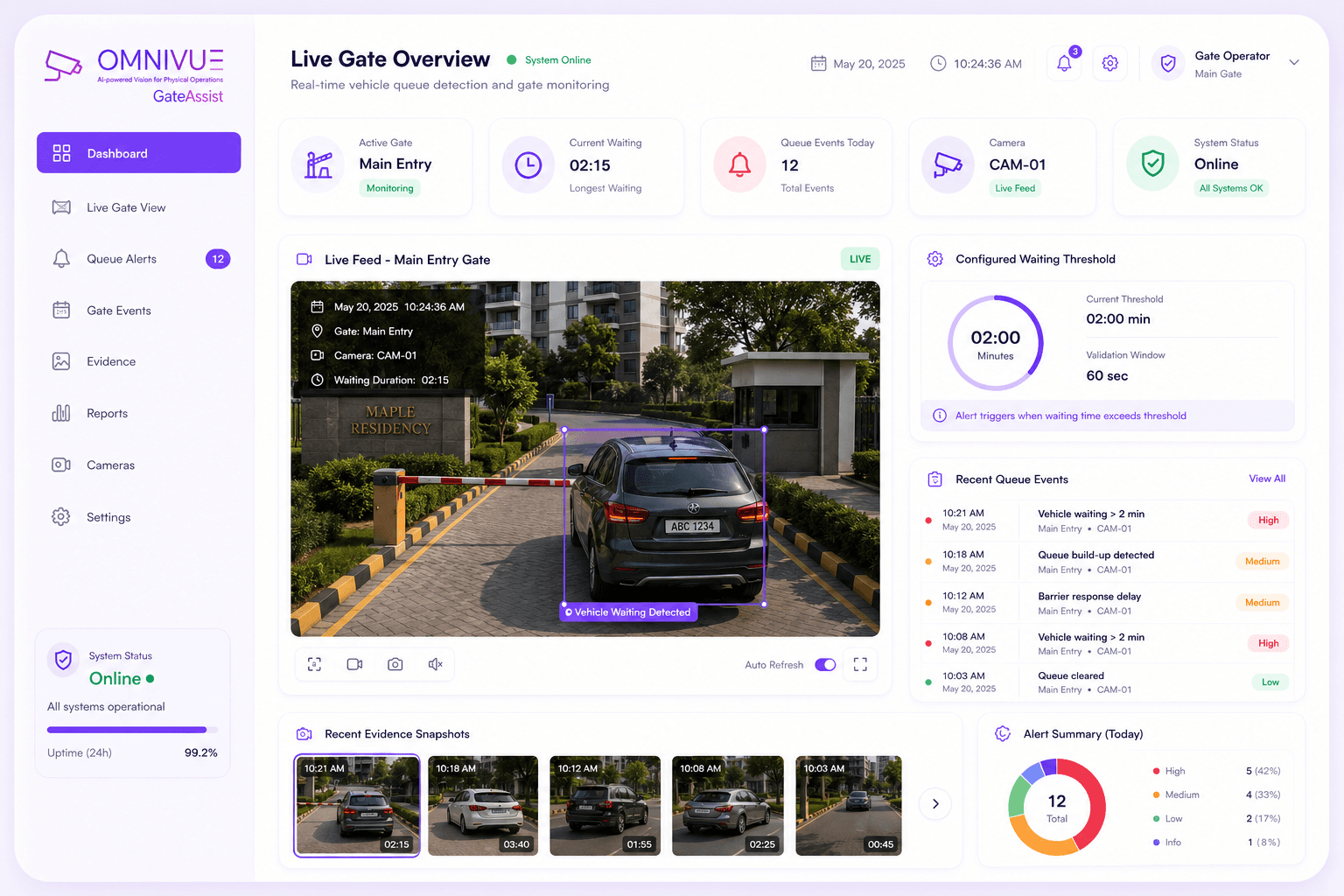
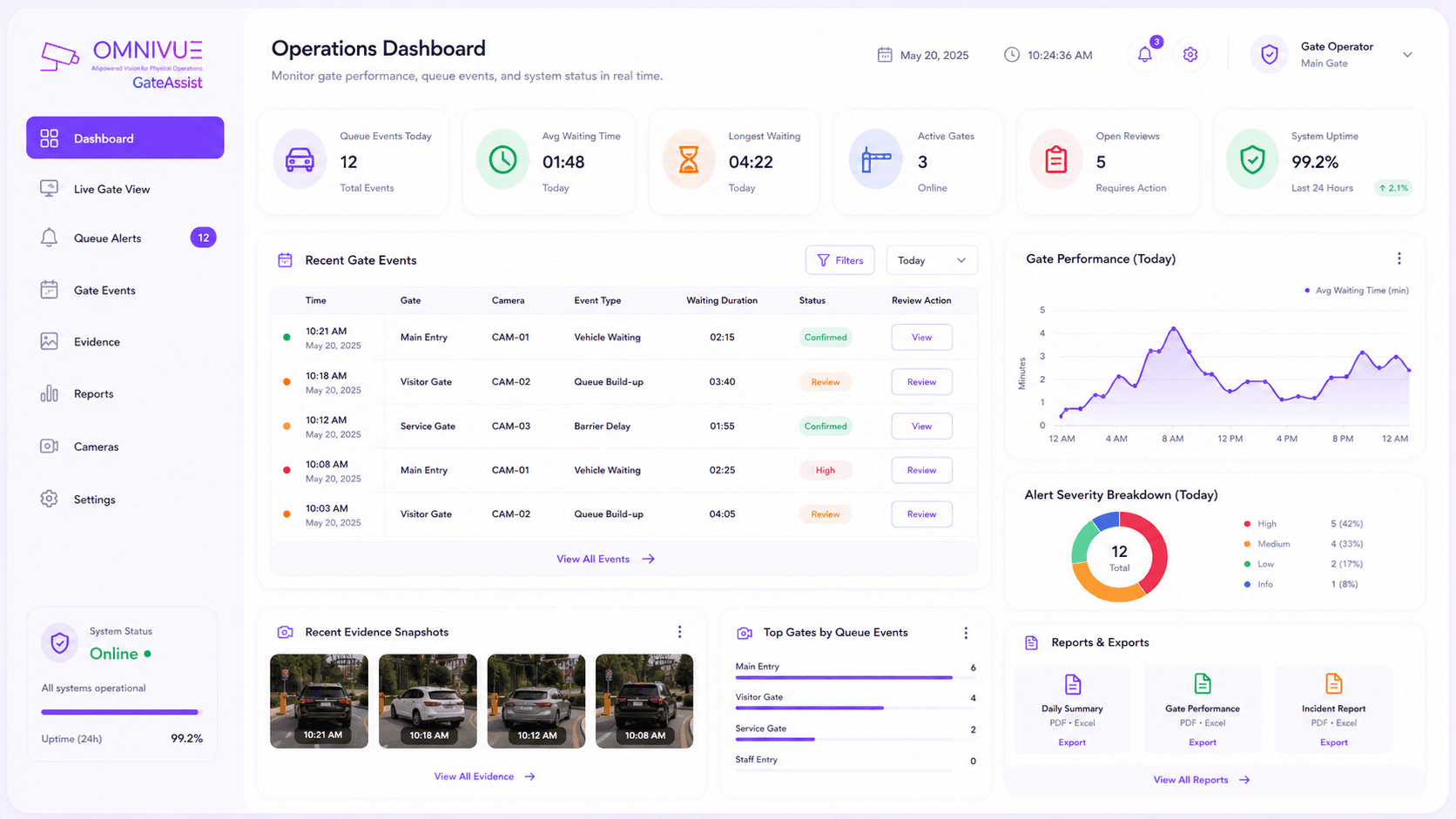
GateAssist gives teams real-time visibility into entry gate waiting events, barrier delays, recent alerts, vehicle snapshots and queue records.
Live vehicle queue detection
Configured waiting threshold
Recent queue events
Timestamped evidence snapshots
Dashboard-based alert visibility
Gate response workflow
Connect vehicle waiting detection with guard action.
GateAssist does not replace security verification or override gate mechanisms. It works as an awareness layer that helps guards identify when a vehicle is delaying entry flow and needs timely attention.
Detect
Existing gate camera captures vehicle presence at the configured entry point.
Validate
GateAssist checks whether the vehicle remains at the barrier beyond the configured validation window.
Suppress
Duplicate, transient or non-qualifying events are filtered before alert confirmation.
Alert
A confirmed queue event is shown on the dashboard with timestamped evidence and context.
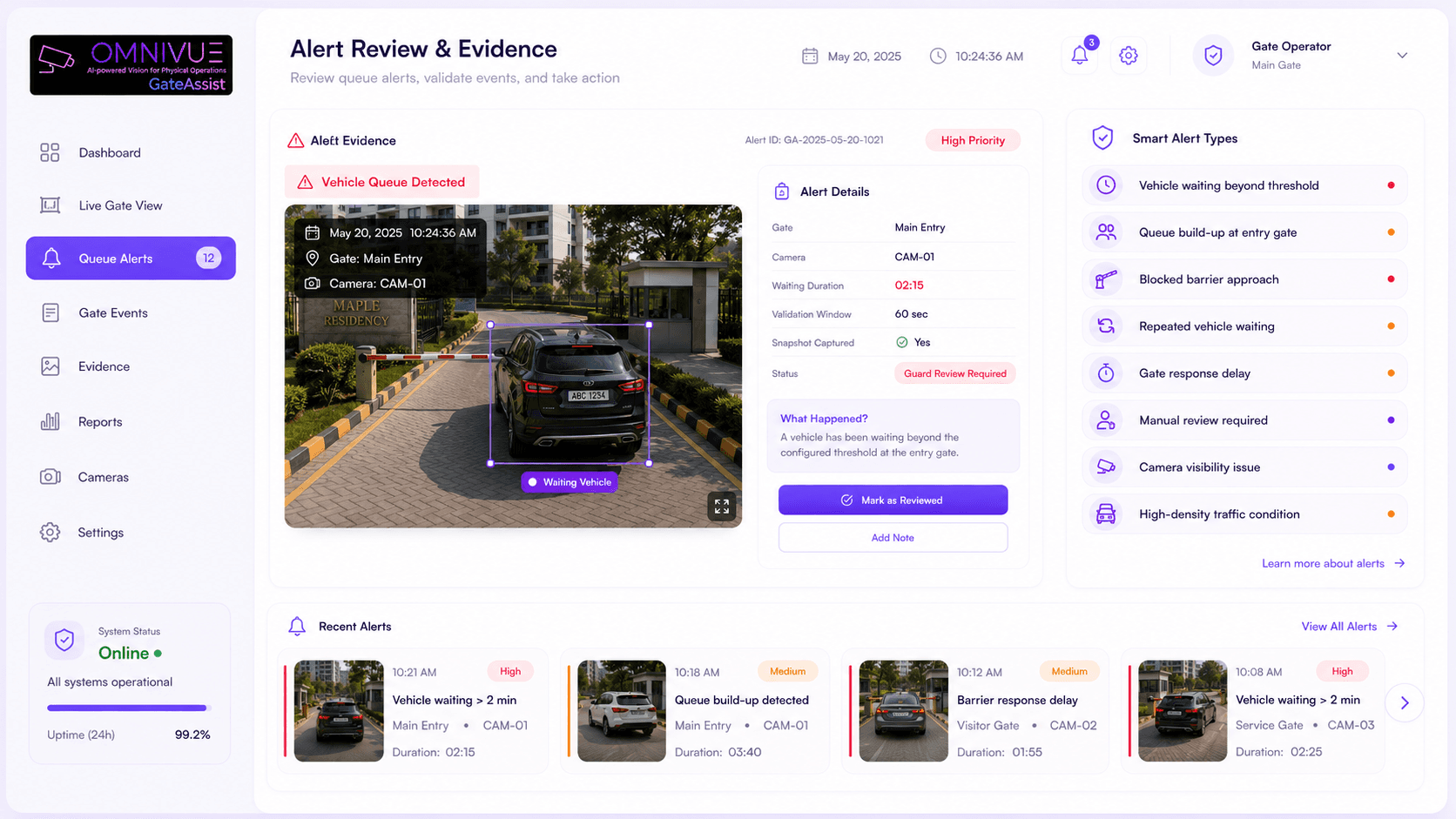
Smart alerts
Turn gate delays into evidence-backed alerts.
GateAssist helps teams identify vehicle waiting events, queue build-up and access delays with snapshots, timestamps, camera context and alert records.
Vehicle waiting beyond threshold
Queue build-up at entry gate
Blocked barrier approach
Repeated vehicle waiting
Gate response delay
Manual review required
Camera visibility issue
High-density traffic condition
Operational efficiency
Manage queue events, evidence and reports from one place.
Beyond simple vehicle detection, GateAssist supports daily gate operations with recent alerts, visual evidence, queue reports, camera context and access-controlled review workflows.
Earlier visibility
Security teams can see when vehicles remain at the barrier before queues escalate.
Faster response
Real-time alerts help guards take timely action during entry delays or access issues.
No workflow disruption
GateAssist supports existing security procedures without replacing manual verification.
Audit-ready history
Every confirmed queue event can be stored with timestamp, image evidence and camera context.
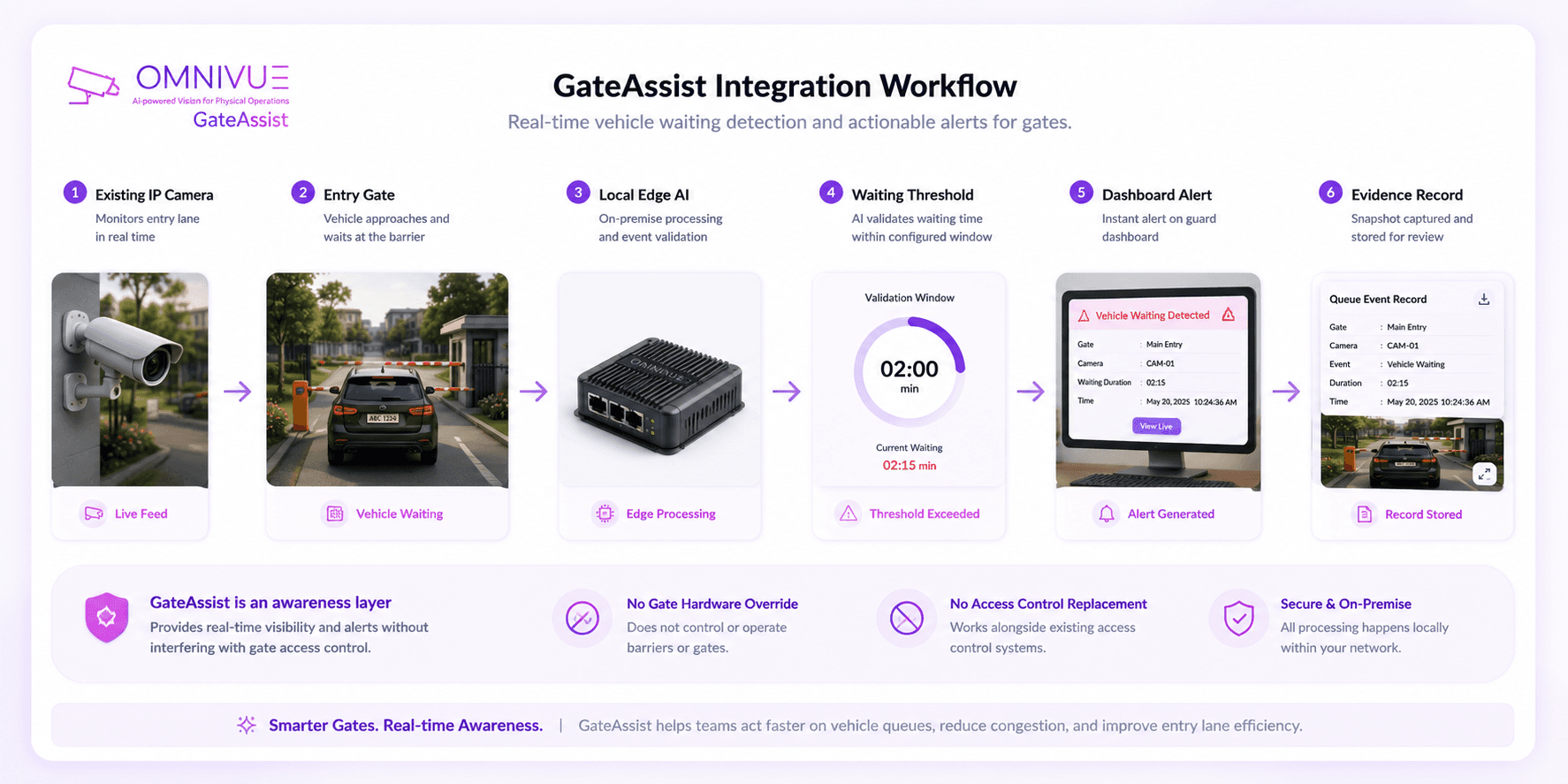
How GateAssist works
From camera feed to confirmed queue event and guard visibility.
GateAssist converts live gate video into structured vehicle waiting events, confirmed alerts and searchable operational records.
Step 01
Capture
Existing gate cameras capture the vehicle and barrier approach.
Step 02
AI Analysis
Local edge processing analyzes vehicle presence in real time.
Step 03
Validate
A configured waiting window confirms whether the event qualifies.
Step 04
Alert
Confirmed queue events appear on the dashboard for guard review.
Step 05
Record
Each event is stored with metadata, timestamp and evidence.
Architecture
On-premise intelligence. No gate control disruption.
GateAssist is designed to use existing IP cameras, local edge compute and dashboard-based alert visibility without modifying gate hardware or overriding security control systems.
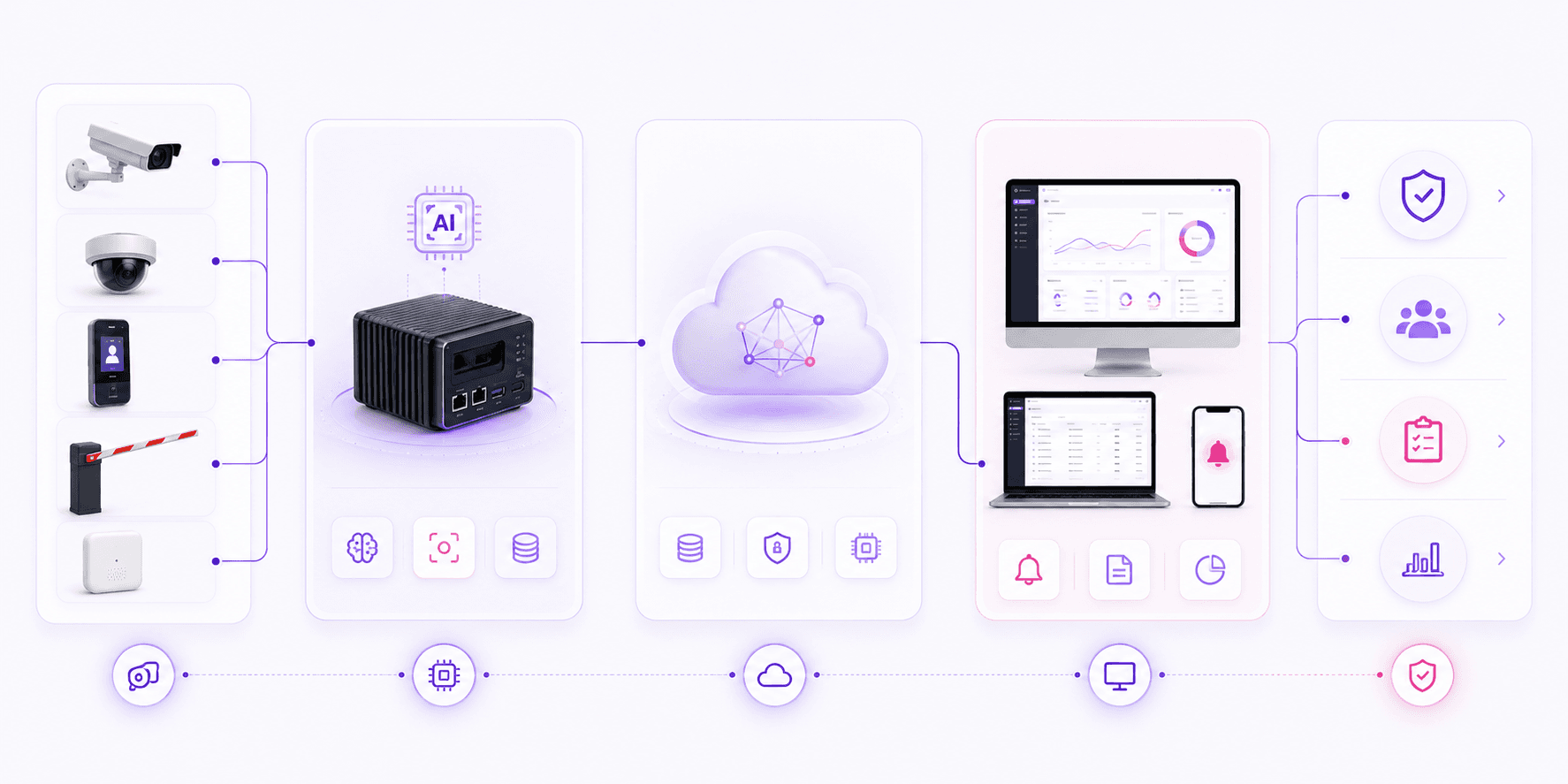
Input Layer
Edge Layer
Logic Layer
Application Layer
Outcome
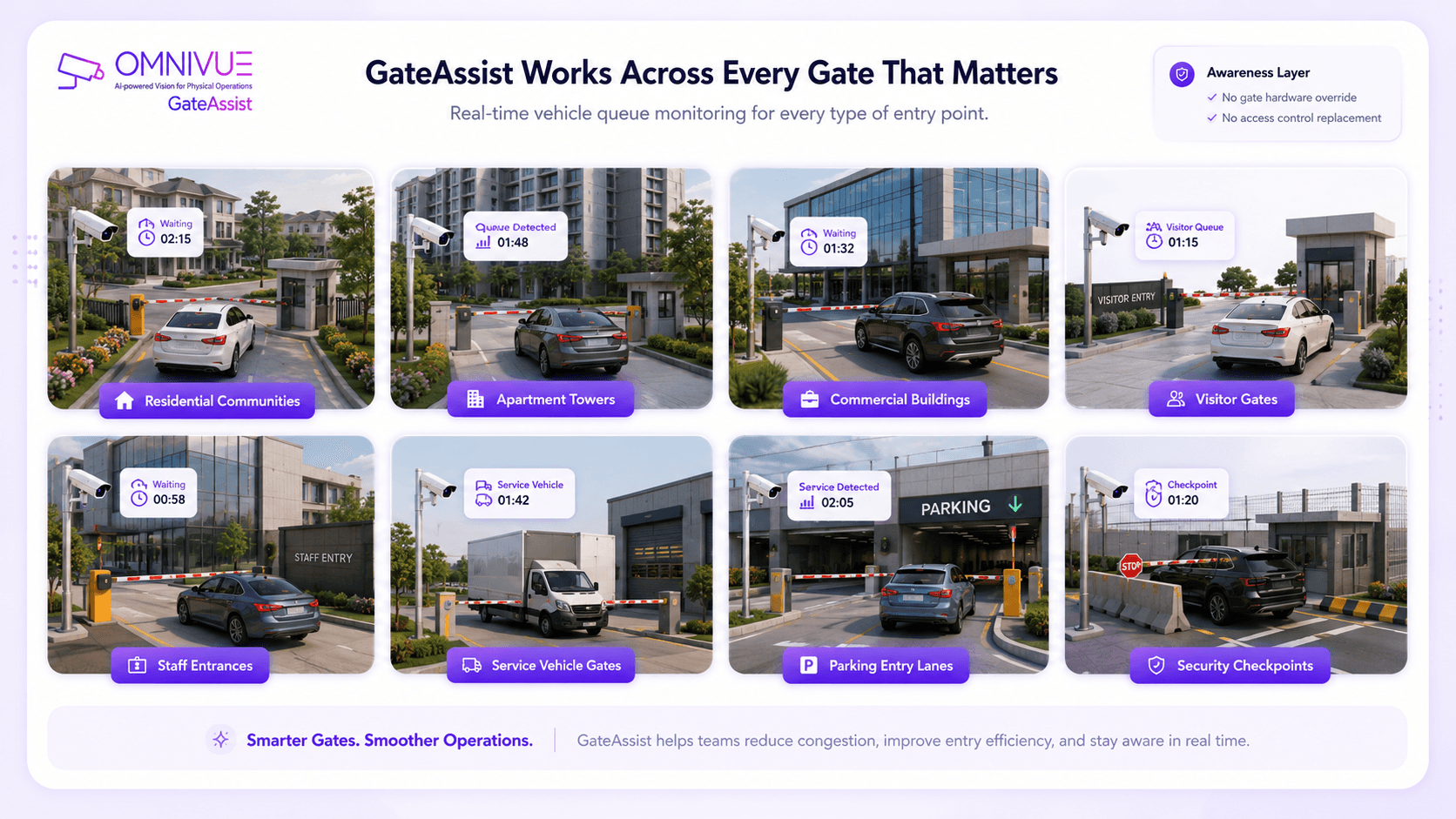
Built for gate environments
Gate queue intelligence for controlled vehicle entry points.
GateAssist can be adapted for sites that need stronger visibility into vehicle waiting, entry flow and access point responsiveness.
Deployment proof
Validated in live residential gate operations.
GateAssist was validated during a live on-premise deployment at Danube Opalz main gate. The system operated continuously without disrupting gate operations or standard security workflows.
827
Confirmed Events
0
False Positives
0
Missed Events Observed
99%+
System Uptime
Governance ready
Built for controlled local deployments.
GateAssist supports event-based capture, configurable retention, audit logging, role-based dashboard access and localized storage aligned with IT governance needs.
Event-based capture only
No continuous video archiving
Configurable retention policy
Role-based dashboard access
Audit logging enabled
No external transmission unless configured
Omnivue GateAssist
Want to see how GateAssist fits your entry gate workflow?
Share your gate layout, camera availability, barrier process, guard workflow and deployment preference. Our team will suggest the right GateAssist setup.
What we’ll review
You do not need a finalized technical scope. A short discussion around your gate camera, barrier process and queue risk is enough to recommend the right starting setup.