

AI monitoring for blocked emergency exits and fire safety areas.
SafeGuard helps HSE and operations teams keep emergency exits, fire equipment and safety access areas clear by detecting obstruction, clutter and unsafe storage behavior.
Pilot validation note
Validated in a warehouse environment for emergency exit and fire safety equipment access-area blockage detection.
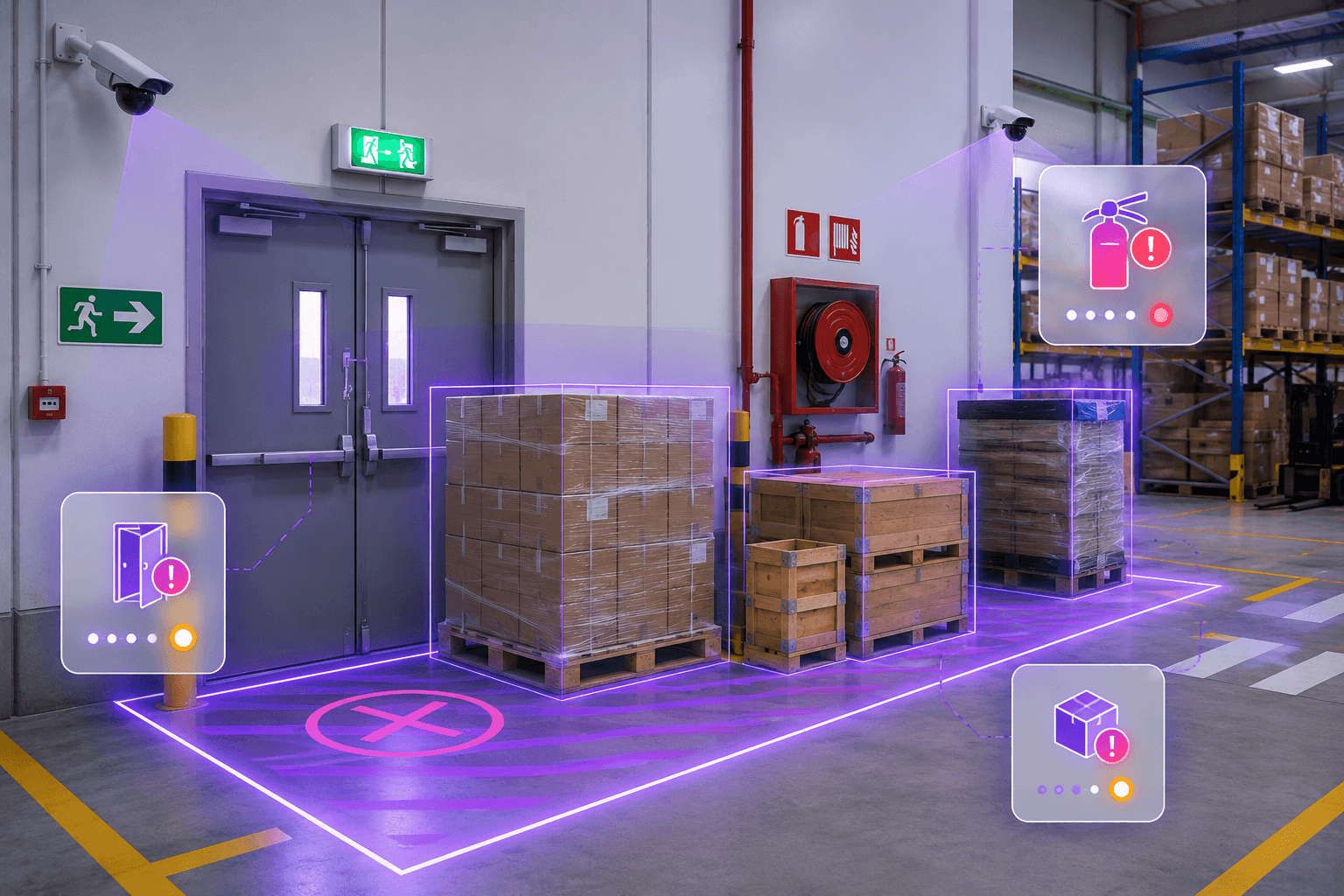
Exit
Monitored
Access
Checked
Alert
Logged
What SafeGuard manages
A continuous safety layer for emergency readiness.
SafeGuard connects emergency exits, fire equipment zones, obstruction detection, alerts and compliance evidence into one HSE workflow.
Emergency Exit Monitoring
Monitor emergency exit pathways and clearance zones to detect obstruction or restricted access.
Fire Equipment Access
Ensure access to extinguishers, hose reels, fire panels and safety equipment remains clear.
Material Obstruction Detection
Detect pallets, boxes, loose materials, storage items or equipment placed inside safety zones.
Safety Zone Rules
Configure monitored boundaries around critical evacuation paths and fire safety access areas.
Real-time Safety Alerts
Generate alerts when emergency exits or fire equipment areas become blocked or partially obstructed.
Compliance Evidence Records
Maintain visual evidence, timestamps, severity levels and review status for HSE follow-up.
Pilot validation
Validated against real safety-zone obstruction behavior.
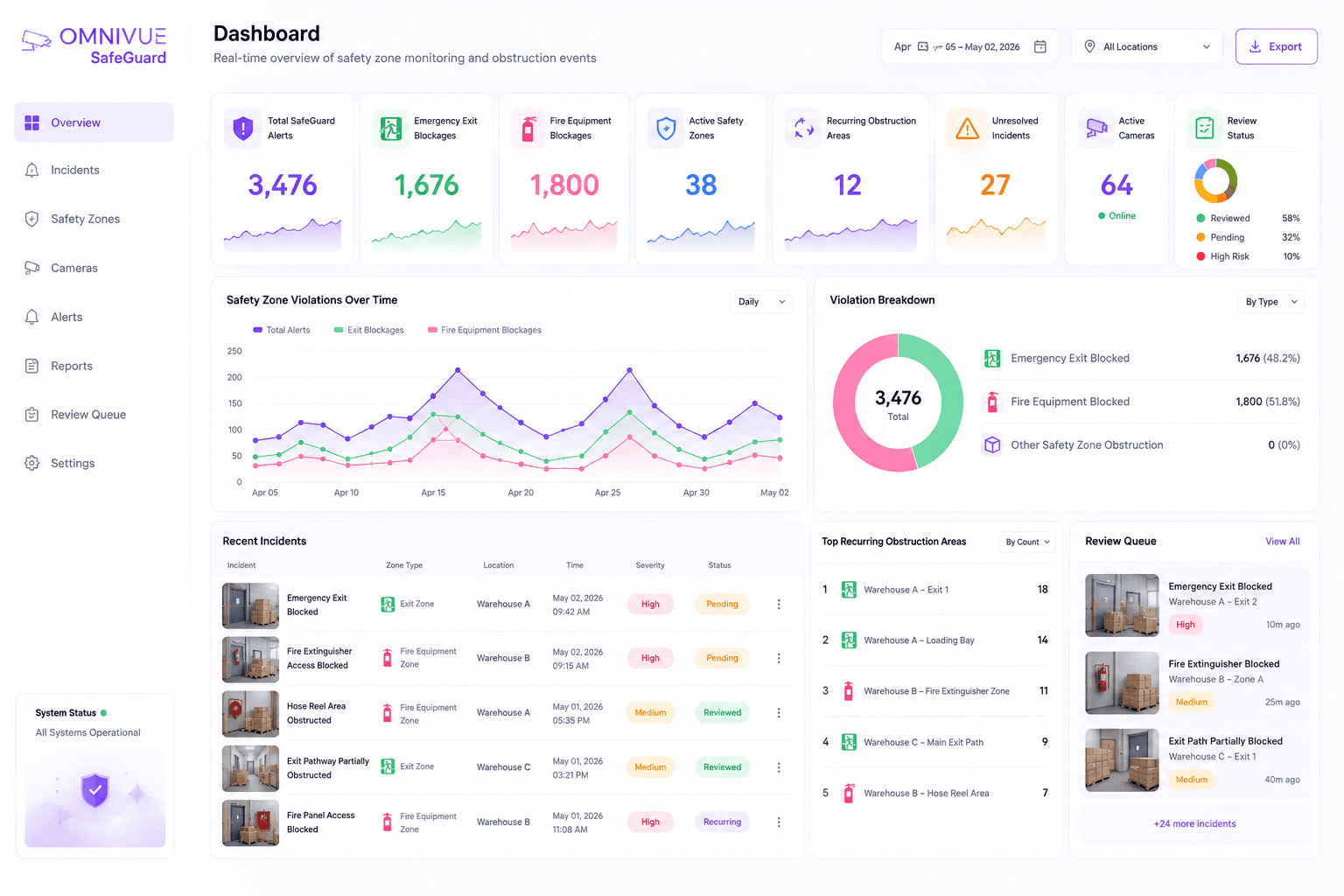
The pilot confirmed that emergency exit and fire equipment access obstructions are recurring operational risks that can remain undocumented without continuous monitoring.
Pilot Duration
21 days
Safety-critical zones
Total Notifications
3,476
SafeGuard alerts
Emergency Exit Detections
1,676
Exit blockage events
Fire Equipment Detections
1,800
Access obstruction events
Blockage scenarios
Detect safety obstructions before they become emergency risks.
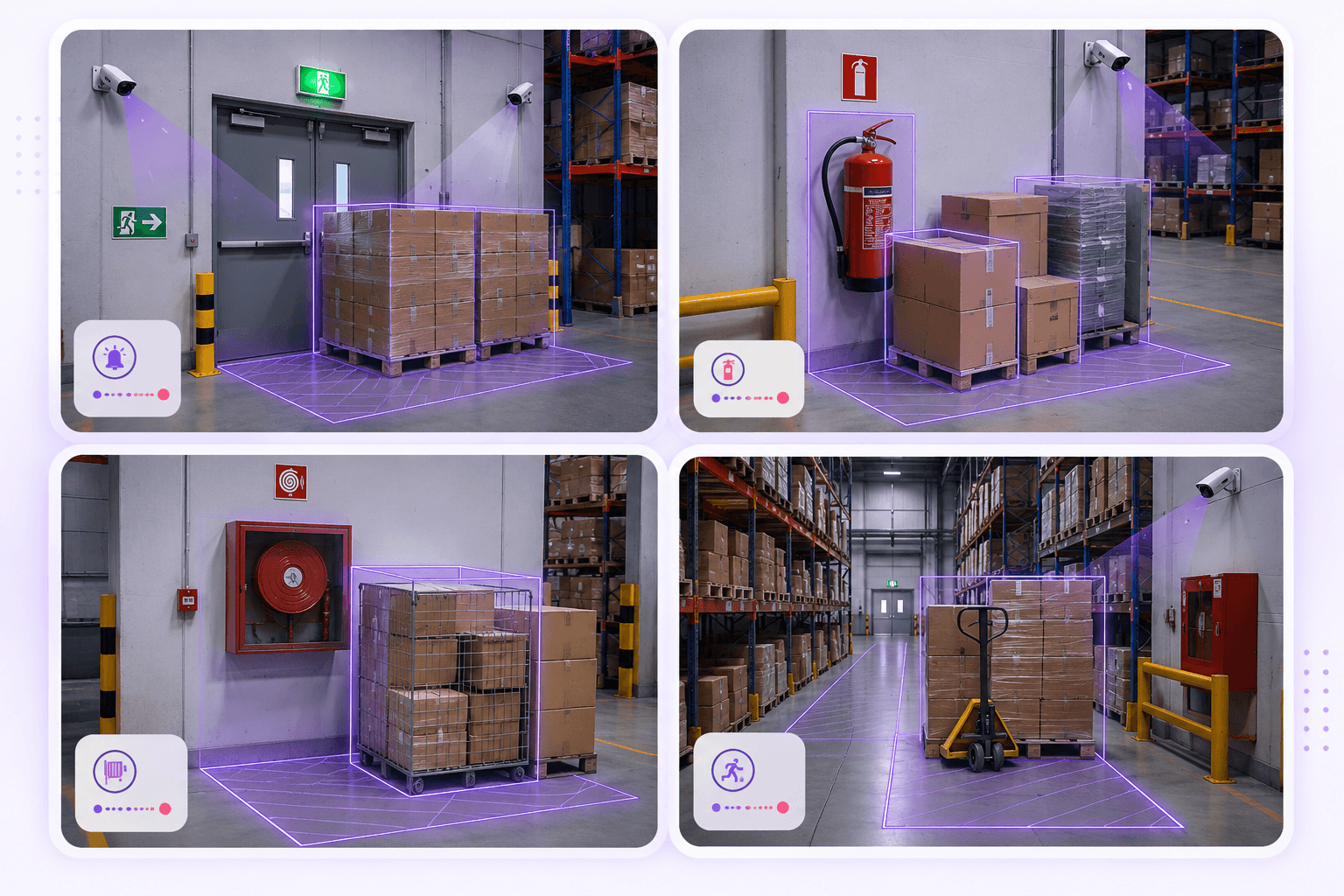
Safety-zone violations may appear temporary, but even short-term blockage can delay emergency response, evacuation or access to fire equipment.
Emergency exit blocked
Detect material or operational items placed within the emergency exit clearance area.
Exit pathway partially obstructed
Identify partial blockage that may slow evacuation or emergency response movement.
Fire equipment area blocked
Detect blocked access to extinguishers, hose reels, fire panels or safety equipment.
Recurring clutter accumulation
Highlight repeated unsafe storage behavior around safety-critical areas.
Safety alerts
Turn blocked safety zones into evidence-backed alerts.
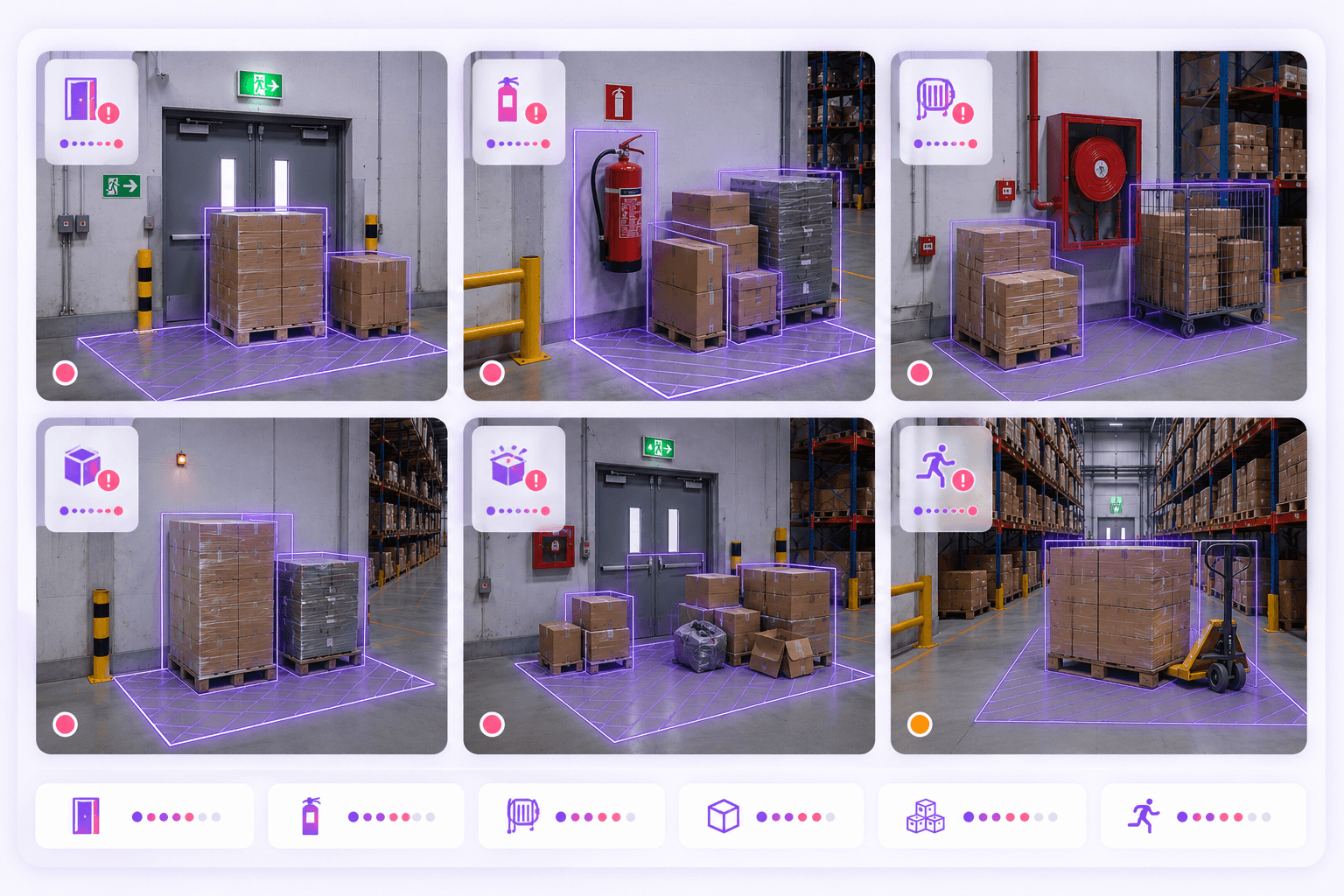
SafeGuard helps HSE teams review blocked exits, obstructed fire equipment areas, unsafe storage patterns and recurring compliance gaps with visual context.
Emergency exit blocked
Exit pathway partially obstructed
Fire extinguisher access blocked
Hose reel area obstructed
Fire panel access blocked
Pallets inside clearance zone
Packaging clutter near exit
Manual HSE review required
Incident review
Give HSE teams a safety record they can act on.
Each SafeGuard event can include a timestamp, camera reference, safety zone, obstruction type, severity level, visual evidence and review status.
Emergency readiness
Ensure critical exits and safety equipment remain accessible when they are needed most.
Faster intervention
Turn blocked safety zones into visible alerts for HSE and operations teams.
Reduced compliance risk
Identify unsafe storage and obstruction practices before audits or emergencies expose them.
Evidence-backed follow-up
Maintain a documented record of safety-zone violations for corrective action and accountability.
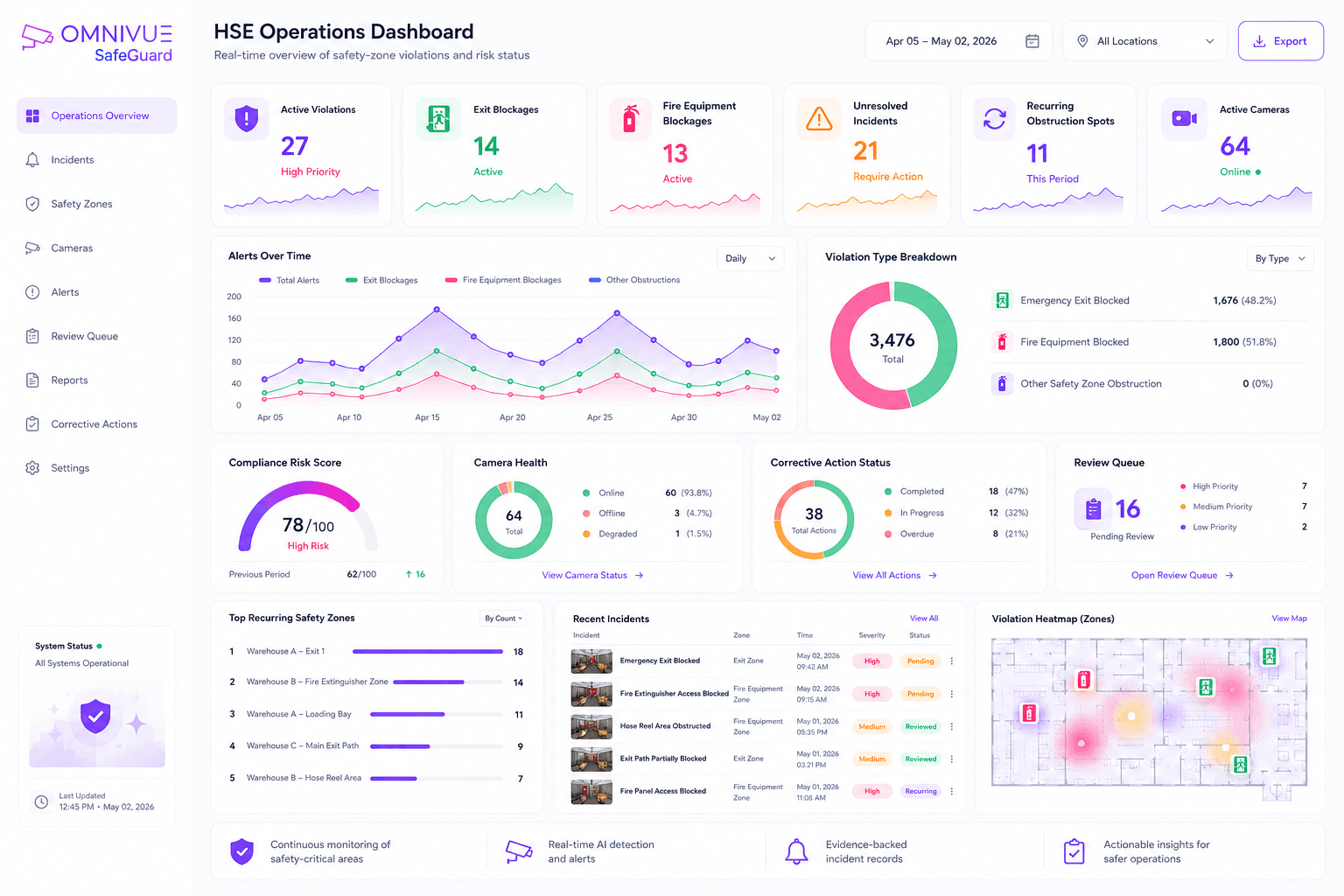
Deployment setup
Define safety zones around exits and fire assets.
SafeGuard performs best when the camera clearly covers the clearance area, exit route, fire equipment access path and expected obstruction area.
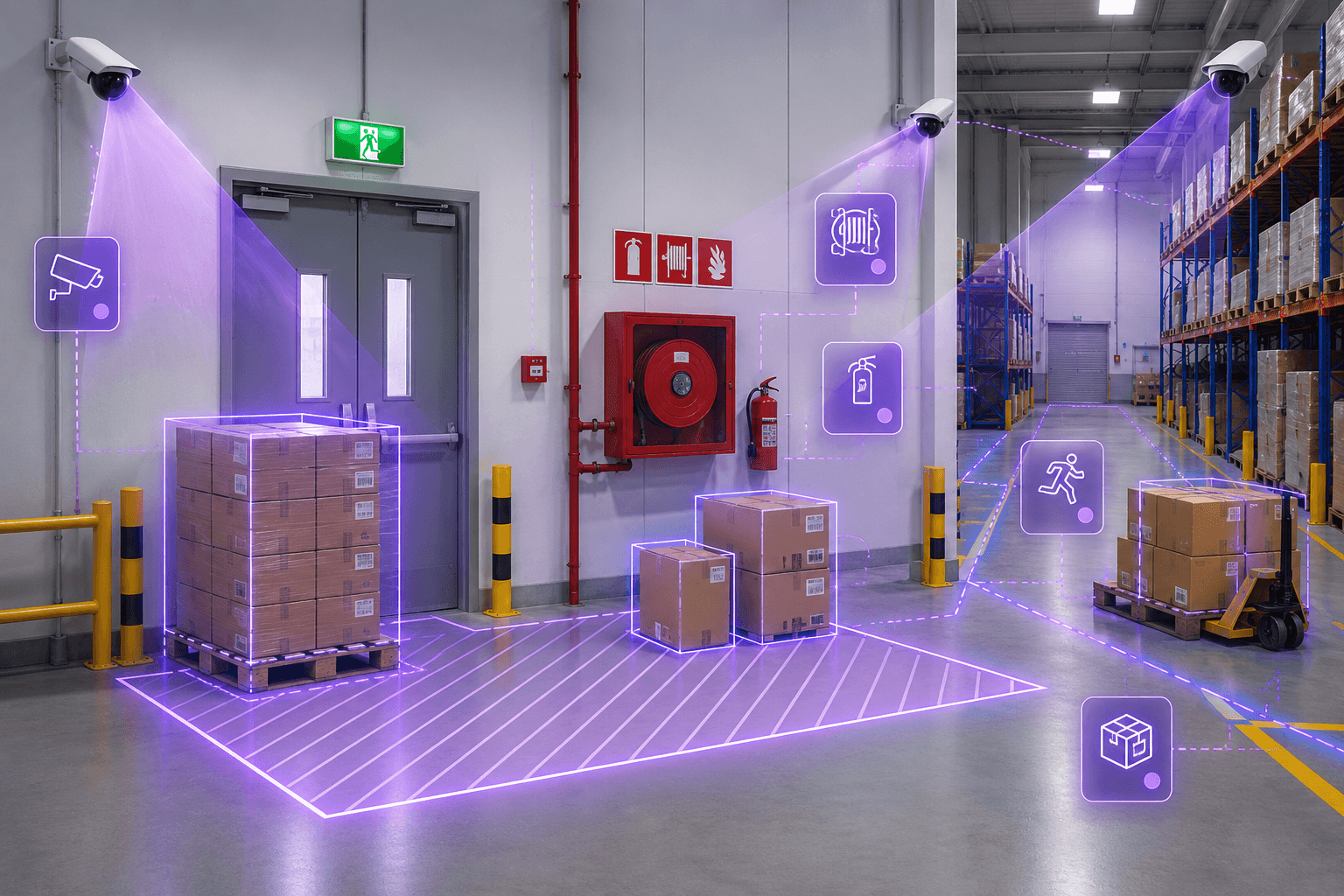
How SafeGuard works
From safety-zone camera view to HSE incident record.
SafeGuard converts camera feeds into safety-zone events, obstruction alerts, incident evidence and compliance records.
Step 01
Capture
Camera observes emergency exits and fire equipment areas.
Step 02
Zone
Configured boundaries define required clearance areas.
Step 03
Detect
AI identifies material, clutter or equipment obstruction.
Step 04
Alert
HSE teams receive safety-zone violation alerts.
Step 05
Record
Evidence is stored for review and corrective action.
Architecture
Edge AI monitoring for safety-critical clearance zones.
SafeGuard is designed for local processing, warehouse camera feeds, configured safety zones, HSE incident review and optional alert workflows.
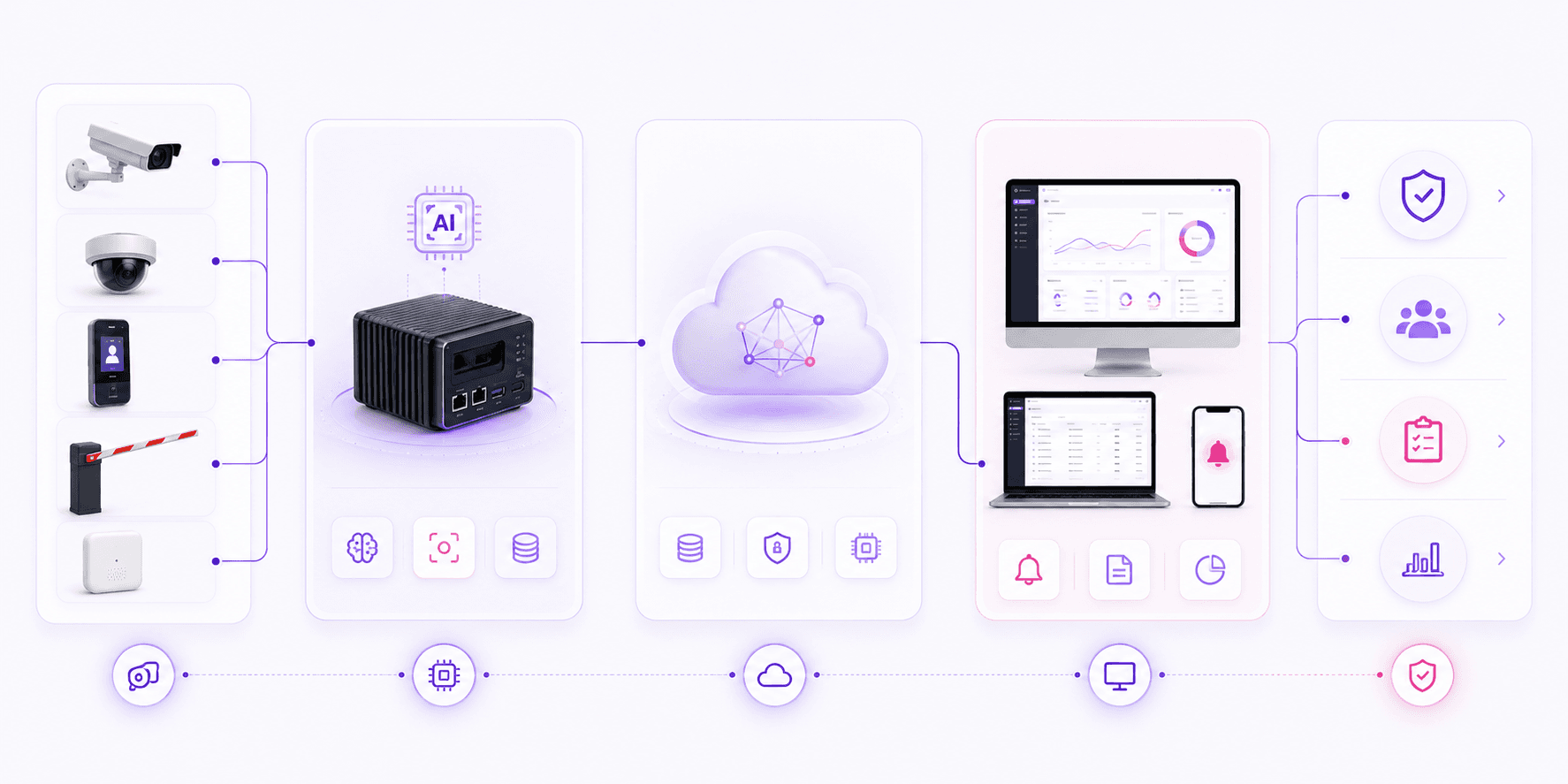
Input Layer
Edge Layer
Platform Layer
Application Layer
Outcome
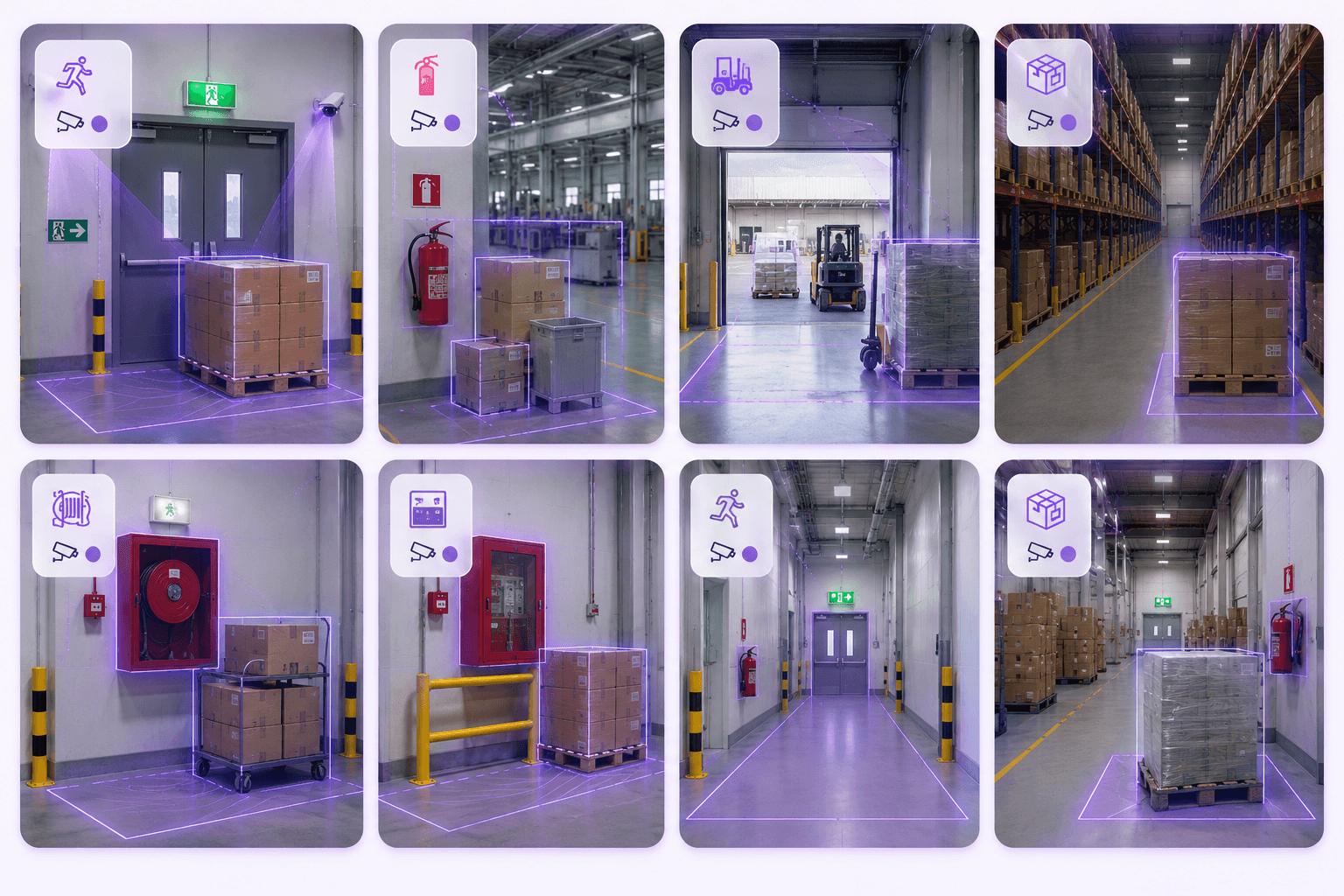
Built for safety-critical environments
Clearance-zone visibility for exits, fire assets and HSE compliance.
SafeGuard is useful wherever emergency access, fire equipment clearance and safety-critical pathways need continuous review.
Omnivue SafeGuard
Want to see how SafeGuard fits your HSE workflow?
Share your emergency exits, fire equipment locations, camera coverage, safety-zone rules and alert process. Our team will suggest the right SafeGuard setup.
What we’ll review
You do not need a finalized technical scope. A short discussion around your safety-critical areas and current camera coverage is enough to recommend the right starting setup.