
AI vehicle journey and bay operations intelligence.
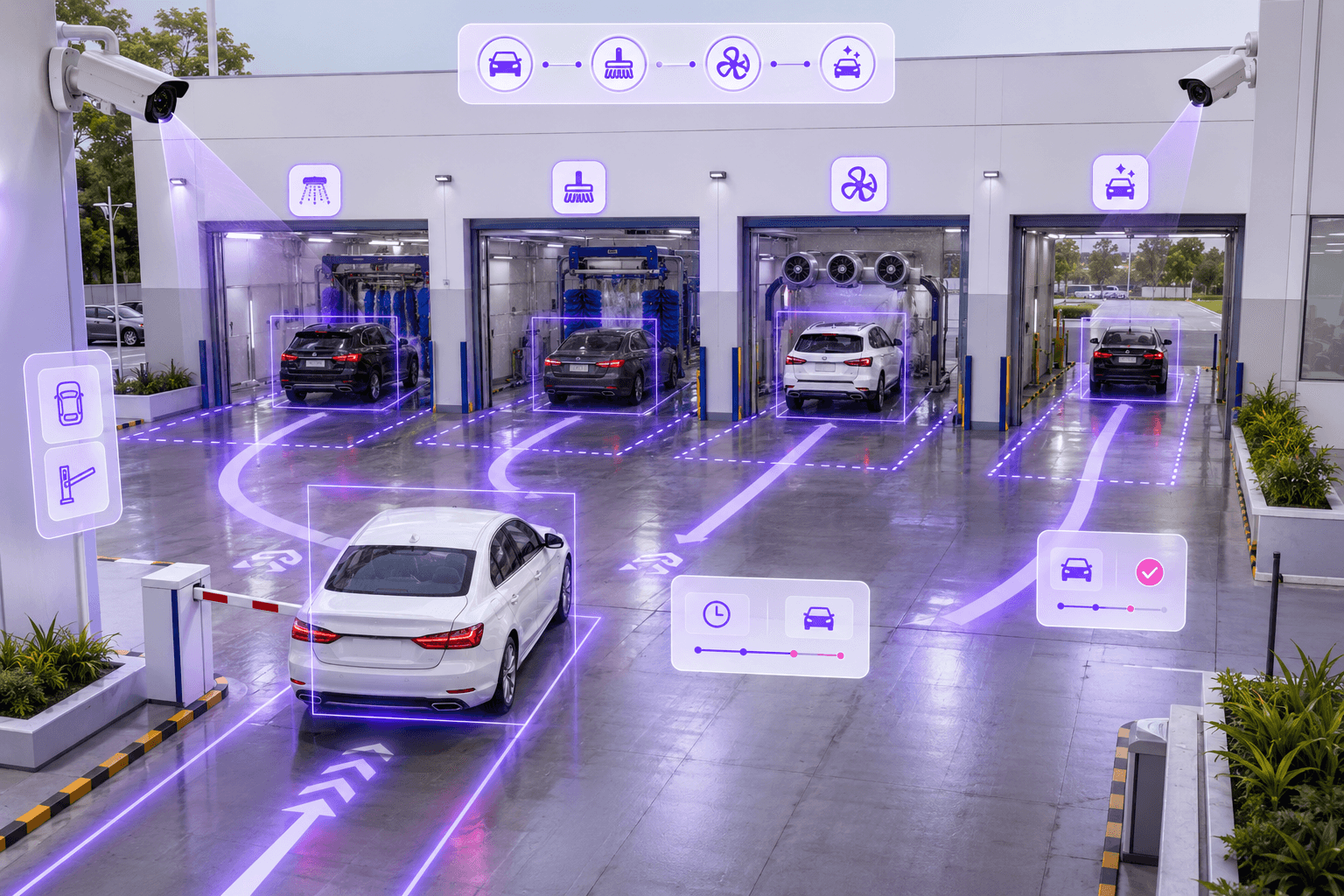
BayFlow helps car wash, service and multi-bay operations track every vehicle from entry to exit, monitor bay performance, detect delays and improve throughput with real-time operational visibility.
Operations note
Designed for businesses that need real-time control over vehicle movement, bay utilization, customer waiting time and operational bottlenecks.
Vehicle
Tracked
Bay
Monitored
Delay
Flagged
What BayFlow manages
Complete visibility across every bay and vehicle movement stage.
BayFlow connects vehicle detection, live bay status, journey tracking, dwell time, delay alerts and reports into one operational control view.
Vehicle Journey Tracking
Track every vehicle from entry to exit across wash, drying, repair, holding, delivery or custom bay stages.
Live Bay Status
See which vehicles are inside each bay, how long they have stayed and which bay needs attention.
Dwell Time Monitoring
Measure vehicle waiting time, service duration and stage-wise dwell time to identify slowdowns.
Delay & Bottleneck Alerts
Detect delayed vehicles, overloaded areas and operational bottlenecks before they impact throughput.
Snapshot Evidence
Use camera snapshots and event history to verify movement, service status and vehicle transitions.
Reports & Analytics
Export vehicle history, bay utilization, throughput trends and operational performance reports.
Operations dashboard
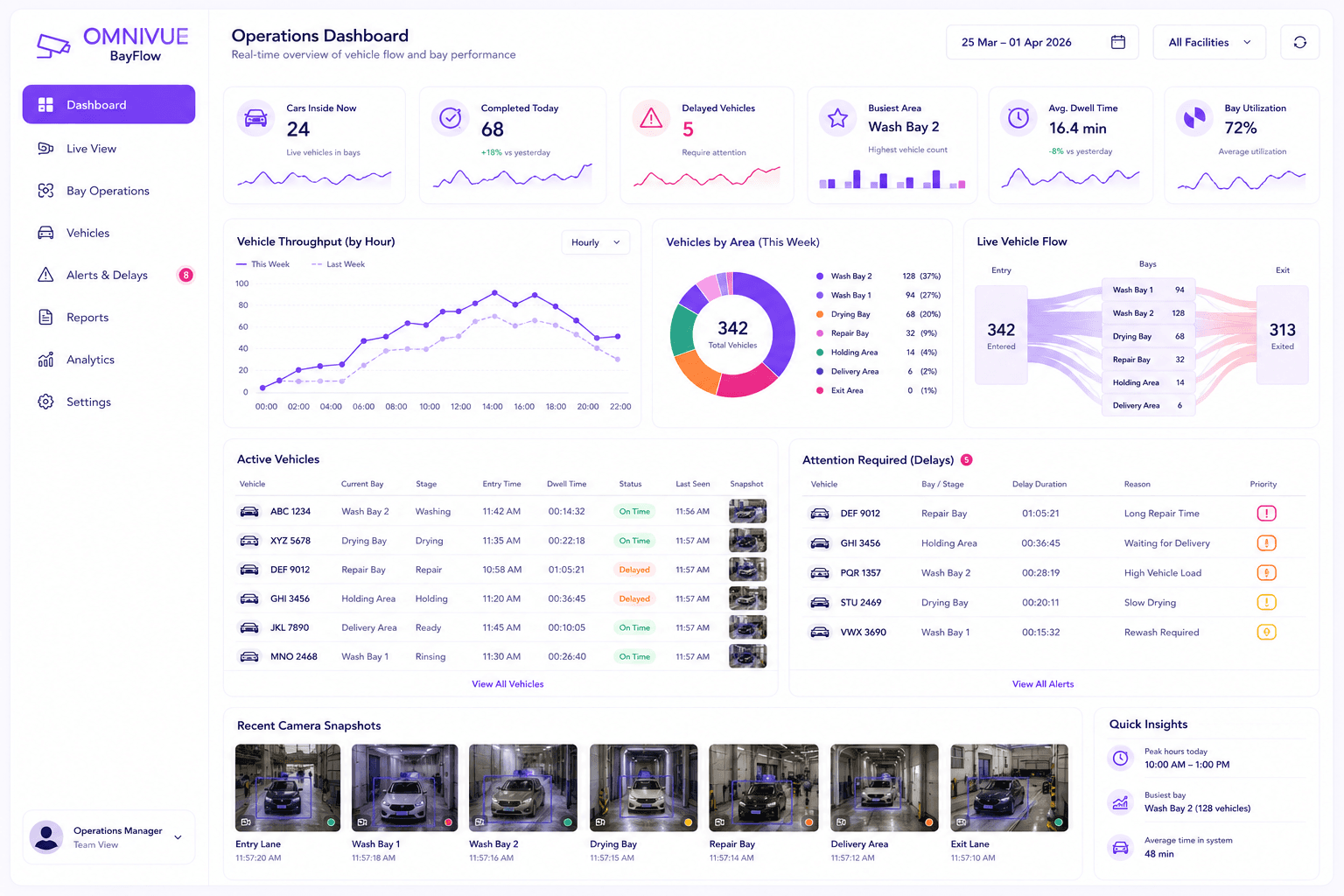
See cars inside, completed, delayed and waiting for attention.
BayFlow gives managers at-a-glance KPIs, live bay activity, vehicle lists, attention-required queues, throughput charts and recent camera evidence.
Cars currently inside
Completed vehicles
Delayed vehicles
Busiest bay or area
Live vehicle snapshots
End-to-end journey
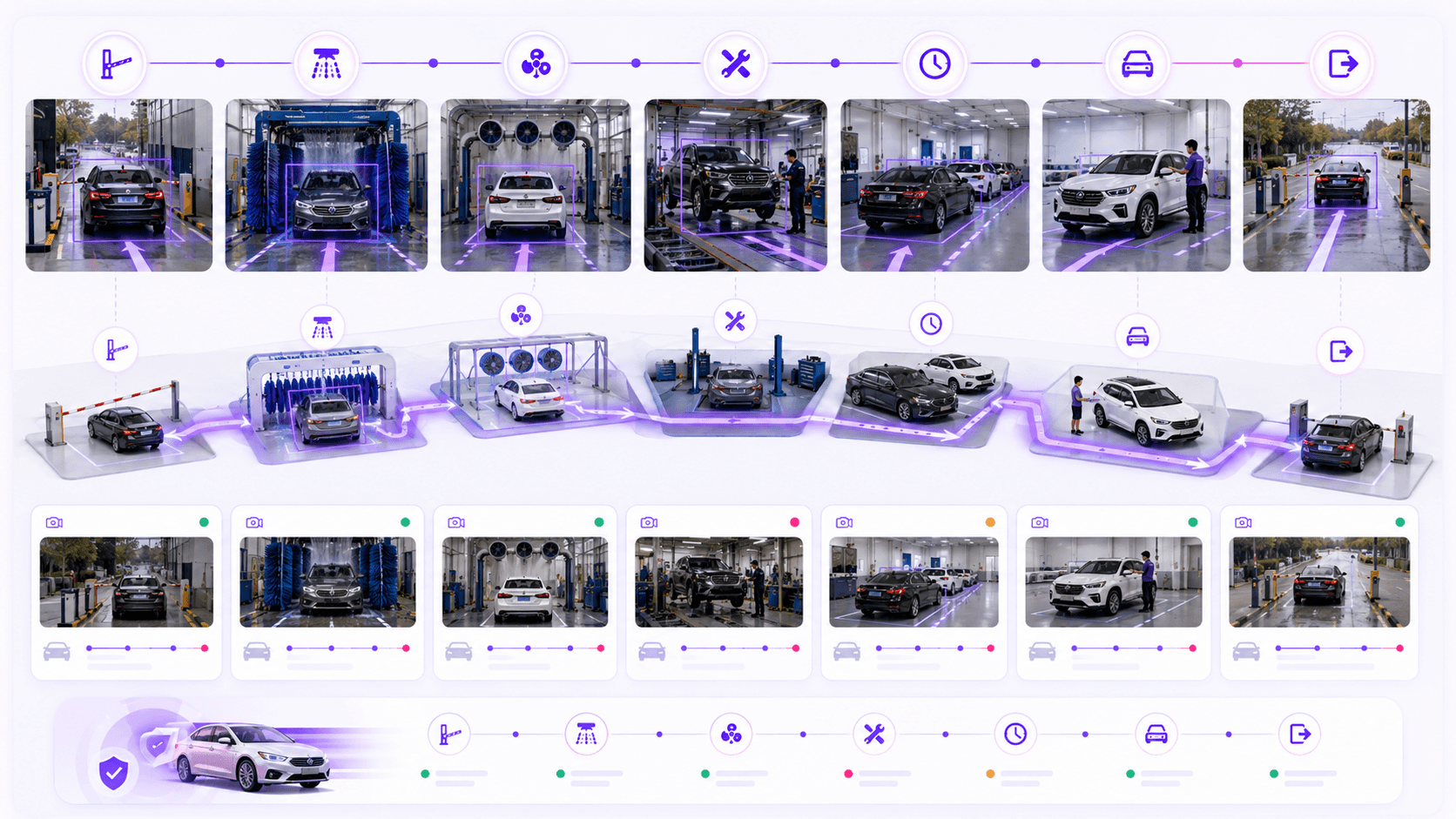
Track every vehicle from entry to exit.
Follow each vehicle across configured stages in real time, with status, bay location, dwell time, delay state and camera evidence.
Entry
Vehicle is detected when it enters the facility or bay operation area.
Service Journey
Vehicle movement is tracked across wash, drying, repair, holding, delivery or configured stages.
Dwell Monitoring
BayFlow monitors how long the vehicle stays at each stage and flags unusual delays.
Exit & Report
The completed journey is recorded with timestamps, evidence and operational analytics.
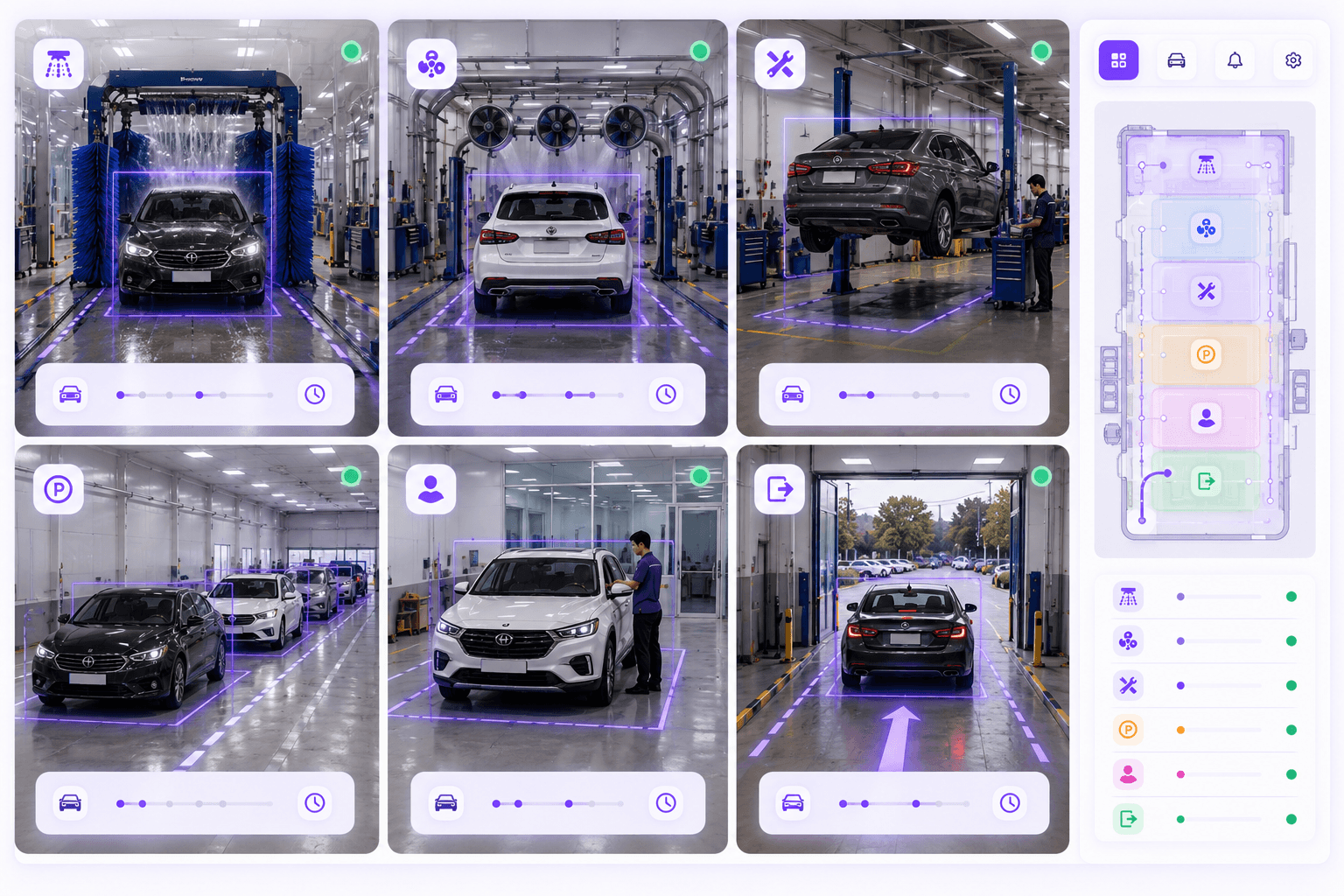
Live bay flow
Know exactly where every vehicle is and how long it has been there.
BayFlow helps managers see active vehicles, current bay, last seen time, stage status, delay state and recent snapshots from camera feeds.
Improve throughput
Track vehicle flow and identify delays that reduce daily capacity.
Reduce waiting time
Find where vehicles wait too long and intervene before queues build up.
Maximize bay utilization
Understand which bays are busy, underused or frequently delayed.
Make data-driven decisions
Use reports and analytics to improve staffing, bay allocation and process planning.
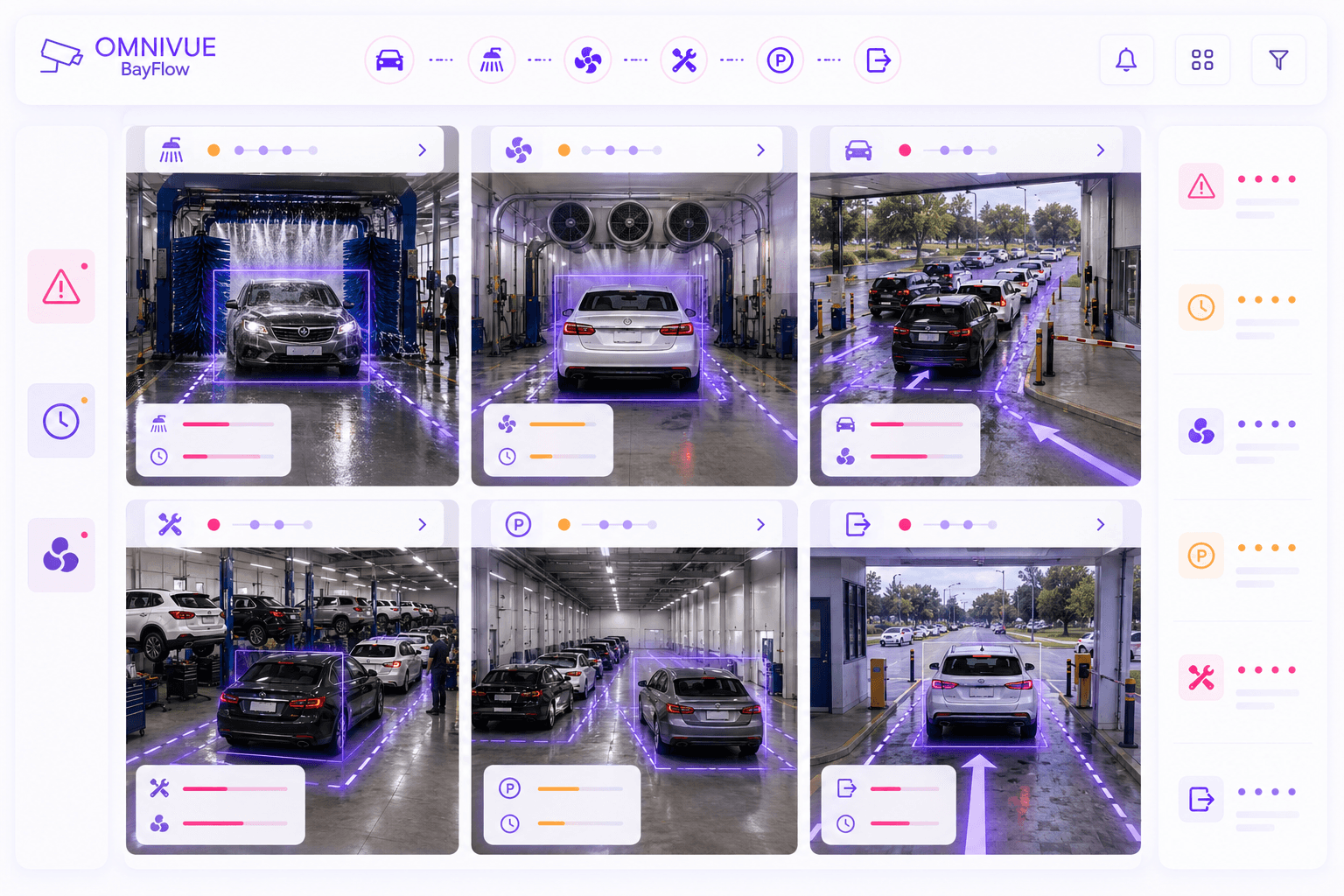
Delay and bottleneck alerts
Turn waiting time and bay congestion into actionable alerts.
BayFlow helps teams quickly identify delayed vehicles, slow stages, congested areas, idle bays and recurring process bottlenecks.
Vehicle delayed in bay
Long dwell time
Busy bay congestion
Vehicle waiting too long
Incomplete journey
Bay utilization issue
Repeated bottleneck pattern
Manual review required
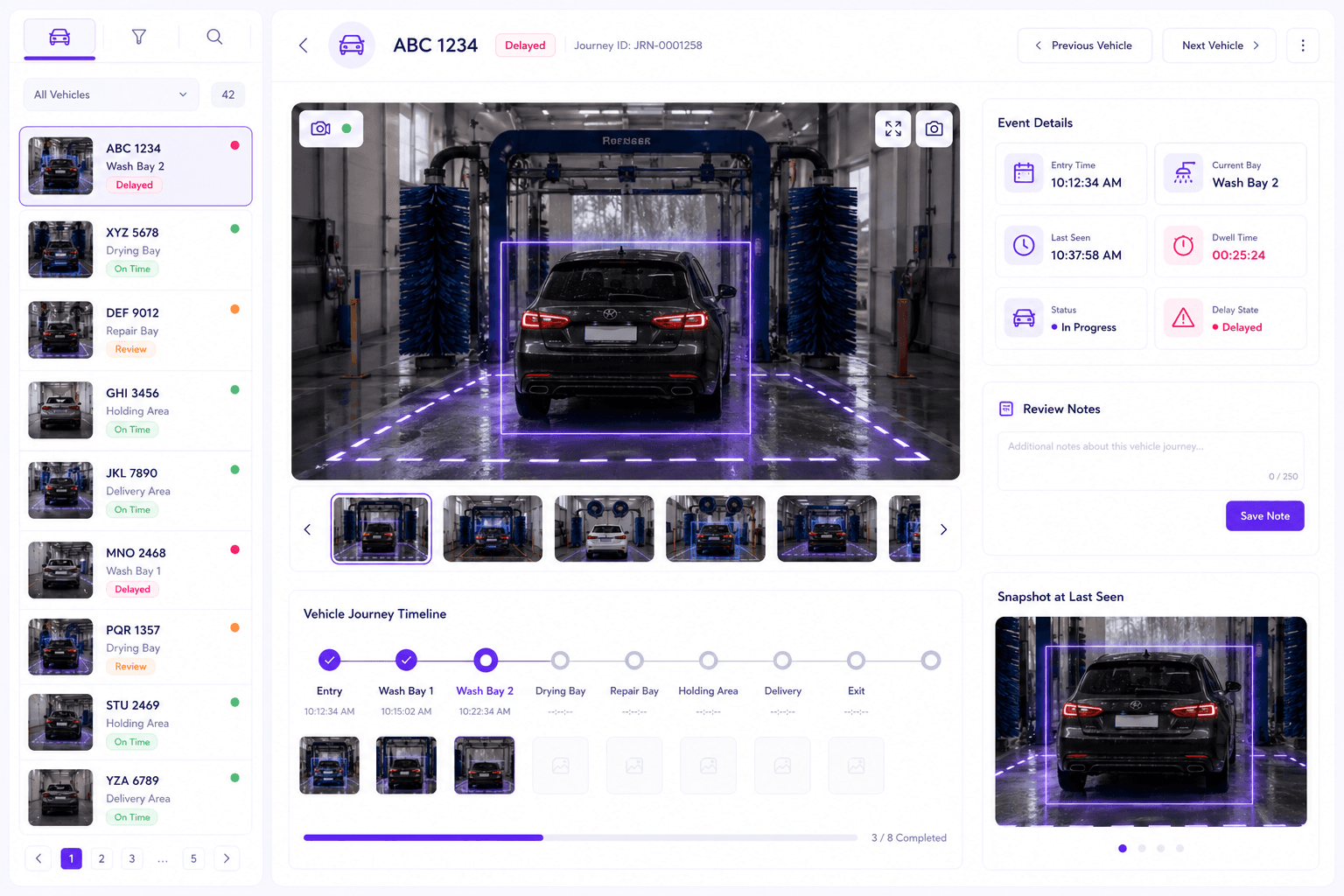
Snapshot evidence
Give every vehicle journey a visual history.
Every tracked vehicle can have stage-wise timestamps, camera snapshots, dwell time, last seen location, status and review history for better operational clarity.
Built for live operational control
BayFlow shows what is happening now across entry, wash, drying, repair, holding, delivery and exit areas.
Tracks every vehicle journey
Each vehicle can be followed from entry to exit with stage transitions, time spent and snapshot evidence.
Highlights bottlenecks early
Delayed vehicles and overloaded bays become visible before they affect customer experience or daily capacity.
Works with existing CCTV where suitable
BayFlow can use available camera feeds where the angle, lighting and visibility are good enough for reliable tracking.
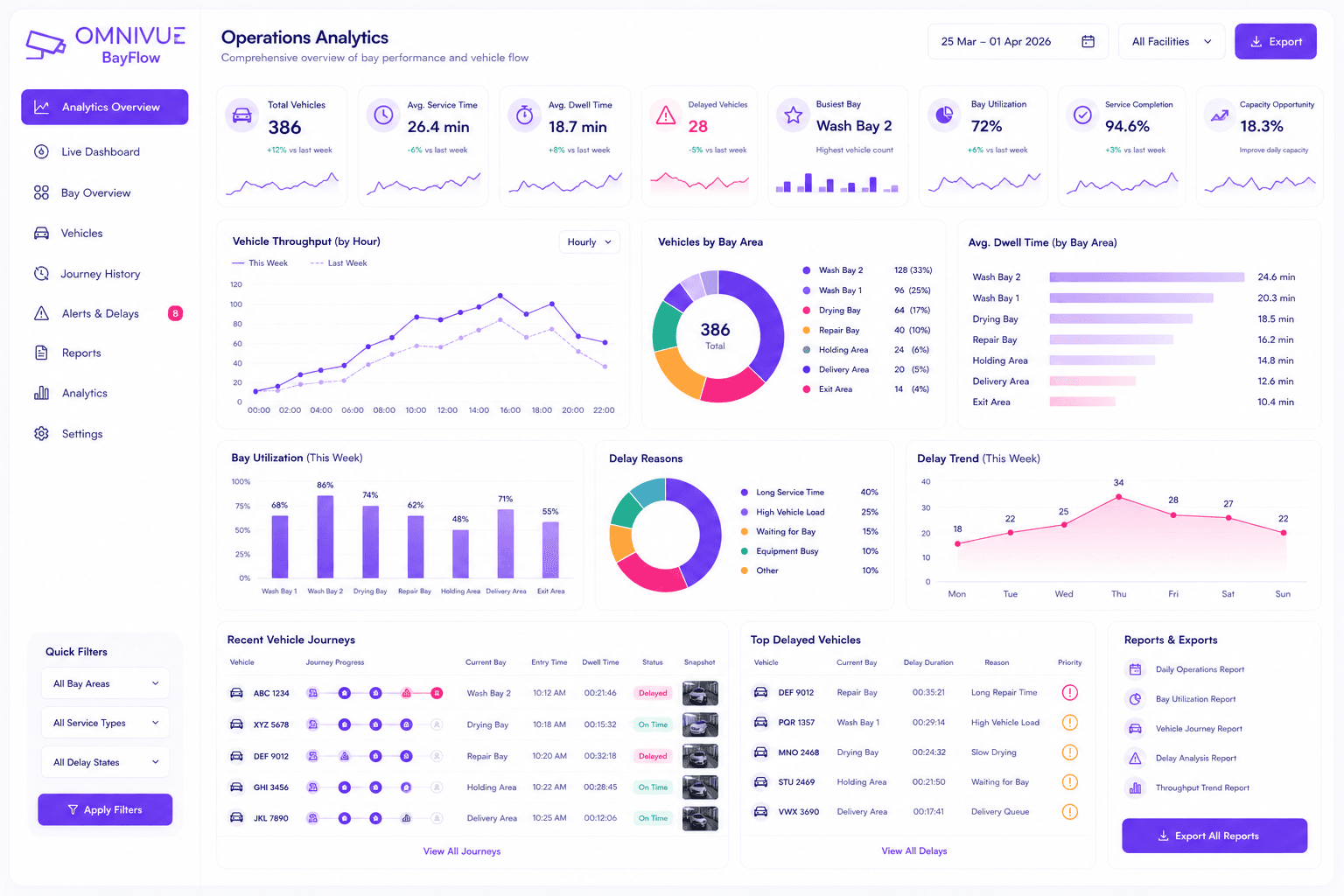
Reports and analytics
Improve bay performance with data, not guesswork.
Use throughput trends, dwell-time analytics, vehicle history, bay utilization and delay reports to improve staffing, process design and daily capacity.
Deployment setup
Use existing bay cameras where visibility is suitable.
BayFlow works best when cameras clearly cover entry, exit and each important bay stage. AI processing can run locally at the edge, with dashboards and reports available for operations teams.
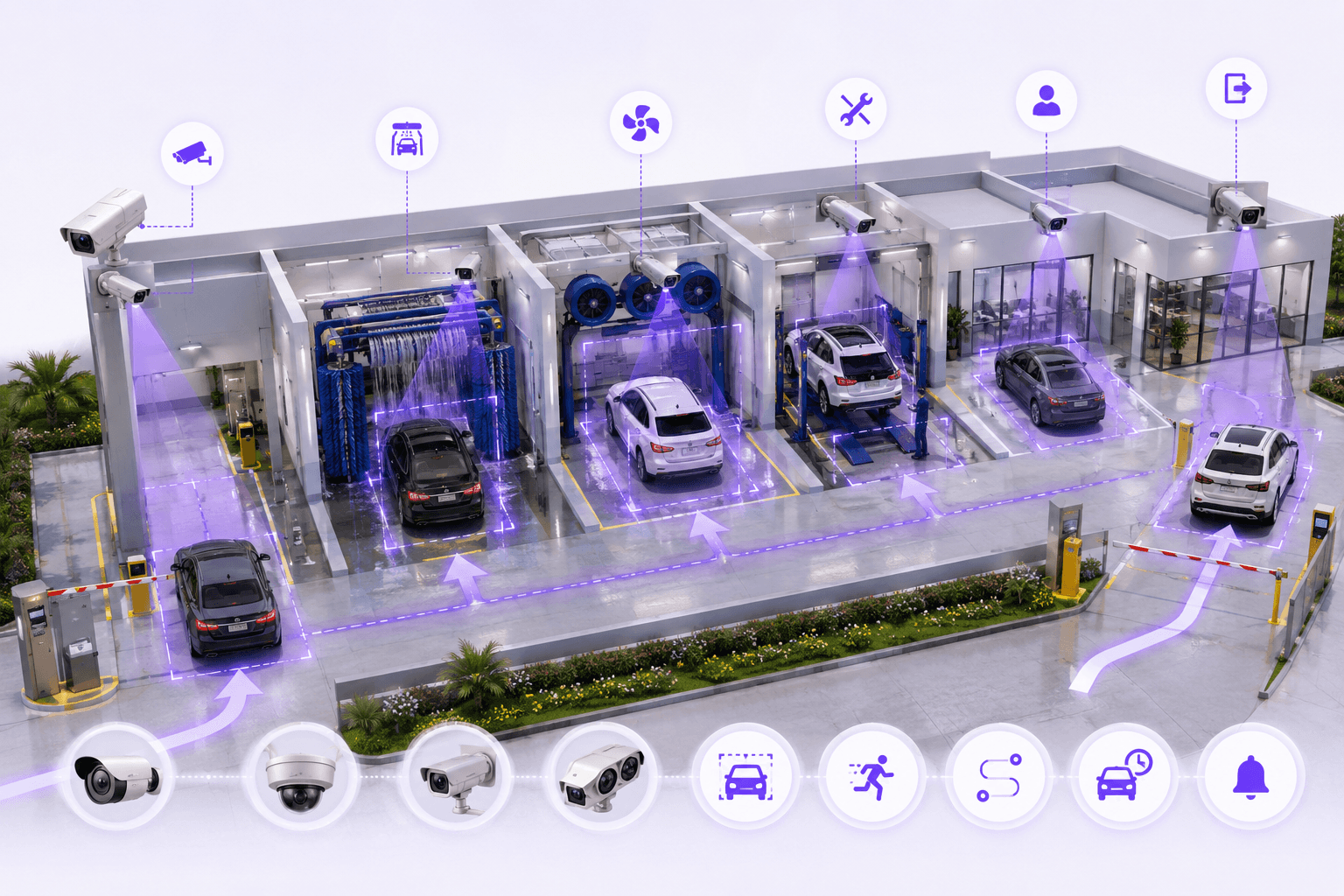
How BayFlow works
From bay camera feed to vehicle journey intelligence.
BayFlow converts camera views into vehicle movement events, bay status, dwell time, delay alerts and operational reports.
Step 01
Capture
Existing cameras observe entry, bays and exit areas.
Step 02
Detect
AI detects vehicles and identifies movement between stages.
Step 03
Measure
Dwell time, wait time and stage duration are calculated.
Step 04
Alert
Delayed vehicles and bottlenecks are flagged for action.
Step 05
Report
Vehicle history and operational analytics are available for review.
Architecture
Simple architecture for real-time bay intelligence.
BayFlow follows a practical camera-to-edge-to-dashboard architecture: existing CCTV captures bay activity, edge AI processes vehicle movement, and the dashboard provides live visibility and reports.
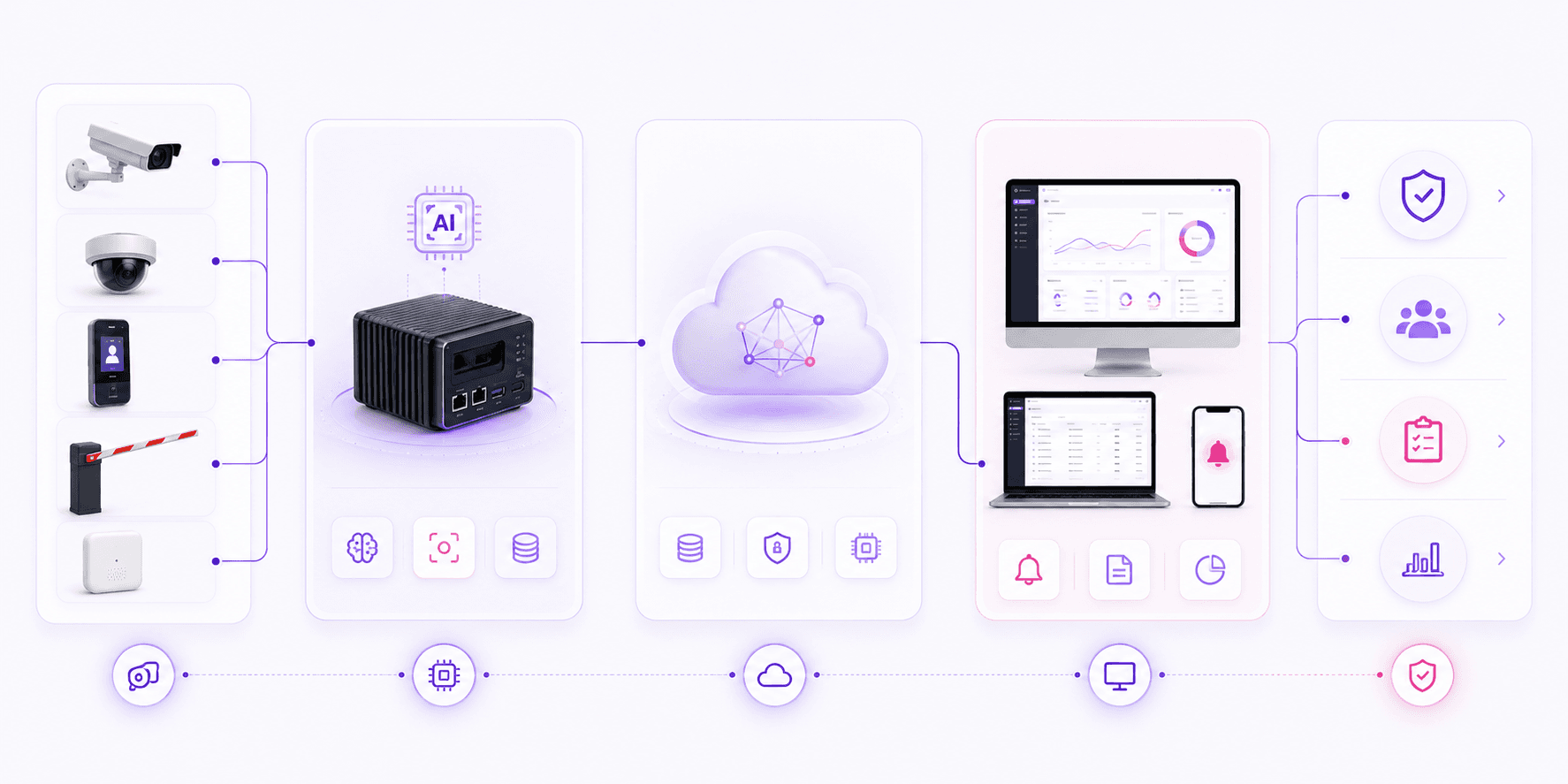
Input Layer
Edge Layer
Platform Layer
Application Layer
Outcome
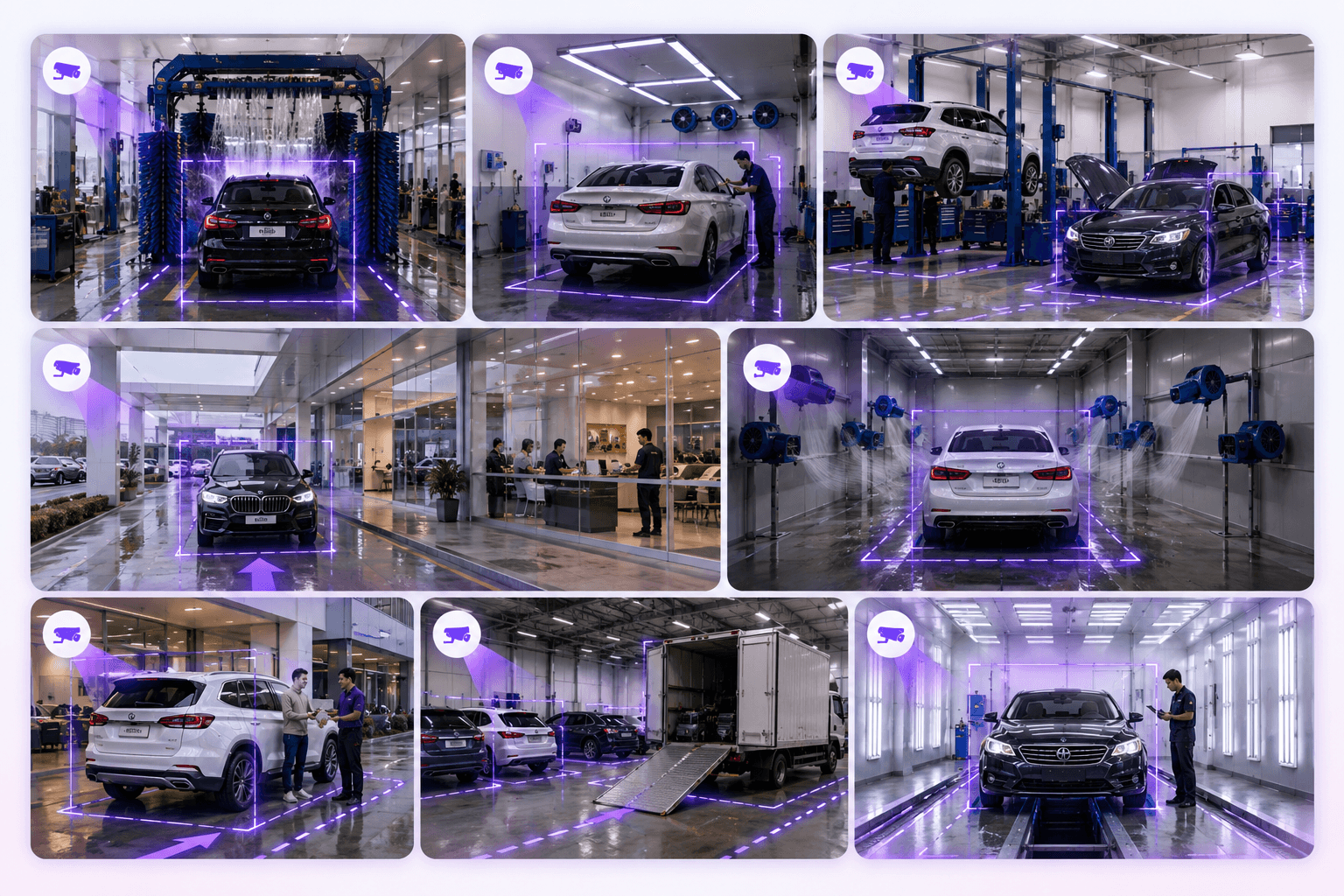
Built for vehicle bay environments
Bay intelligence for car wash, service and vehicle operations.
BayFlow is useful wherever vehicles move through defined stages and managers need visibility into waiting time, utilization and delays.
Omnivue BayFlow
Want to see how BayFlow fits your vehicle operation?
Share your bay layout, camera coverage, vehicle journey stages, expected service times and reporting needs. Our team will suggest the right BayFlow setup.
What we’ll review
You do not need a finalized technical scope. A short discussion around your bays, vehicle stages and current camera coverage is enough to recommend the right starting setup.