
AI monitoring for unusual situations inside elevators.
ElevatorAssist helps security and reception teams detect child-alone situations, prolonged occupancy, possible falls and overcrowding using existing elevator cabin camera feeds.
Case study note
Deployed at Danube Opalz, Dubai using existing elevator cabin camera infrastructure and on-premise local network processing.
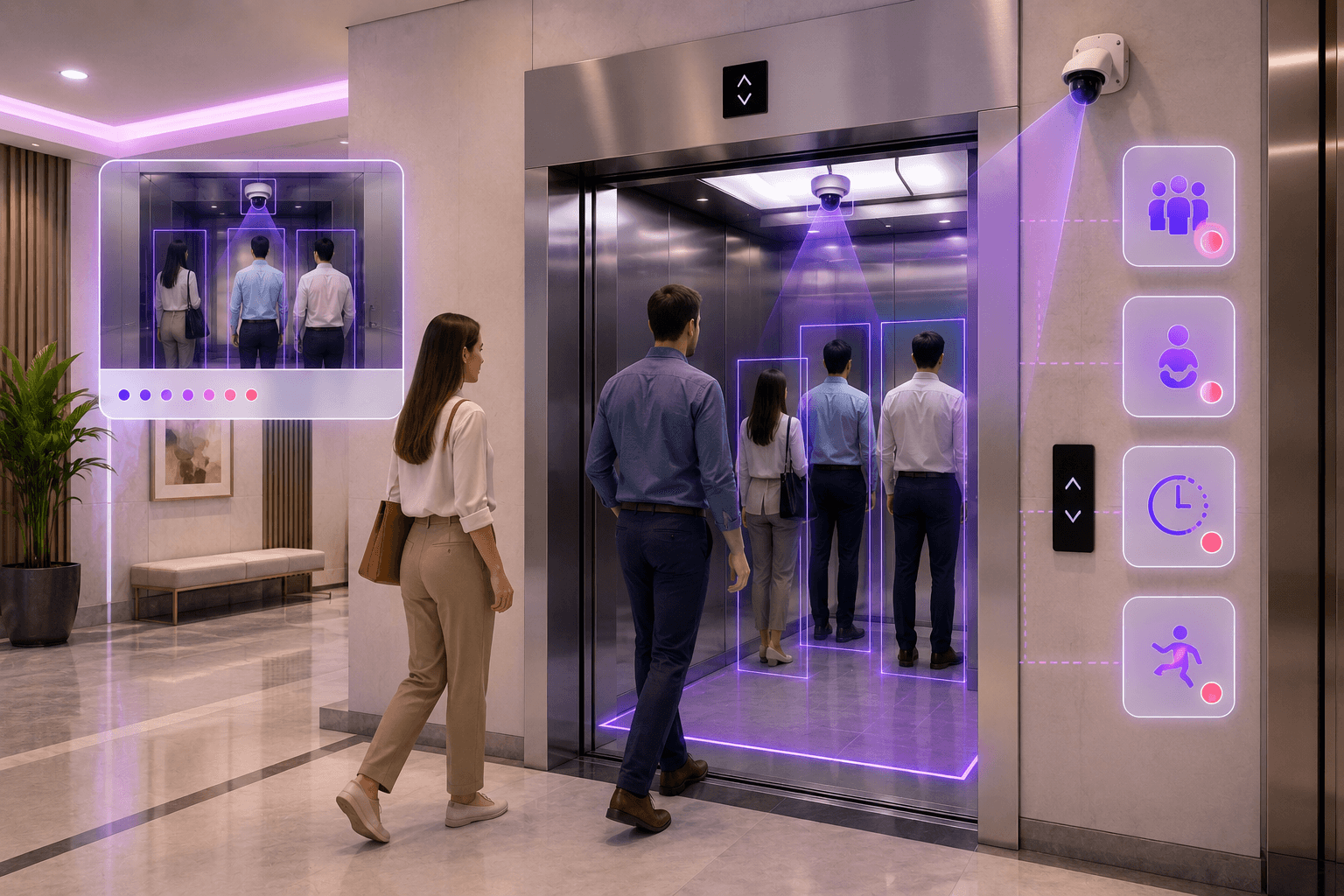
Cabin
Monitored
Event
Detected
Staff
Alerted
What ElevatorAssist manages
A real-time awareness layer for elevator safety and operations.
ElevatorAssist connects cabin camera feeds, occupancy analysis, unusual activity detection, alerts and incident evidence into one building operations workflow.
Child Alone Detection
Detect when a child or multiple children enter an elevator without an adult present.
Prolonged Occupancy
Raise alerts when an elevator remains occupied longer than the configured duration.
Fall Detection
Identify potential fall incidents inside the elevator cabin and notify staff for verification.
Overcrowding Detection
Detect overcrowding inside elevator cabins, especially during peak movement hours.
Visual Notifications
Send visual event notifications with snapshots so security or reception can quickly assess the situation.
Incident History
Maintain searchable records of elevator events, timestamps, snapshots and review outcomes.
Case study deployment
Deployed for elevator safety awareness at Danube Opalz, Dubai.
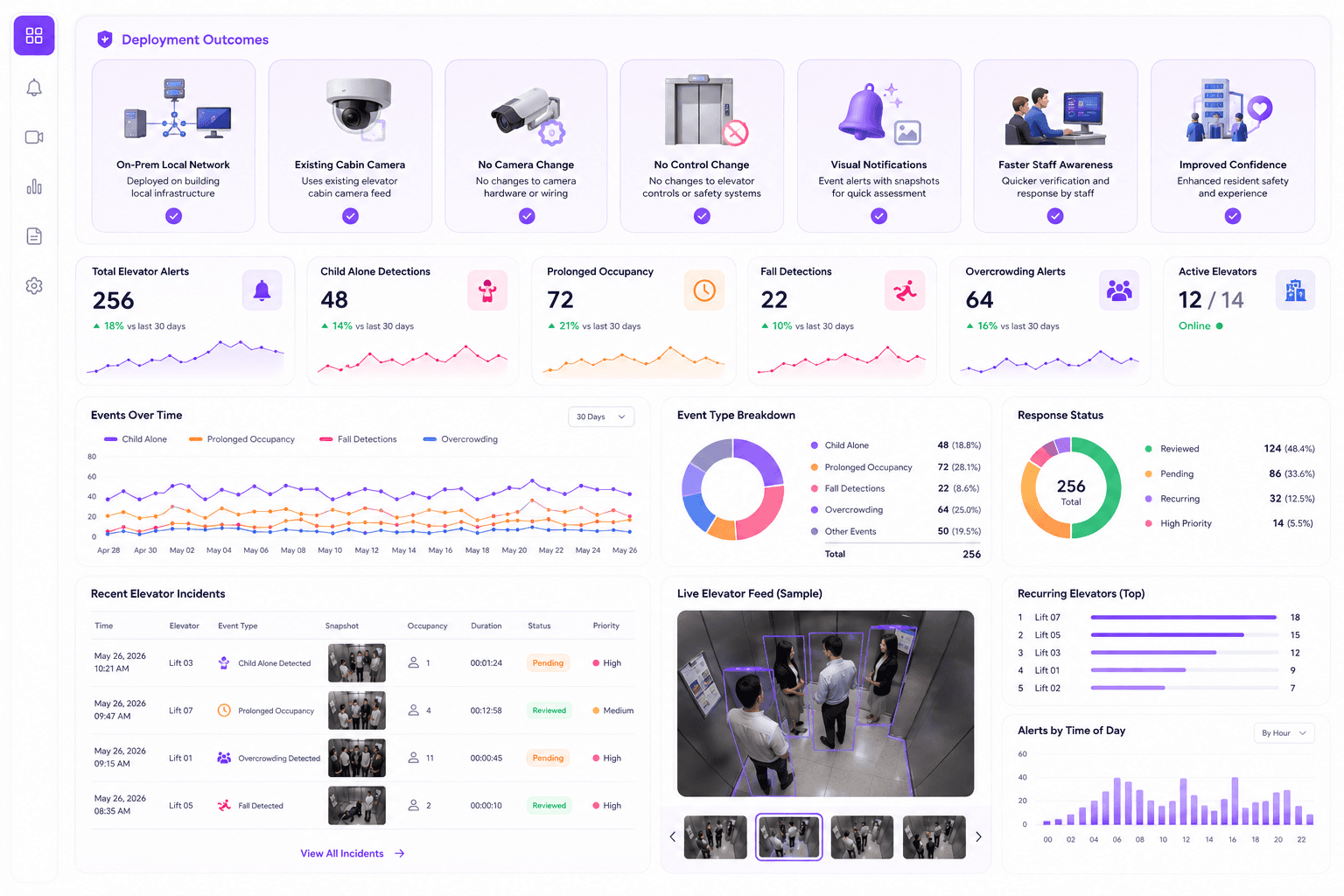
ElevatorAssist was deployed to provide continuous monitoring and event-based alerts using existing elevator cabin camera infrastructure with minimal disruption to building operations.
Deployment Type
On-prem
Local network deployment
Camera Impact
No change
Uses existing cabin camera
Elevator Controls
Untouched
No interference with safety systems
Installation
Non-intrusive
Minimal deployment effort
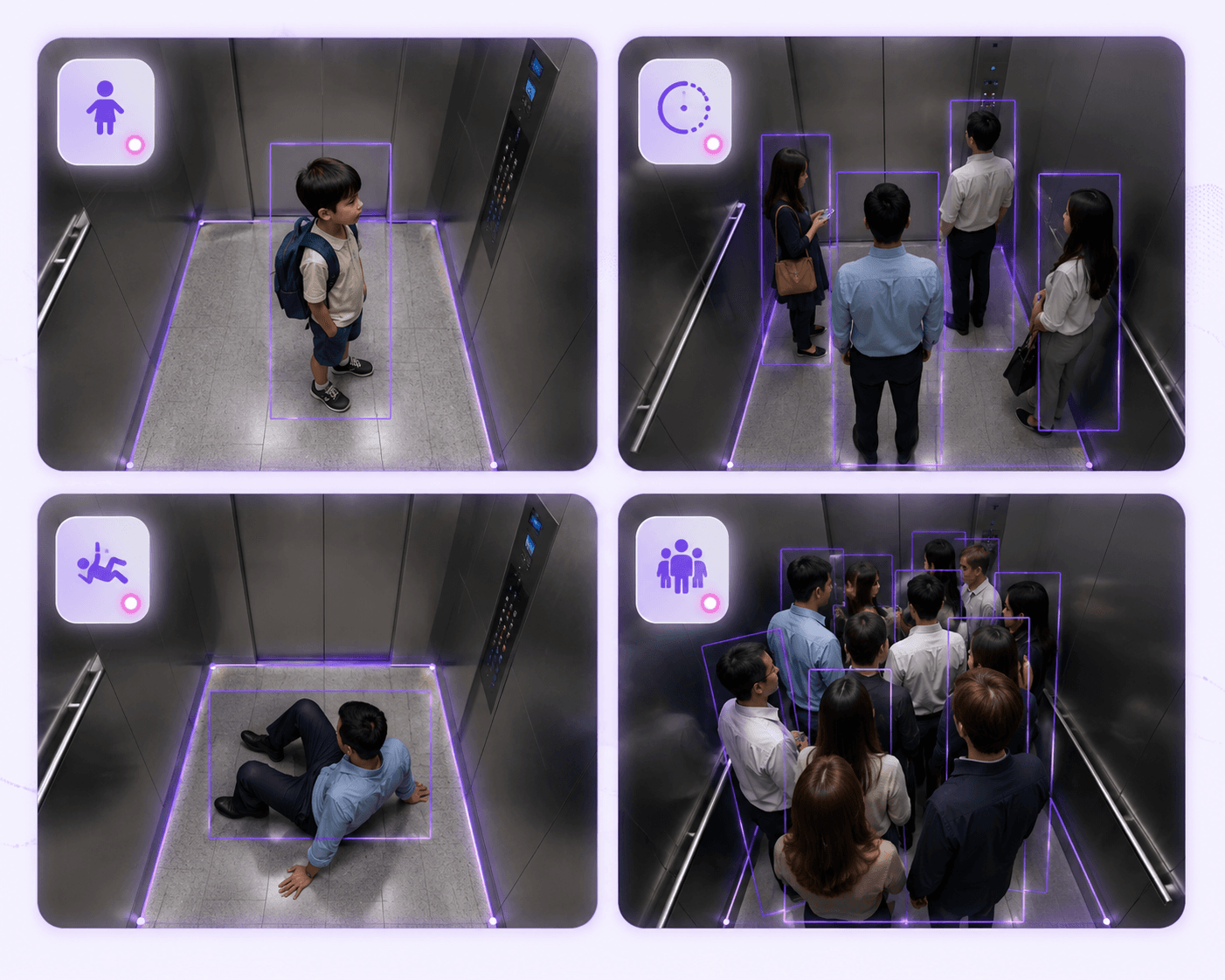
Elevator scenarios
Detect unusual cabin situations before they go unnoticed.
ElevatorAssist helps building teams identify safety and operational conditions inside elevators that may otherwise depend on manual observation, intercom calls or post-incident review.
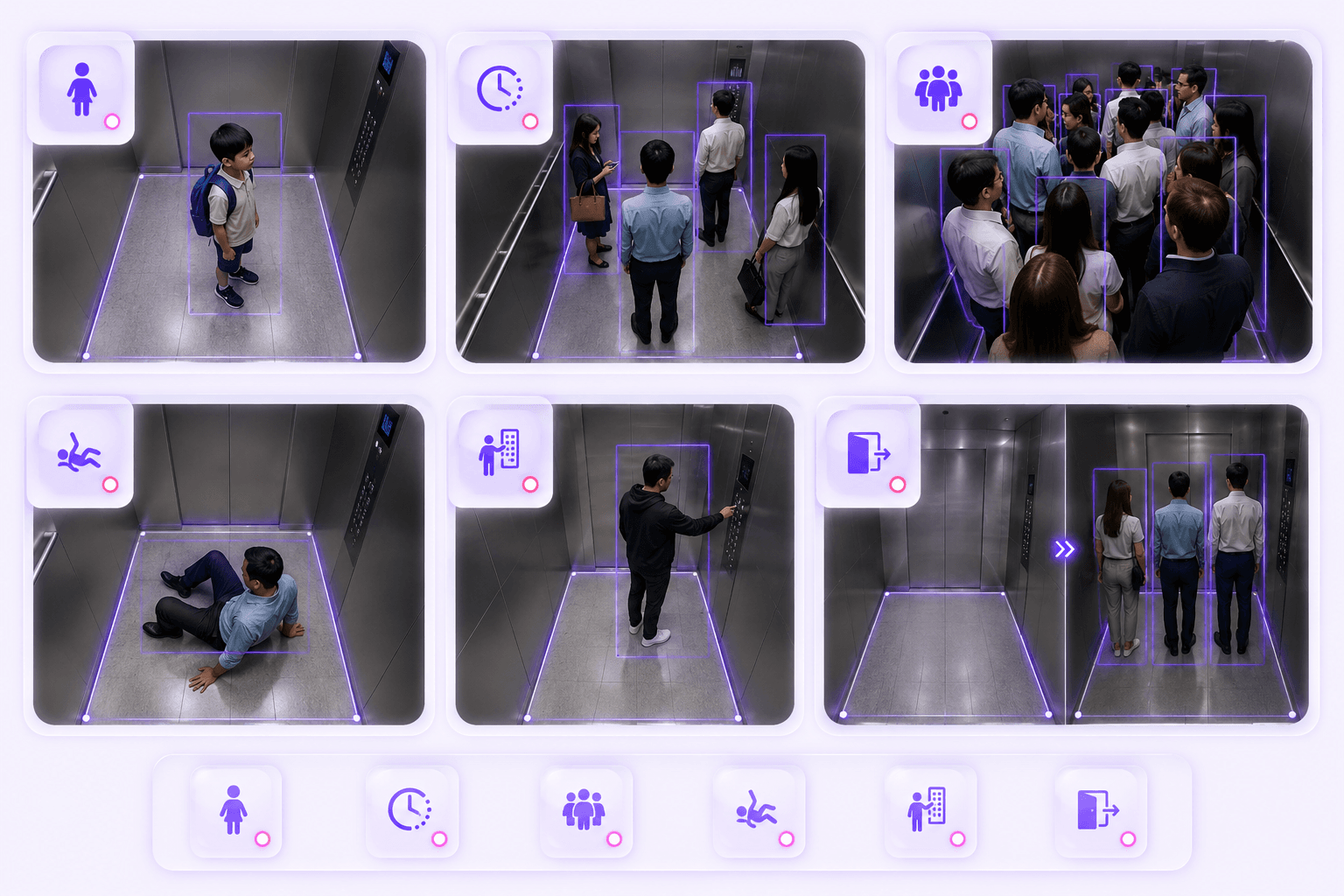
Child enters without adult
Detect when a child is present inside the cabin without an adult accompanying them.
Occupied for too long
Identify prolonged occupancy that may indicate people are stuck or need assistance.
Possible fall inside cabin
Flag potential fall incidents so staff can verify quickly and respond if needed.
Overcrowded cabin
Detect overcrowding conditions and create awareness during peak building movement.
Elevator alerts
Turn unusual cabin activity into visual notifications.
ElevatorAssist sends visual alerts and snapshots so staff can quickly assess whether a situation requires intervention, verification or follow-up.
Child alone in elevator
Multiple children without adult
Prolonged occupancy
Possible stuck situation
Fall detected
Overcrowded cabin
Unusual cabin activity
Manual staff review required
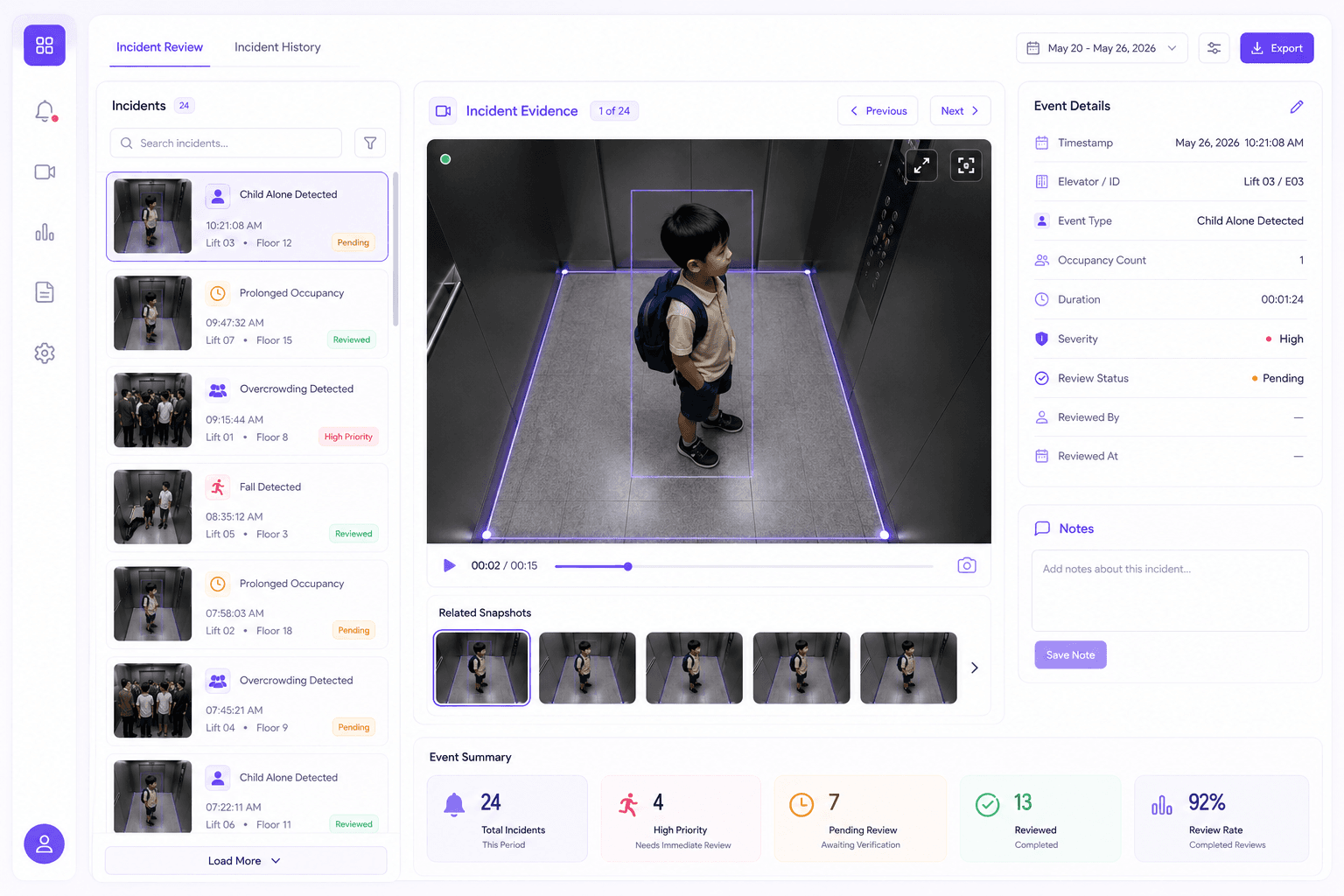
Incident review
Give security and reception a visual record they can act on.
Each ElevatorAssist event can include snapshot evidence, event type, timestamp, elevator reference, duration, occupancy status and review outcome.
Better safety visibility
Security and reception teams can see unusual elevator situations earlier.
Faster response
Visual alerts help staff verify situations instead of waiting for manual reports.
Uses existing cameras
Deploy using available elevator cabin camera feeds without changing elevator control systems.
Resident confidence
Improve building operations by adding a real-time awareness layer for elevator incidents.
Operational visibility
Support building teams with faster elevator awareness.
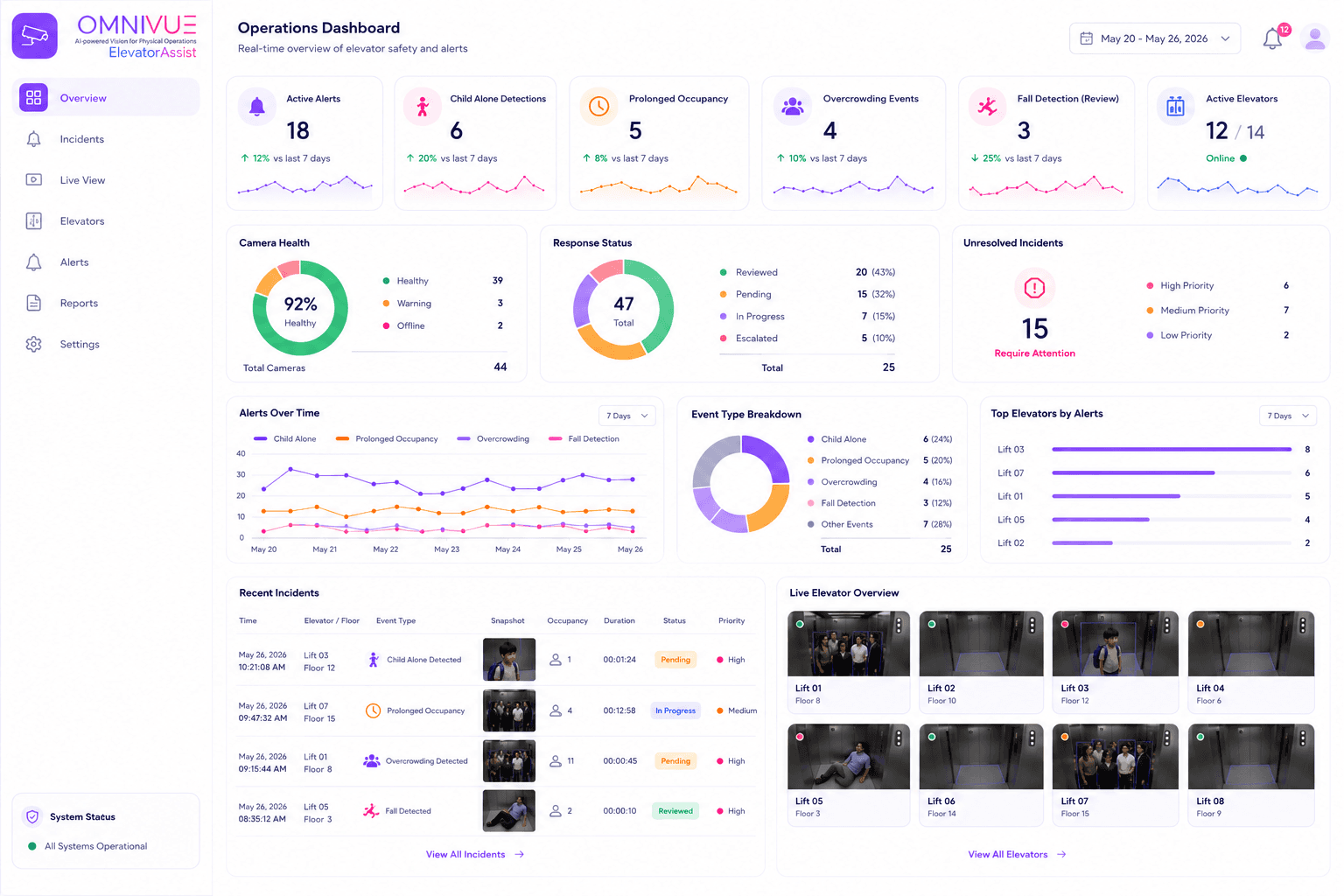
ElevatorAssist helps security, reception and facility teams review cabin events, open alerts, frequent scenarios and response status.
No interference with elevator safety systems
ElevatorAssist does not replace or control elevator safety mechanisms. It adds visual awareness and verification.
Built for existing infrastructure
The system can use available elevator cabin camera feeds and run on an Omnivue Edge device connected to the local network.
Useful for reception and security teams
Alerts with snapshots help staff quickly understand whether an occupant may need attention.
Non-intrusive deployment
No additional cameras, no wiring changes and no disruption to normal elevator operations are required where existing camera feeds are available.
Deployment setup
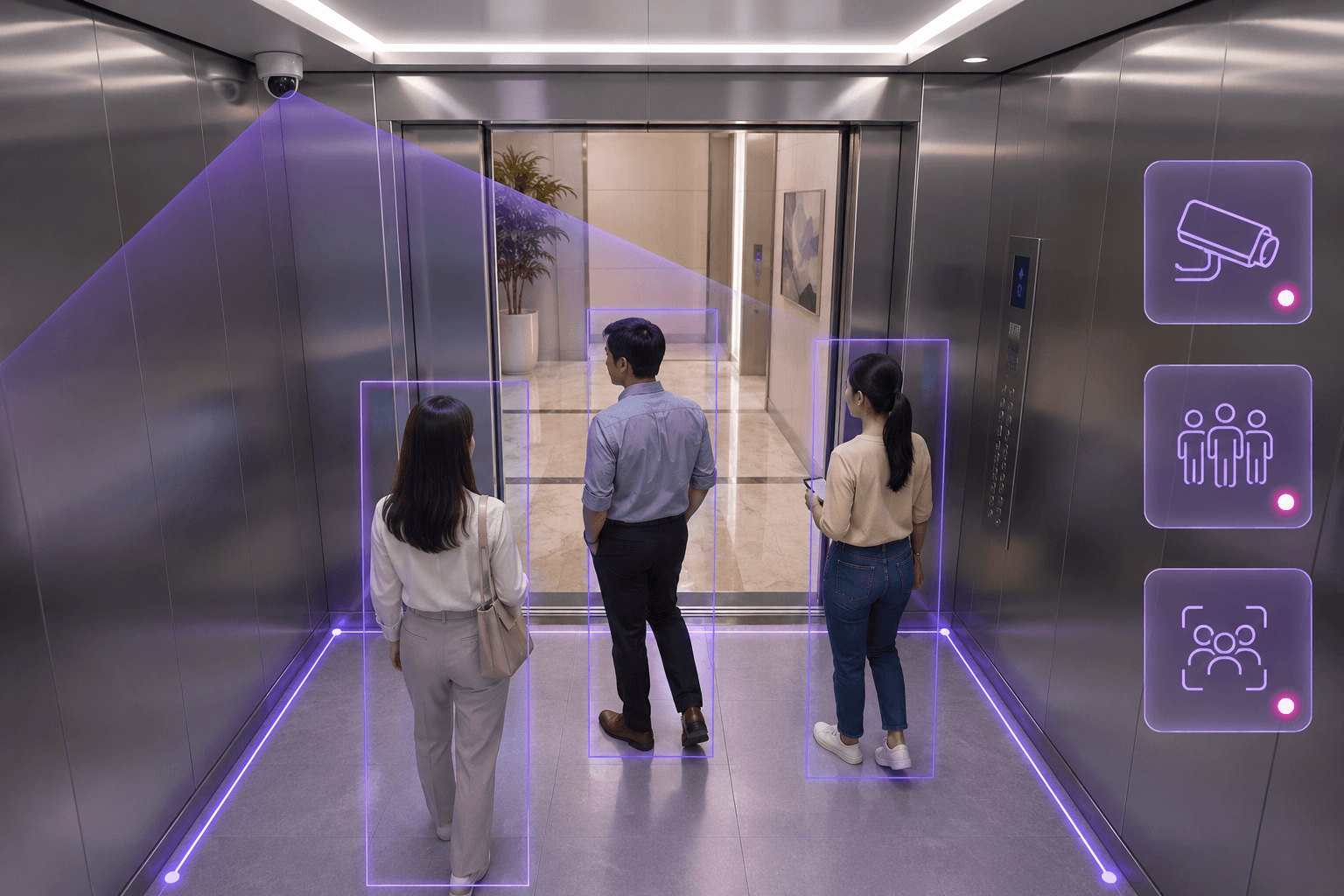
Use existing elevator cabin camera feeds where available.
ElevatorAssist can be deployed without changing elevator controls, wiring or safety mechanisms. It adds an AI awareness layer on top of available video infrastructure.
How ElevatorAssist works
From elevator camera feed to visual alert and staff response.
ElevatorAssist analyzes cabin activity, detects configured safety or operational conditions, and sends visual notifications for quick review.
Step 01
Capture
Existing elevator cabin camera provides the video feed.
Step 02
Analyze
On-prem AI reviews occupancy and cabin activity.
Step 03
Detect
Rules identify child-alone, fall, overcrowding or prolonged occupancy.
Step 04
Alert
Staff receive a visual notification with snapshot evidence.
Step 05
Record
Events are stored for follow-up and building operations review.
Architecture
Local AI awareness without touching elevator controls.
ElevatorAssist is designed as a visual monitoring and notification layer. It does not replace elevator safety systems or interfere with elevator control mechanisms.
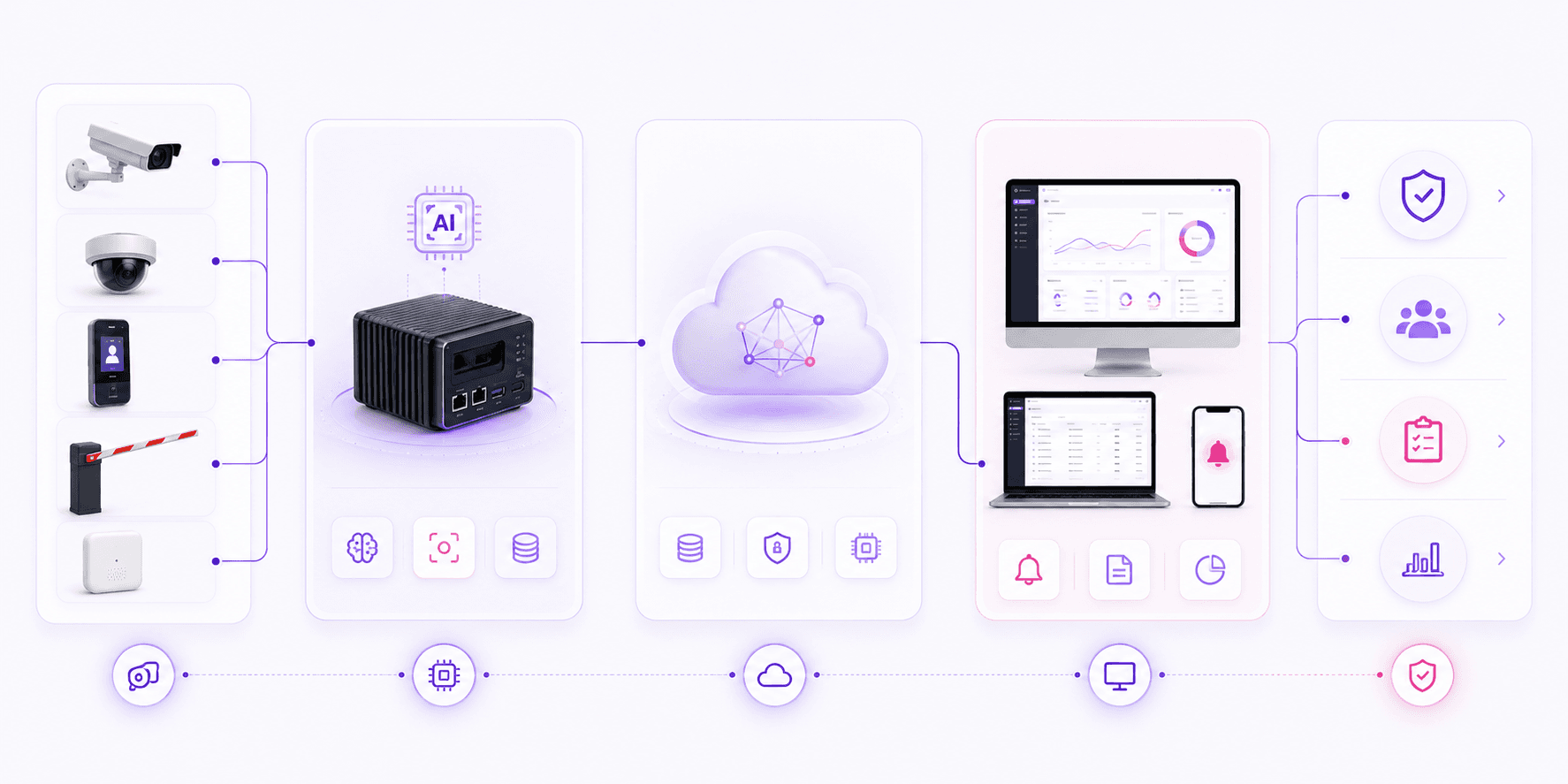
Input Layer
Edge Layer
Platform Layer
Application Layer
Outcome
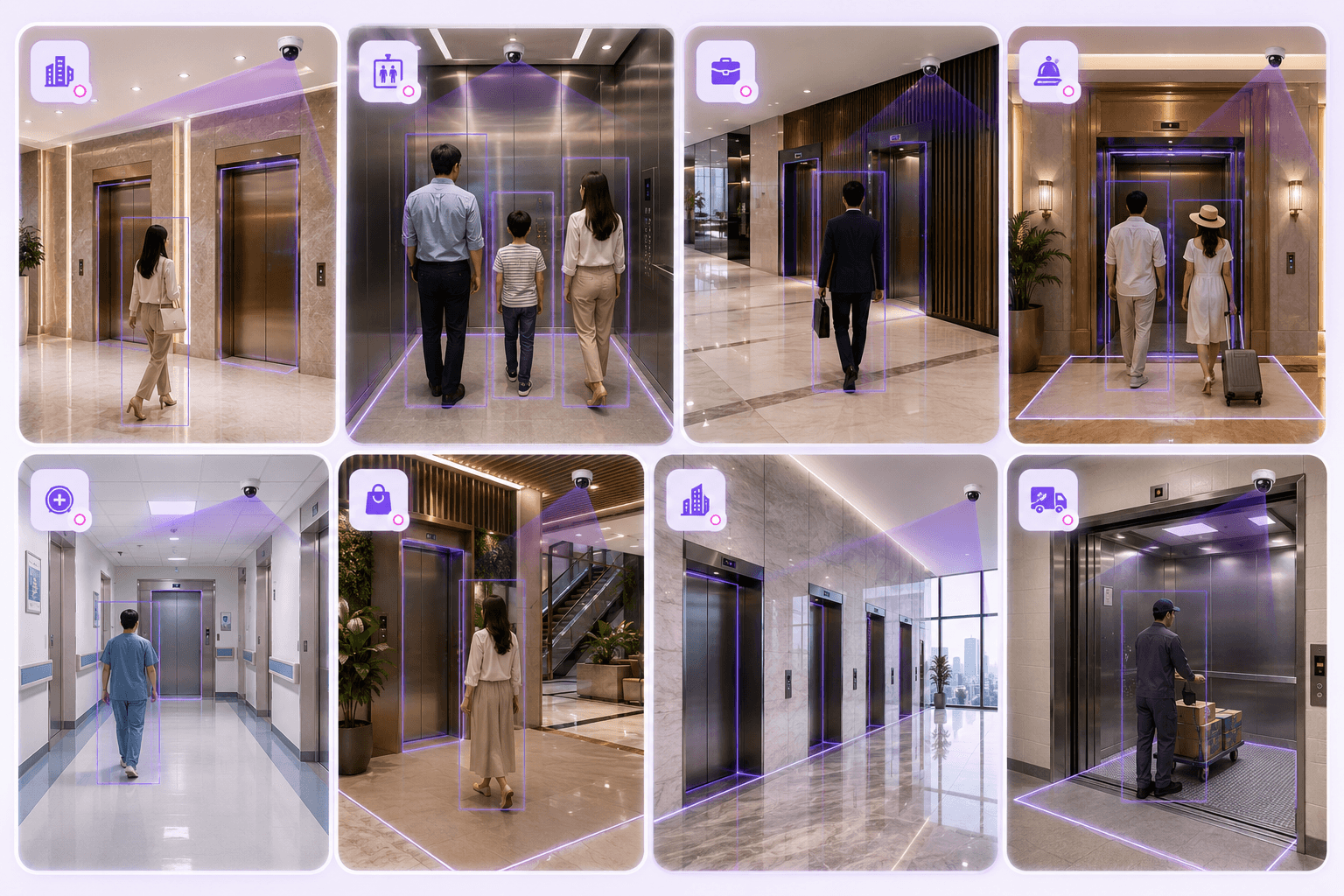
Built for vertical mobility environments
Elevator awareness for buildings where response time matters.
ElevatorAssist is useful for residential, commercial and high-traffic buildings where elevator safety visibility and quick staff awareness are important.
Omnivue ElevatorAssist
Want to see how ElevatorAssist fits your building operations?
Share your elevator camera availability, building network setup, reception workflow, security response process and alert requirements. Our team will suggest the right ElevatorAssist setup.
What we’ll review
You do not need to modify elevator systems for the discussion. A short review of camera feeds, network access and staff response process is enough to recommend the starting setup.