
AI video workflows for attendance, campus safety and student movement visibility.
Use existing CCTV or IP cameras to improve staff attendance, student movement visibility, visitor entry, campus gates, restricted-zone monitoring and evidence-backed incident review across schools and colleges.
Attendance
Staff & student records
Movement
Gates and corridors
Evidence
Safety review trails
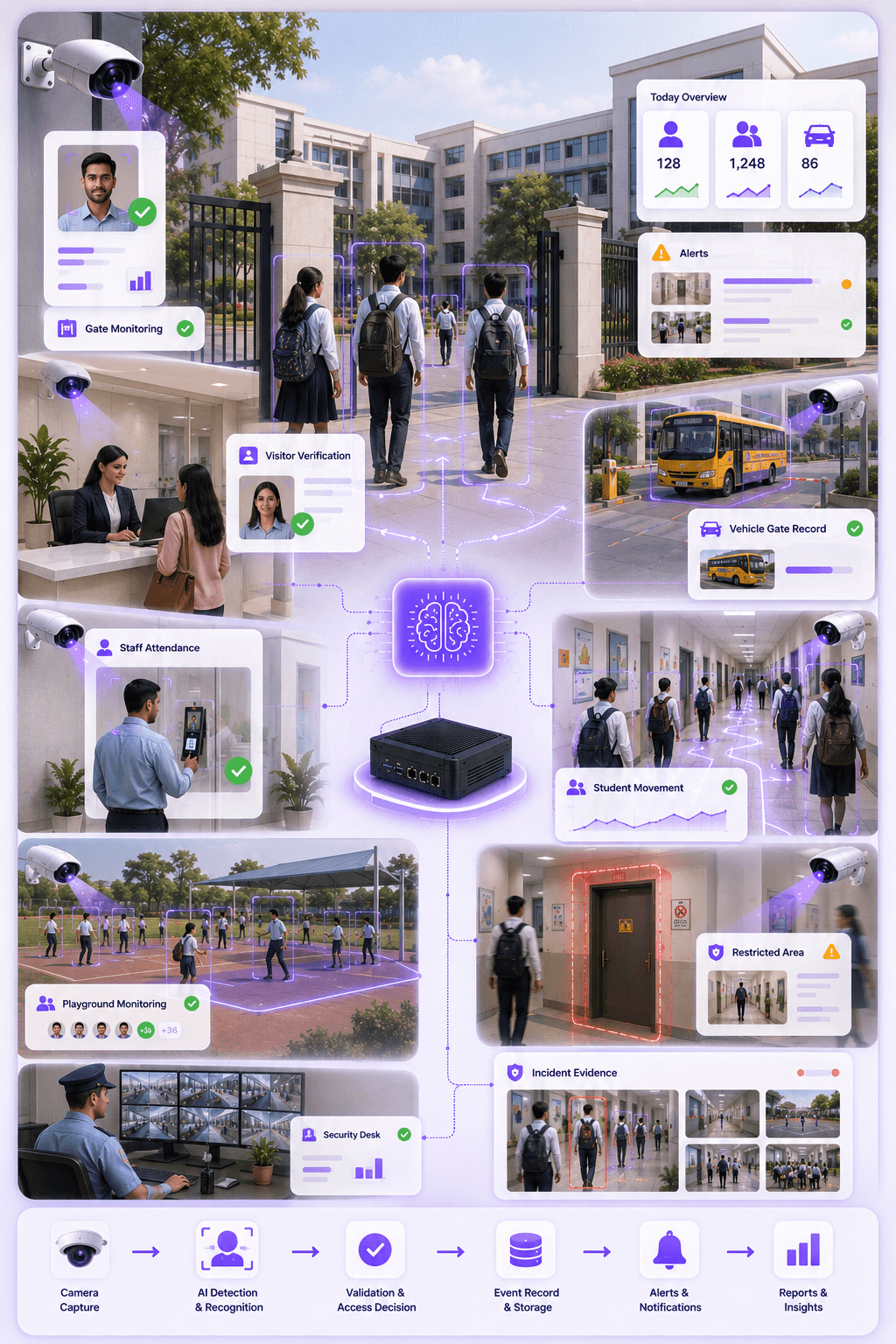
Gate
Entry visibility
Staff
Attendance record
Visitor
Approval flow
Safety
Evidence trail
Priority workflows
Education campuses need structured visibility, not just camera footage.
Schools and colleges need attendance records, visitor history, gate visibility, student movement awareness and incident evidence. Omnivue converts selected camera views into accountable workflows.
Core idea
Every important campus event should be linked to time, location, camera evidence, role and review status.
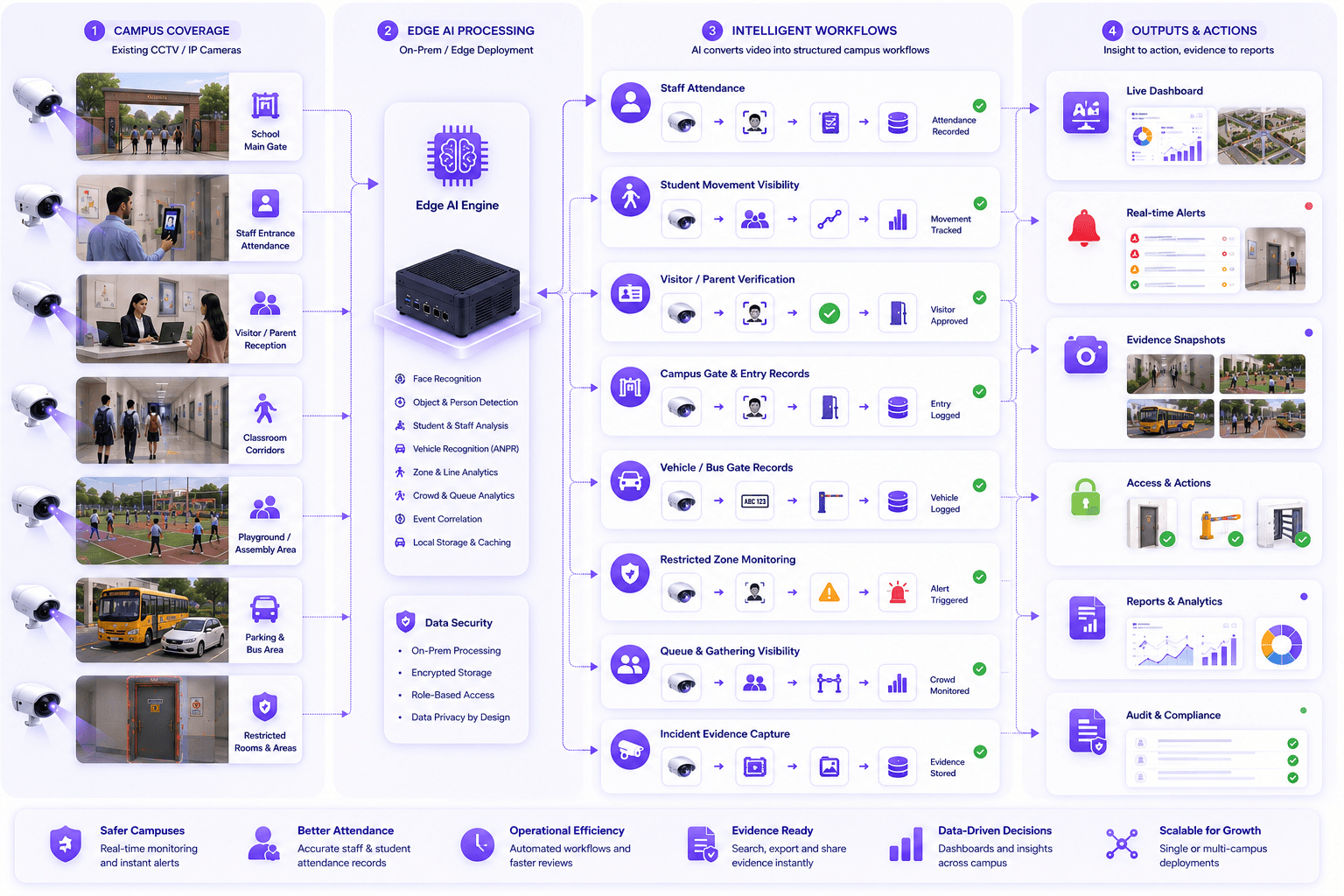
Staff Attendance
Capture staff attendance at gates, office blocks or building entrances using existing CCTV or IP cameras.
Student Movement Visibility
Understand student movement at gates, corridors, playgrounds, assembly areas and campus blocks.
Visitor & Parent Entry
Record visitor, parent, vendor and contractor entry with approval workflows and access history.
Campus Gate Monitoring
Monitor school gates, entry/exit points, vehicle movement and security desk activity.
Restricted Area Monitoring
Watch staff rooms, record rooms, labs, hostels, administration areas or restricted corridors.
Incident Evidence & Reports
Create searchable evidence snapshots for incidents, movement disputes, late arrivals and reviews.
Operational gap
Campuses already have cameras. The missing layer is operational intelligence.
CCTV footage is useful after an incident. Omnivue helps schools and colleges turn selected camera views into attendance, movement, safety and evidence workflows.
Attendance is difficult to verify at scale
Manual registers, biometric devices and fragmented department records make attendance reconciliation slow.
Student movement is not always visible
Schools and colleges need better visibility across gates, corridors, playgrounds, blocks and gathering areas.
Visitor and parent entry needs structure
Reception, security and administration teams need a clearer way to record who entered and why.
Incident review depends on manual CCTV search
When a safety issue, discipline case or movement dispute occurs, teams often manually scan camera footage.
Recommended Omnivue stack
The industry page maps campus workflows to the right modules.
School and college deployments can combine attendance, visitor access, safety monitoring, vehicle records and movement visibility depending on the campus.
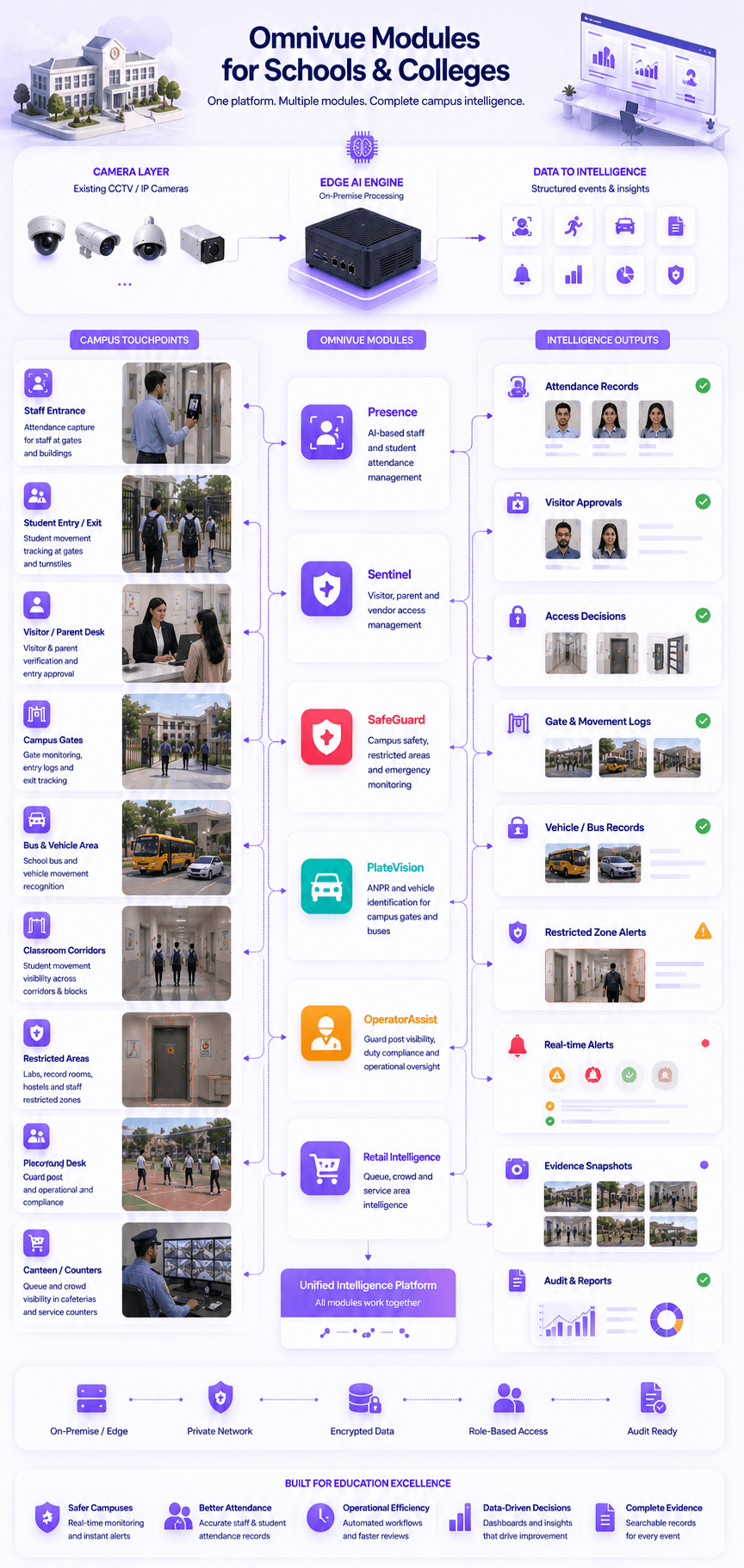
Presence
Staff and student attendance visibility
Sentinel
Visitor, parent and controlled access workflows
SafeGuard
Campus safety, restricted areas and emergency monitoring
PlateVision
School bus, staff vehicle and gate movement records
OperatorAssist
Guard desk, staff post and operational compliance visibility
Retail Intelligence
Queue and movement visibility for counters, canteens or service areas
Deployment zones
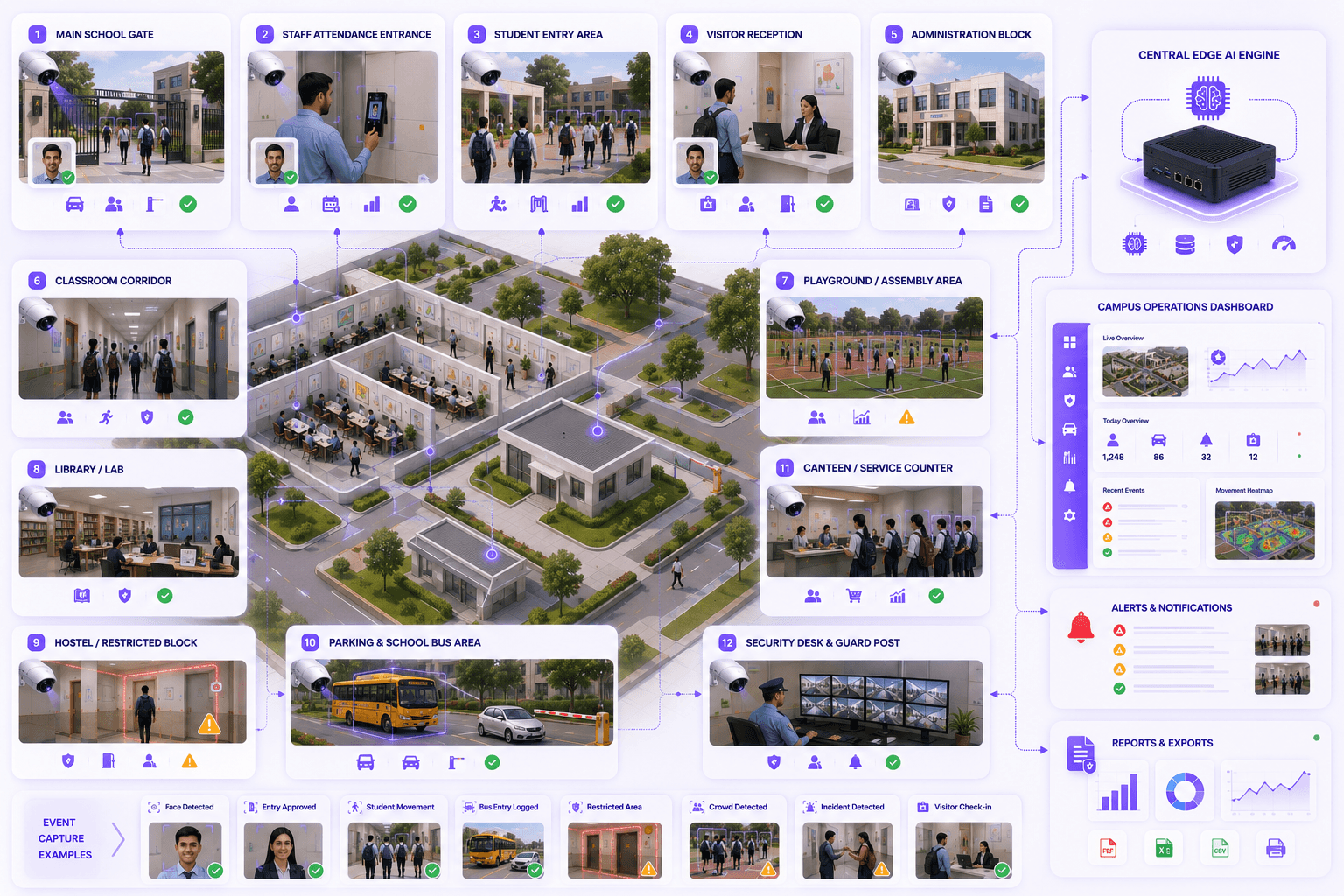
Map AI workflows around real campus spaces.
Each zone can have different rules: attendance at staff gates, student movement at corridors, visitor verification at reception, vehicle records at gates and safety alerts around restricted areas.
Main school or college gate
Staff attendance entrance
Student entry and exit area
Reception and visitor desk
Administration block
Classroom corridor
Playground or assembly area
Hostel or restricted block
Parking and school bus area
Canteen or service counter
Library, lab or record room
Security desk and guard post
Outcomes
What improves after deployment?
Reduce manual attendance and register work
Improve visibility into student, staff and visitor movement
Create evidence-backed campus safety records
Support gate, reception and restricted-zone workflows
Improve review speed for incidents and disputes
Use existing CCTV or IP cameras where suitable
Fit & readiness
What should be planned first?
Campus workflow mapping
Identify gates, blocks, corridors, attendance points, reception areas and restricted zones before deployment.
Clear movement zones
Camera-based attendance and safety work best when entry paths, corridors and waiting areas are defined.
Usable camera angles
Face, movement and zone intelligence requires cameras positioned where the required event is visible.
Privacy and role-based access
School and college deployments should define who can view records, reports, evidence and alerts.
Implementation approach
A practical deployment path for education campuses.
The goal is not to replace the entire surveillance system. The goal is to add an AI workflow layer over selected camera views and campus zones.
Campus assessment
Map gates, reception, cameras, corridors, blocks, movement paths and sensitive areas.
Workflow configuration
Configure attendance, visitor, student movement, vehicle, restricted-zone and evidence rules.
Edge deployment
Run AI processing locally where required and connect selected events to dashboards and alerts.
Reporting and review
Generate attendance records, campus safety events, visitor history and searchable evidence.
Share your campus workflow. We’ll map the right setup.
Tell us your gates, cameras, staff attendance process, student movement areas, reception workflow, restricted zones and reporting needs. Omnivue can help design the right school or college AI workflow.