Omnivue
Omnivue Datasheets

Technical datasheets for Omnivue modules and deployment planning.

Explore module-level and solution-level datasheets for AI video intelligence workflows. Use this page to identify the right technical collateral for buyers, partners, IT teams, facility teams and pilot planning.

View Architecture

Modules

Product-level details

Solutions

Workflow-level fit

Deployment

Edge and integration context

Featured datasheets

Start with the datasheets most technical buyers ask for.

These datasheets are useful for early technical discovery, solution mapping, pilot scoping, internal reviews and partner-led customer conversations.

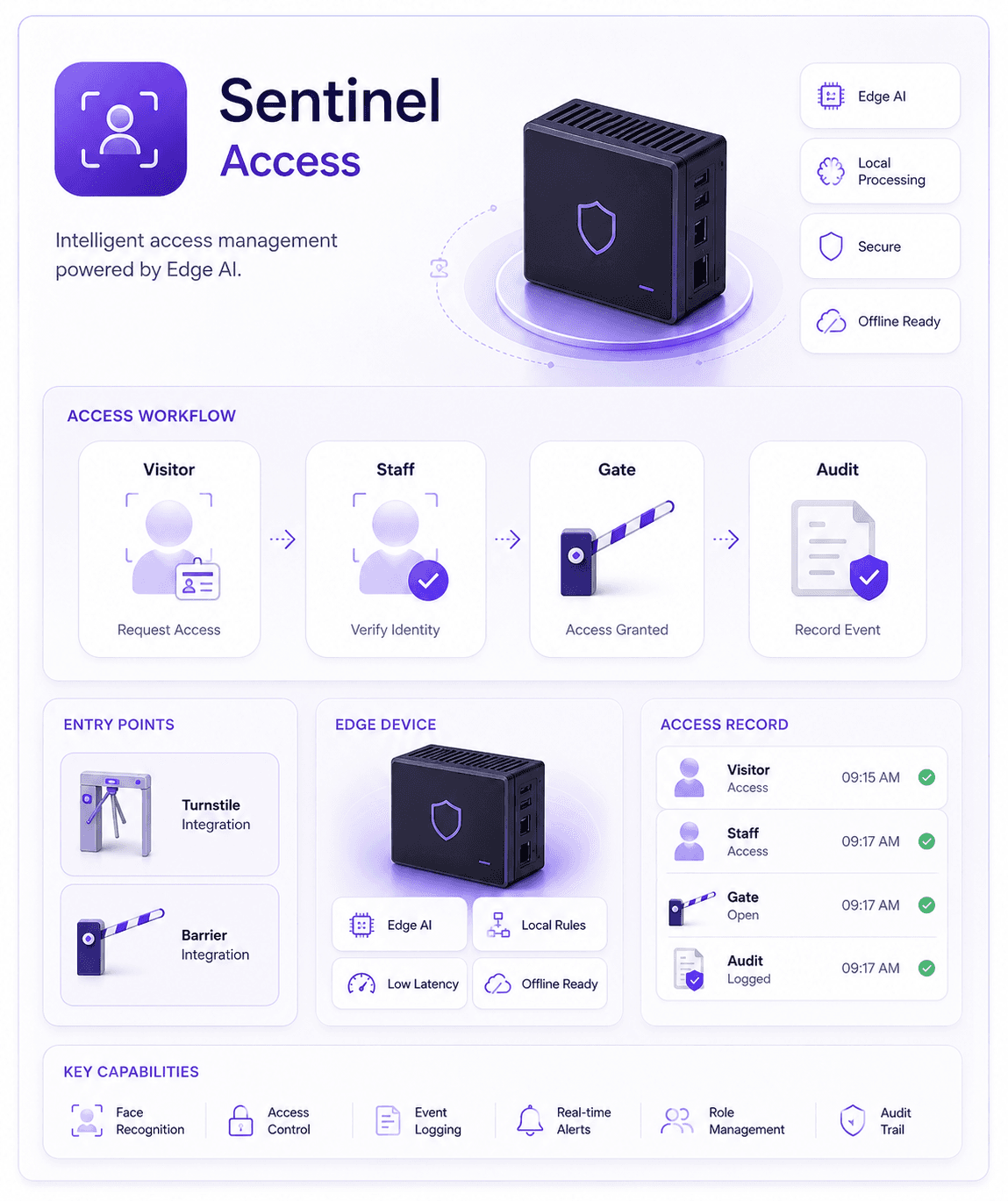
Omnivue Sentinel
Access Management

Omnivue Sentinel

Technical datasheet for face-based access workflows, visitor access, controlled entry records, local recognition and integration readiness.

Identity-led access records

Visitor and staff workflows

Gate and turnstile integration fit

On-premise deployment support
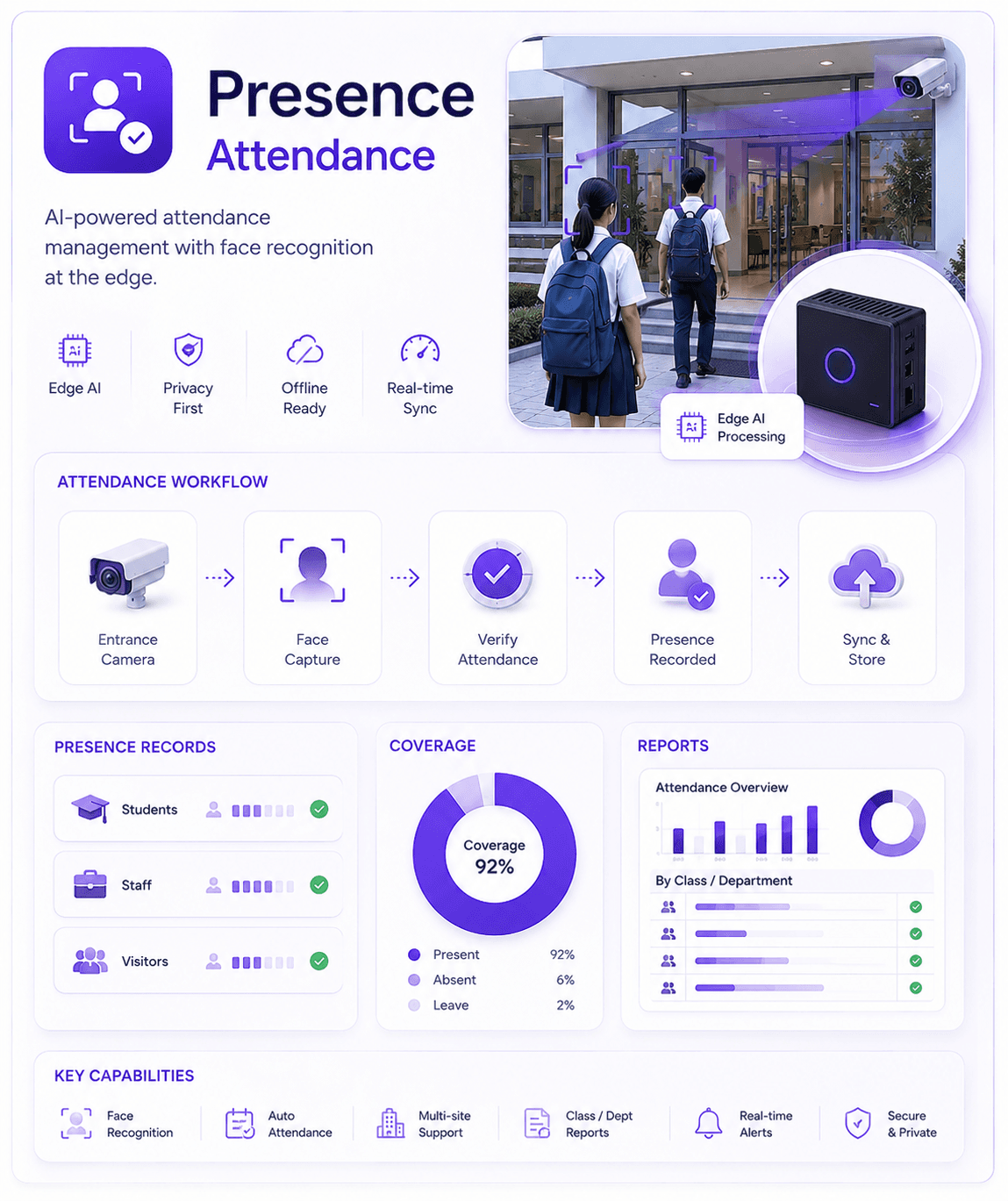
Omnivue Presence
Attendance Management

Omnivue Presence

Datasheet for AI attendance, presence capture, class or staff coverage, edge processing and attendance reporting workflows.

Passive attendance capture

Face-based presence records

Operational coverage reporting

School, office and institution fit

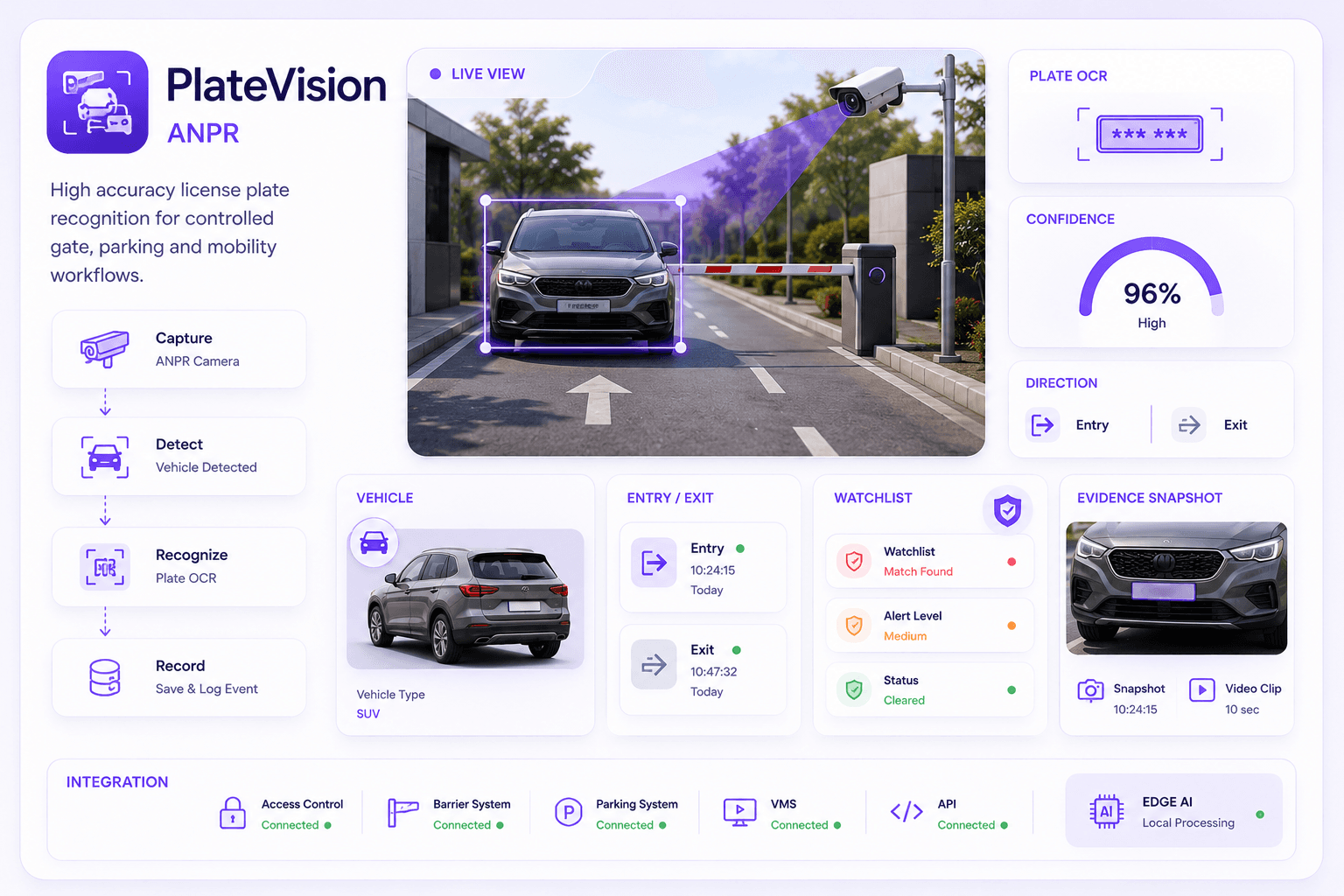
Omnivue PlateVision
Vehicle Intelligence

Omnivue PlateVision

Datasheet for ANPR, vehicle event capture, plate records, gate visibility, watchlist workflows and evidence snapshots.

ANPR event capture

Vehicle entry and exit records

Evidence image support

Gate and parking workflow fit

Datasheet library

Choose datasheets by technical conversation.

A datasheet should help a buyer, IT team or partner understand the module capability, camera context, event output, deployment model and integration fit.

Identity & Access

Datasheets for people identity, access control, attendance, visitor handling and entry/exit workflows.

Vehicle & Parking

Datasheets for ANPR, gate movement, parking automation, vehicle records, barriers and parking workflows.

Safety & Operations

Datasheets for HSE, operator behavior, speed monitoring, elevator safety and facility operations.

Industry Operations

Datasheets for service bays, depots, warehouses, yards, operational zones and workflow automation.

Module datasheets

Browse Omnivue datasheets by module.

Use module datasheets to explain what each Omnivue module does, where it fits, what type of camera context it uses and what business workflow it supports.

Sentinel datasheet
Access Management

Sentinel

For controlled entry, staff access, visitor access, audit records, barriers, turnstiles and local face recognition.

Face recognitionAccess logsVisitor workflowBarrier fit
Presence datasheet
Attendance Management

Presence

For student, staff, office and workforce attendance using passive AI-based face capture from camera feeds.

Attendance captureCoverage reportsFace recordsLocal processing
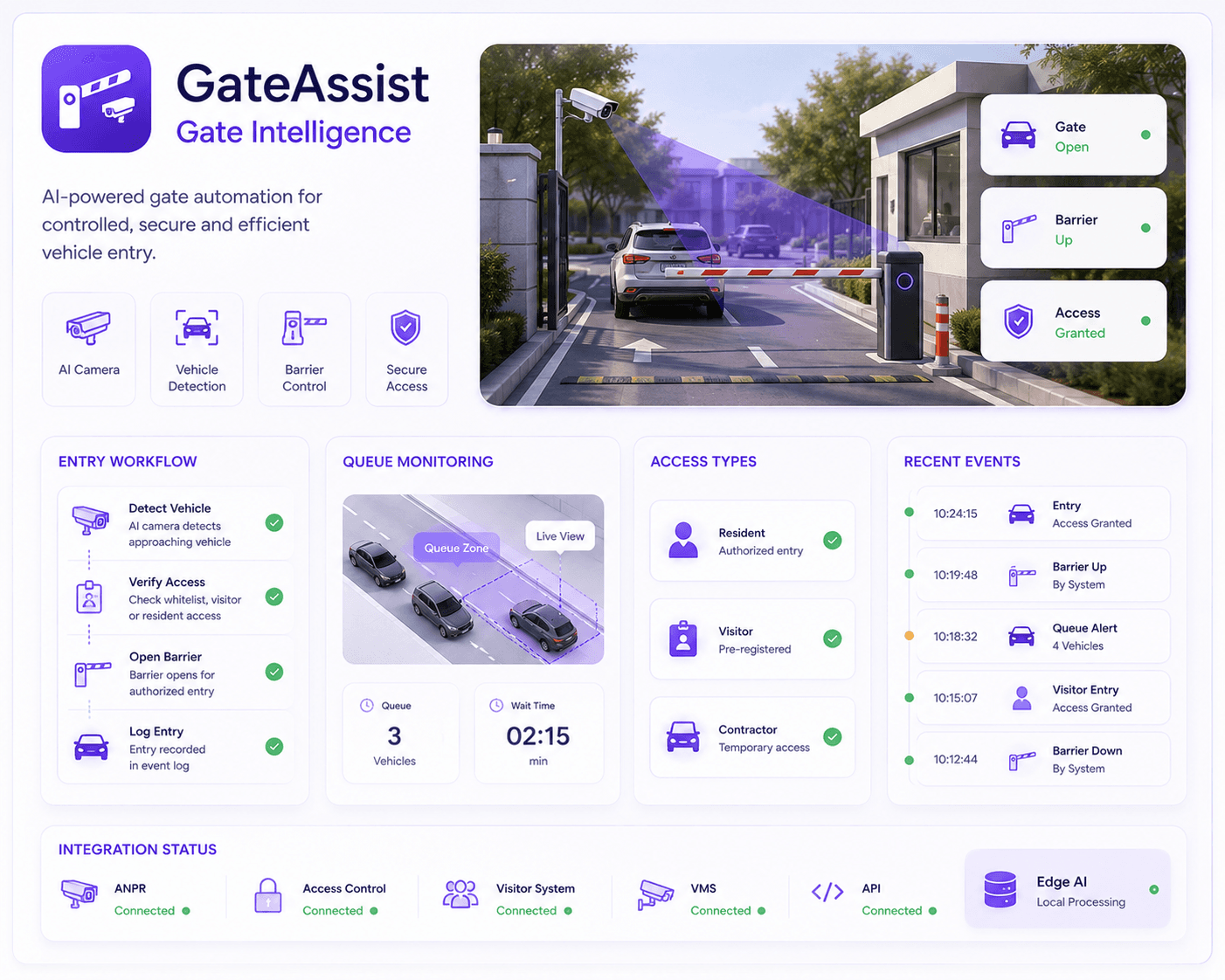
GateAssist datasheet
Gate Intelligence

GateAssist

For vehicle gate movement, queue visibility, entry monitoring, barrier workflows and controlled gate operations.

Gate eventsQueue visibilityBarrier trigger fitAccess records
PlateVision datasheet
ANPR

PlateVision

For license plate recognition, vehicle records, entry/exit events, evidence snapshots and watchlist workflows.

Plate OCRVehicle logsEvidence imagesWatchlists
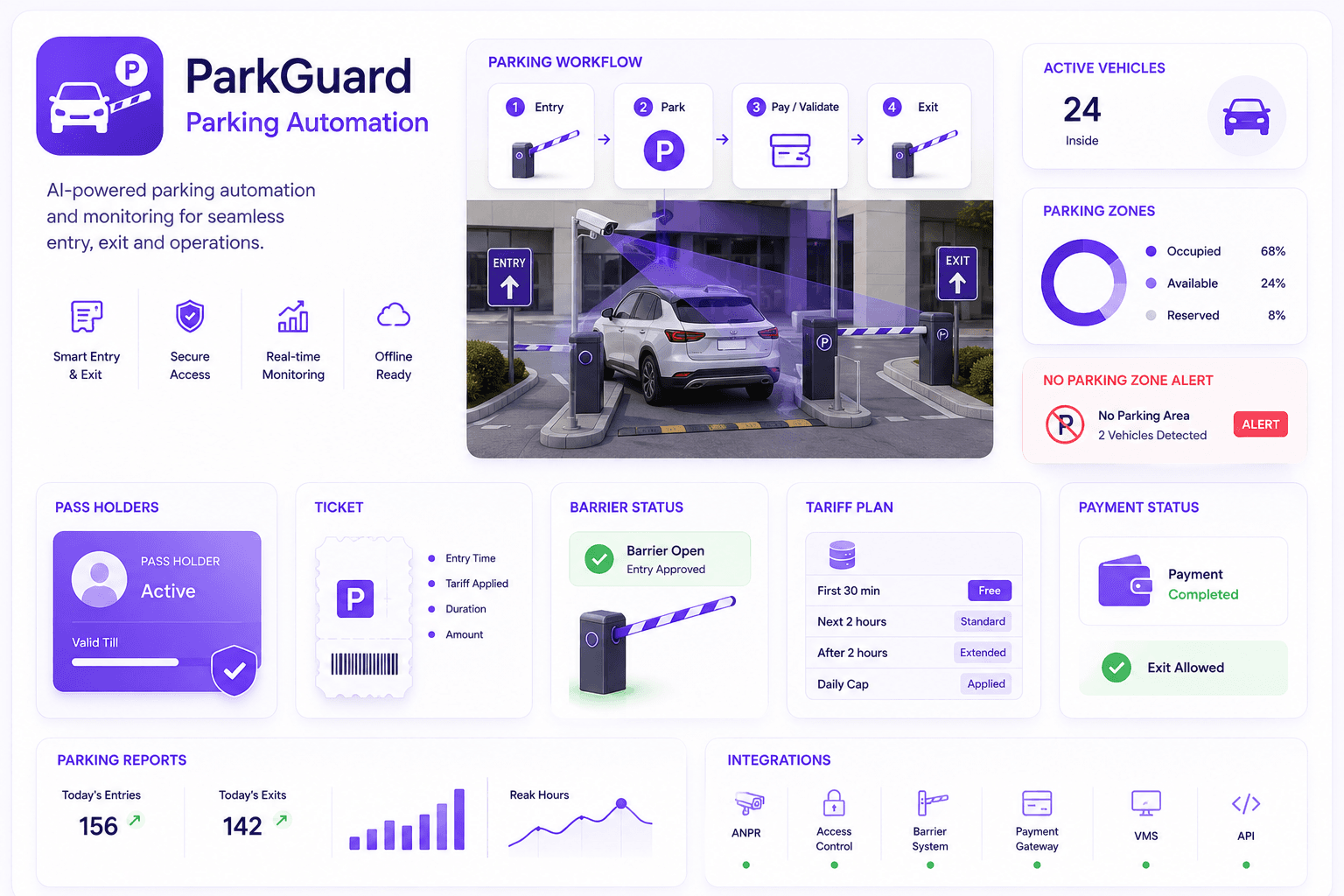
ParkGuard datasheet
Parking Automation

ParkGuard

For no-parking alerts, active vehicle visibility, parking events, pass holder support and parking workflows.

Parking eventsNo-parking alertsPass workflowsReports
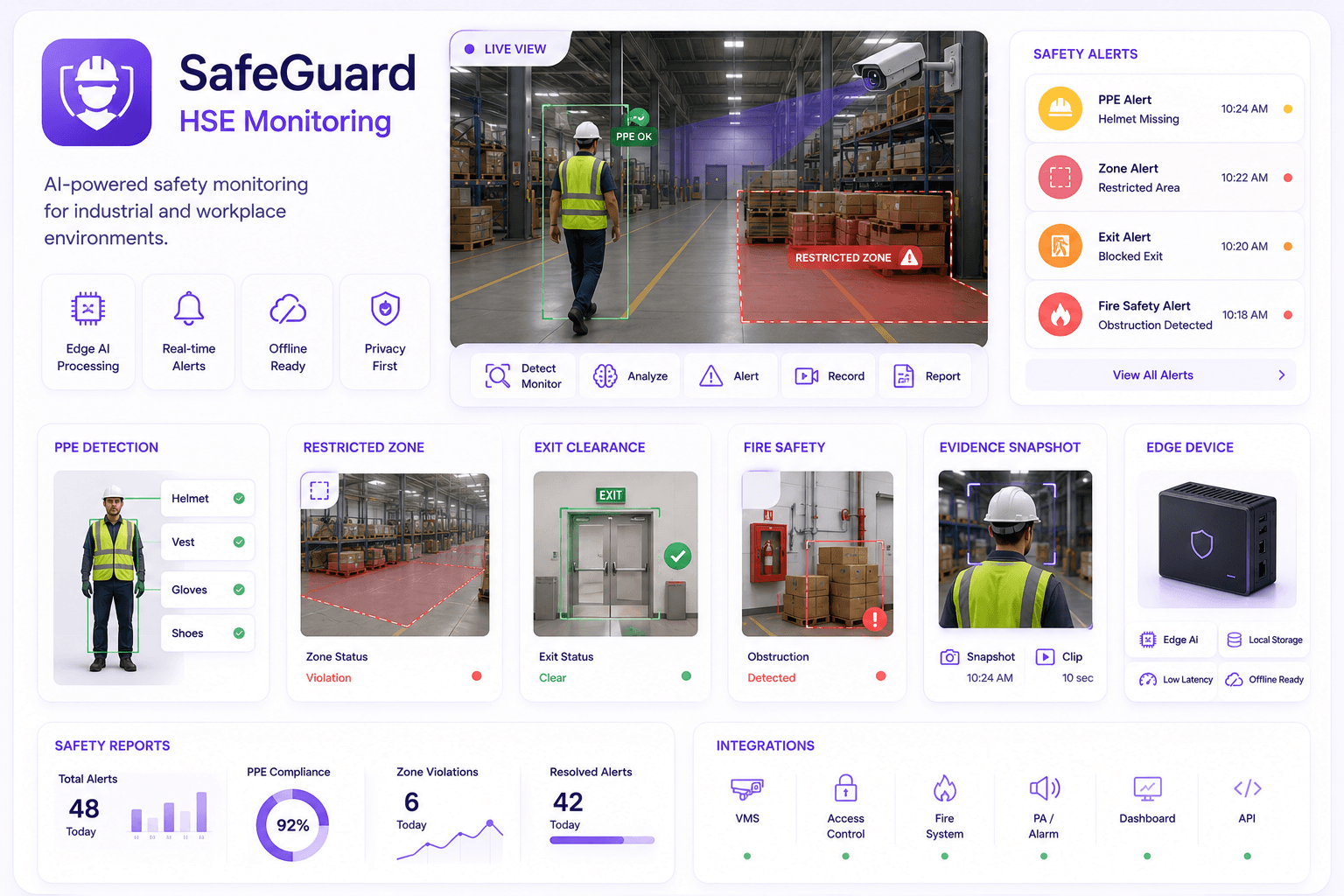
SafeGuard datasheet
HSE Monitoring

SafeGuard

For PPE checks, restricted zones, fire safety obstruction, emergency exit monitoring and safety evidence.

PPE checksRestricted zonesSafety alertsEvidence
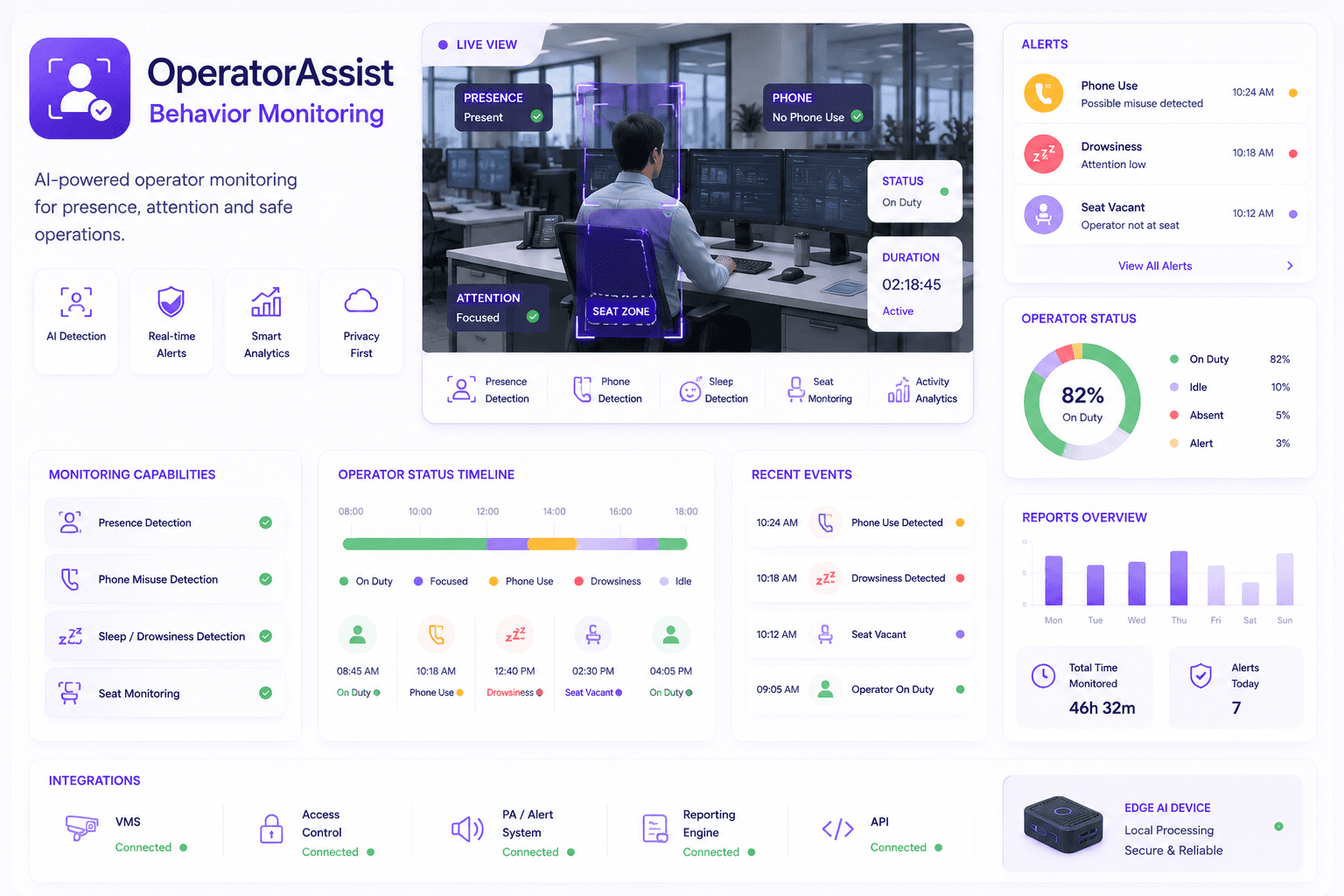
OperatorAssist datasheet
Behavior Monitoring

OperatorAssist

For operator presence, distraction signals, unsafe behavior, seat monitoring and facility control-room workflows.

Operator presencePhone misuseSleep alertsSeat zones
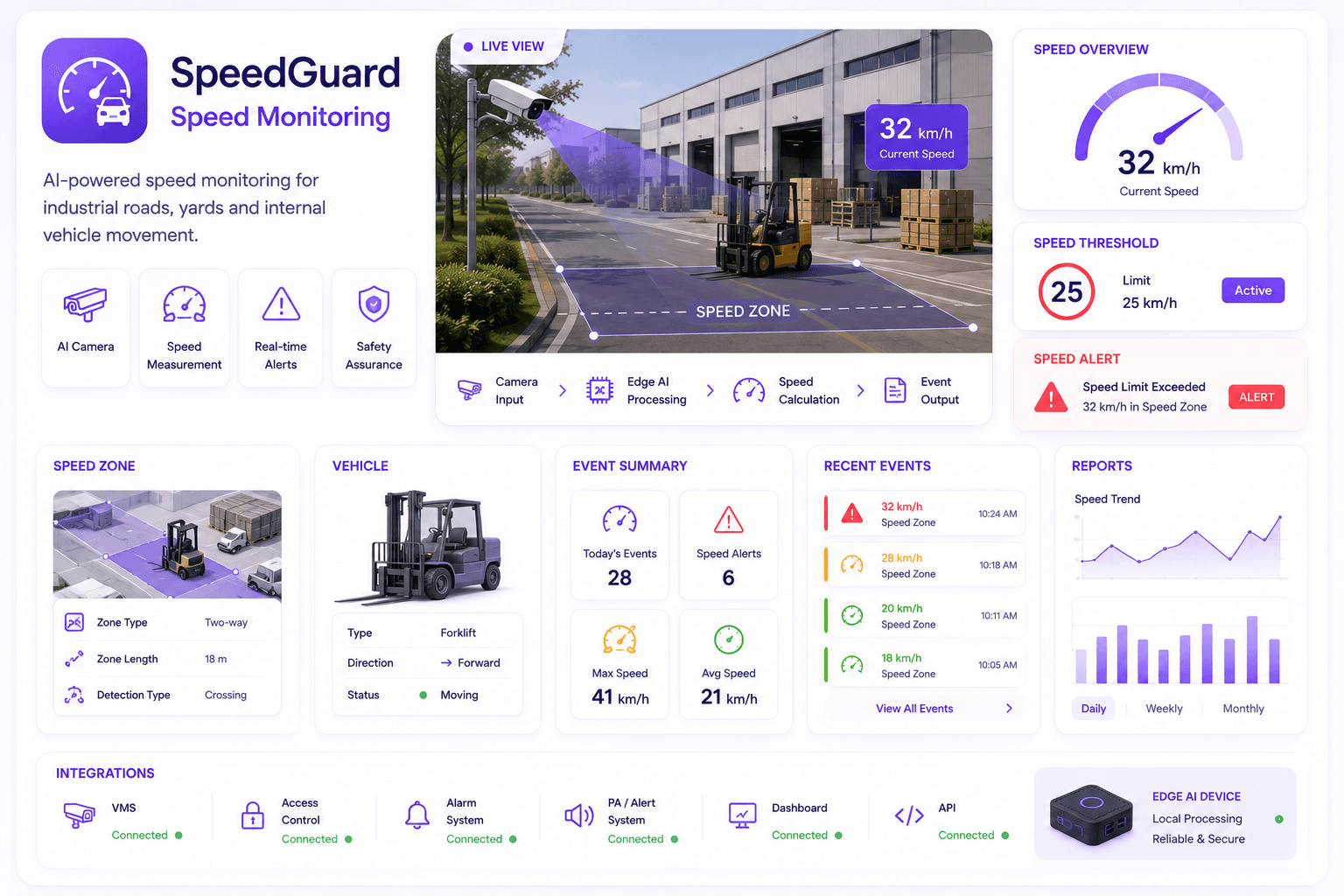
SpeedGuard datasheet
Speed Monitoring

SpeedGuard

For forklift, yard, depot and internal-road speed monitoring with camera-based movement intelligence.

Speed eventsInternal roadsForklift fitYard safety
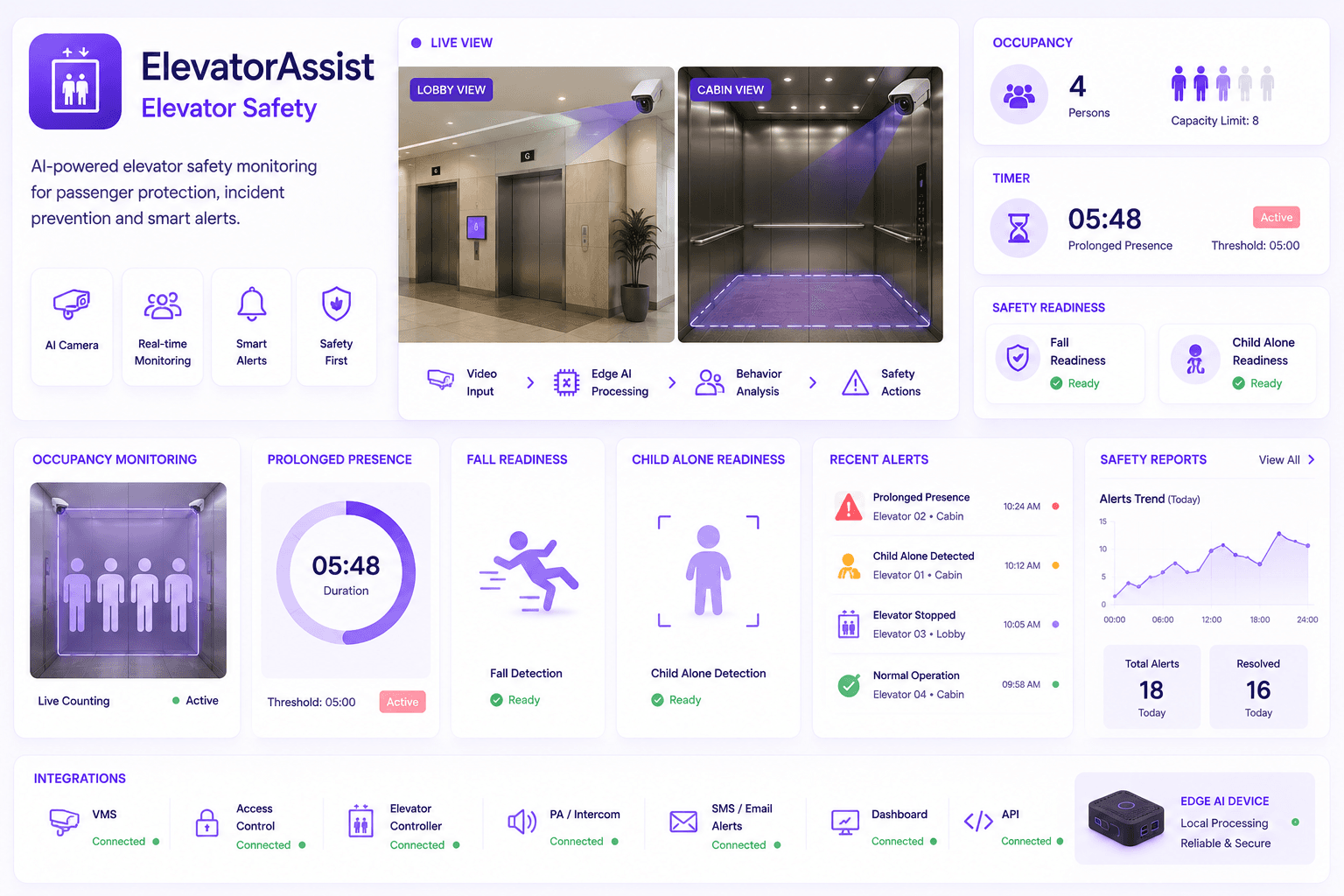
ElevatorAssist datasheet
Elevator Safety

ElevatorAssist

For elevator occupancy, prolonged presence, fall readiness, child-alone readiness and safety monitoring.

OccupancyProlonged presenceFall readinessChild-alone readiness
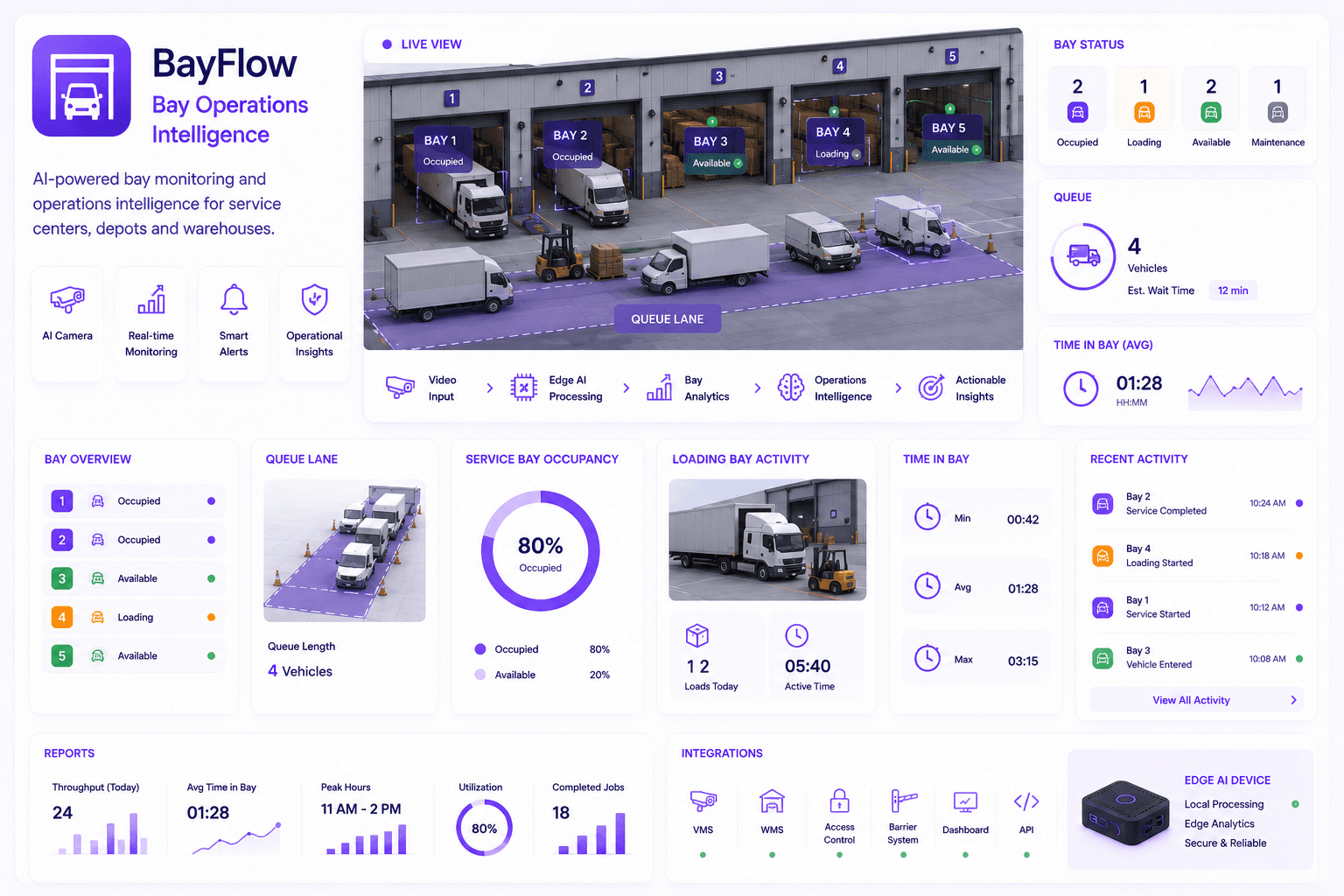
BayFlow datasheet
Bay Operations

BayFlow

For service bays, loading bays, washing bays, depot bays and operational status visibility.

Bay statusQueue visibilityVehicle flowReports

How datasheets help

Datasheets turn interest into a clear technical conversation.

Use Omnivue datasheets when a buyer or partner needs more than a brochure: module behavior, camera fit, deployment notes, workflow outputs and integration planning context.

Deployment fit

Datasheets help technical and management teams understand where a module fits: edge, on-premise, cloud-connected, hybrid or offline-first.

Camera and workflow context

Each datasheet explains the camera scenario, event type, detection target, evidence output and operational workflow supported.

Integration readiness

Use datasheets to discuss barriers, turnstiles, VMS, access systems, APIs, alerts, dashboards and reporting requirements.

Pilot planning

Datasheets help define what should be tested, what data should be captured and what operational success should look like.

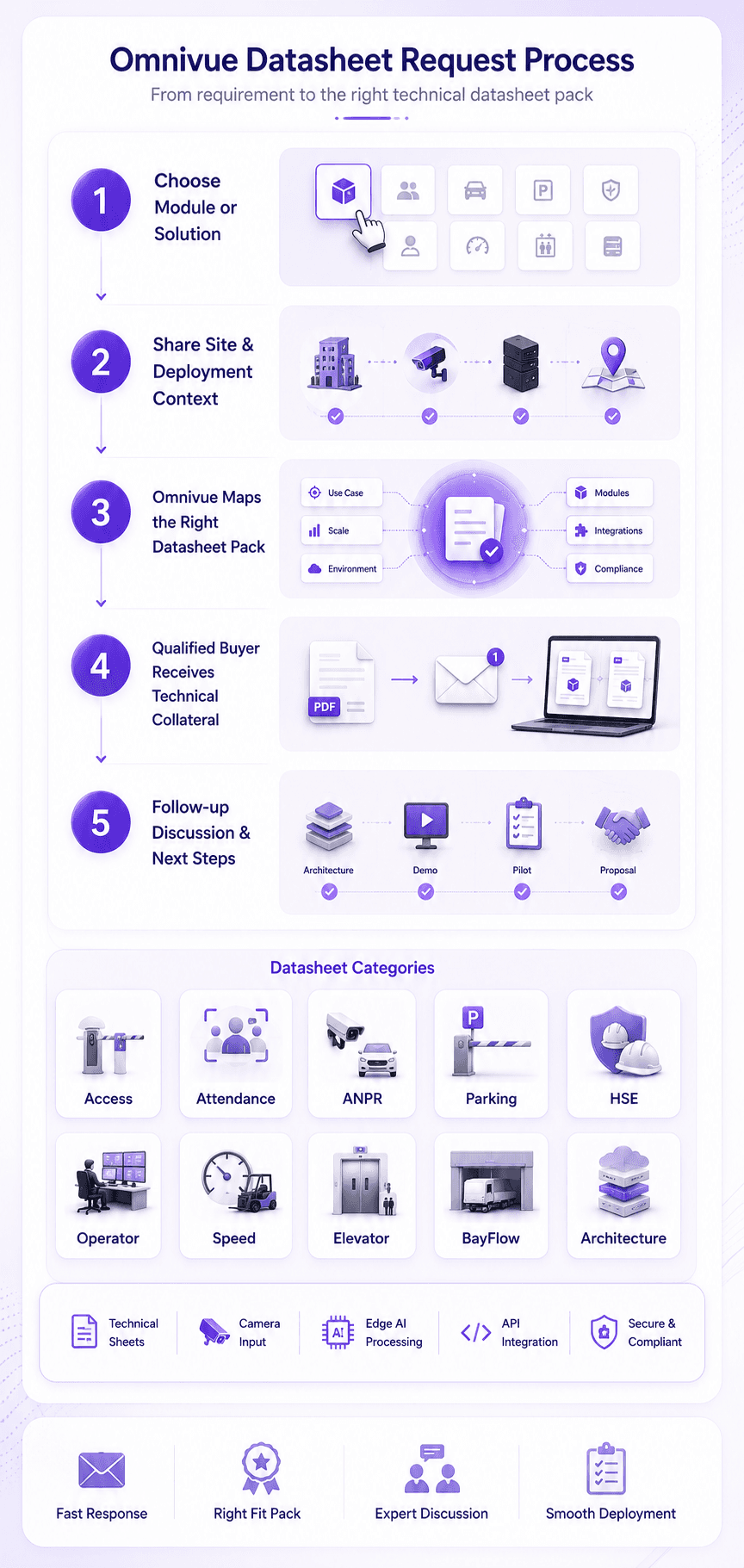
Omnivue datasheet request process

Request process

Request the datasheet that fits your module, site and use case.

Omnivue datasheets can be shared as module sheets, solution sheets, technical packs or partner-ready collateral depending on the opportunity.

1

Choose the module or solution

Select the datasheet that matches the use case, buyer requirement or technical discussion.

2

Share site and deployment context

Mention industry, camera environment, number of sites, integration needs and rollout stage.

3

Receive the relevant datasheet pack

Omnivue can share a module datasheet, solution datasheet, architecture note or partner-ready technical pack.

Controlled technical sharing

Public previews. Qualified technical datasheets.

Datasheets should support real technical and commercial conversations. Detailed specifications, deployment notes and validation packs can be shared through the enquiry process.

Public pages show datasheet previews and product positioning.

Detailed technical sheets can be shared with qualified customers and partners.

Sensitive deployment details, internal pricing and validation reports are not open downloads.

Partner-ready datasheets can be aligned to specific opportunities.