

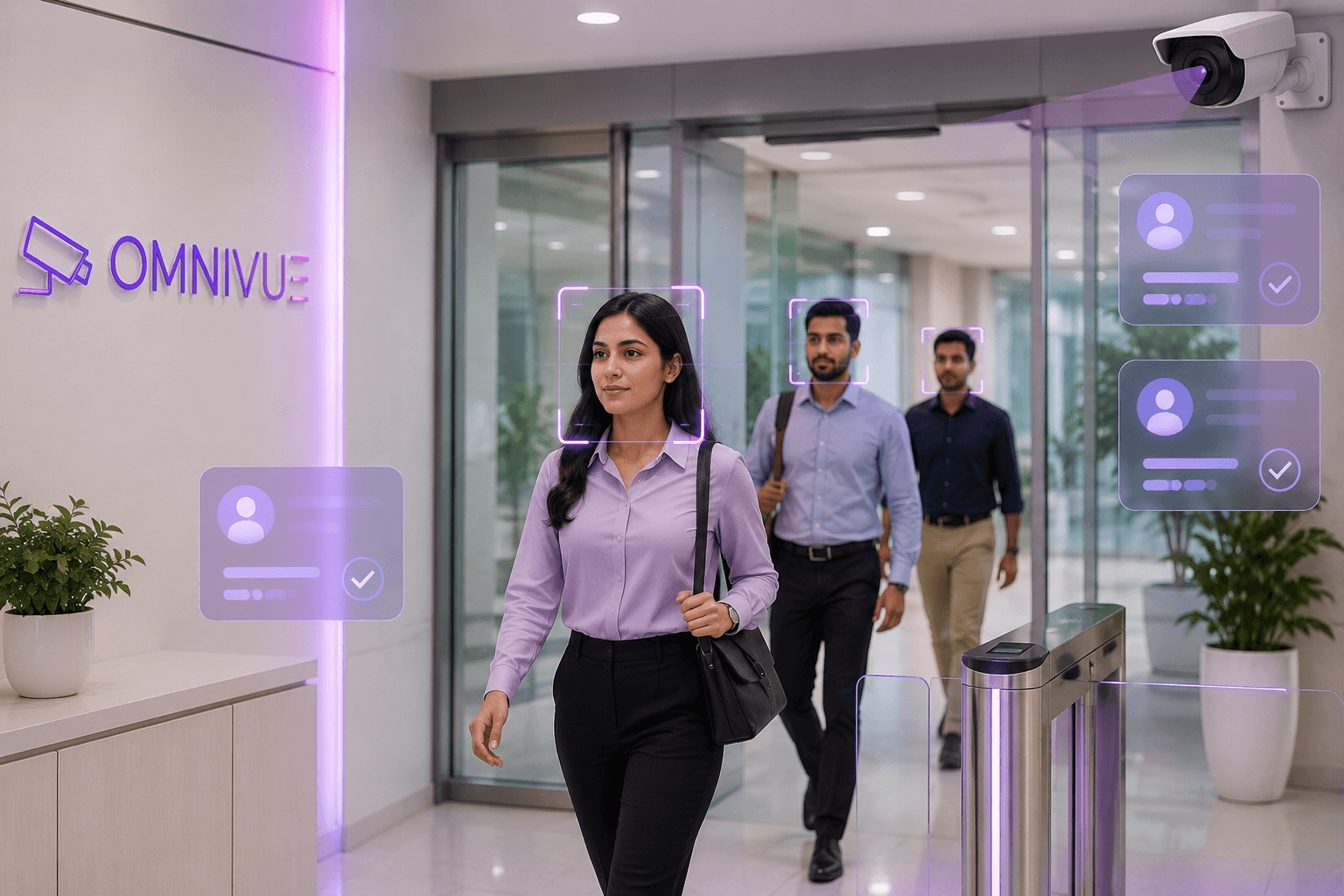
Touchless AI attendance for modern organizations.
Presence helps organizations capture attendance automatically using face recognition, track inside/outside movement, analyze workforce trends and maintain audit-ready attendance records.
Pilot validation note
Validated in a live government office pilot with on-prem local network deployment and real-world passive capture conditions.
Person
Recognized
Attendance
Marked
Record
Synced
What Presence manages
More than attendance marking. A workforce visibility layer.
Presence connects face recognition, attendance logs, inside/outside visibility, workforce trends and exportable records into one dashboard.
Face-based Attendance
Capture attendance automatically using face recognition without manual punch-in or biometric touchpoints.
Entry & Exit Tracking
Record first entry, exit movement, inside/outside status and daily presence activity.
Employee Records
Maintain personnel profiles, enrollment images, department mapping and searchable attendance history.
Workforce Analytics
Analyze punctuality trends, time-inside patterns, early departures and movement anomalies.
Attendance Exceptions
Highlight late arrivals, missed capture cases, single-entry patterns and review-worthy movement behavior.
Reports & Exports
Generate daily summaries, attendance reports, event logs and audit-ready attendance records.
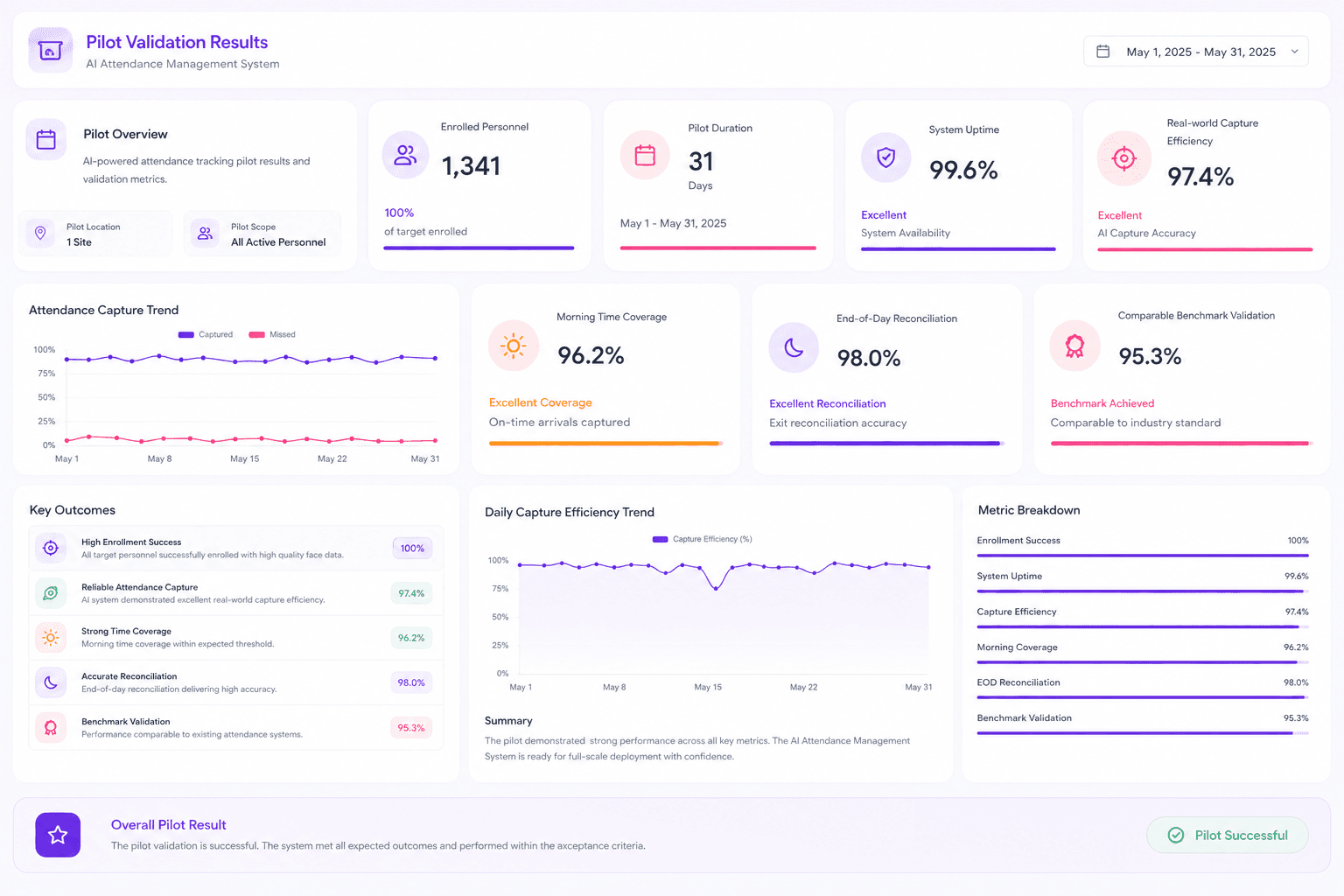
Pilot validation
Validated in a live office environment, not a lab setup.
The Presence pilot validated real-world attendance capture, operational feasibility, system stability and readiness for scaled deployment under passive capture conditions.
Enrolled Personnel
324
Validated during pilot
Pilot Duration
45 days
Live office environment
System Stability
99%
Uptime during pilot
Peak Capture
90–95%
Real-world capture efficiency
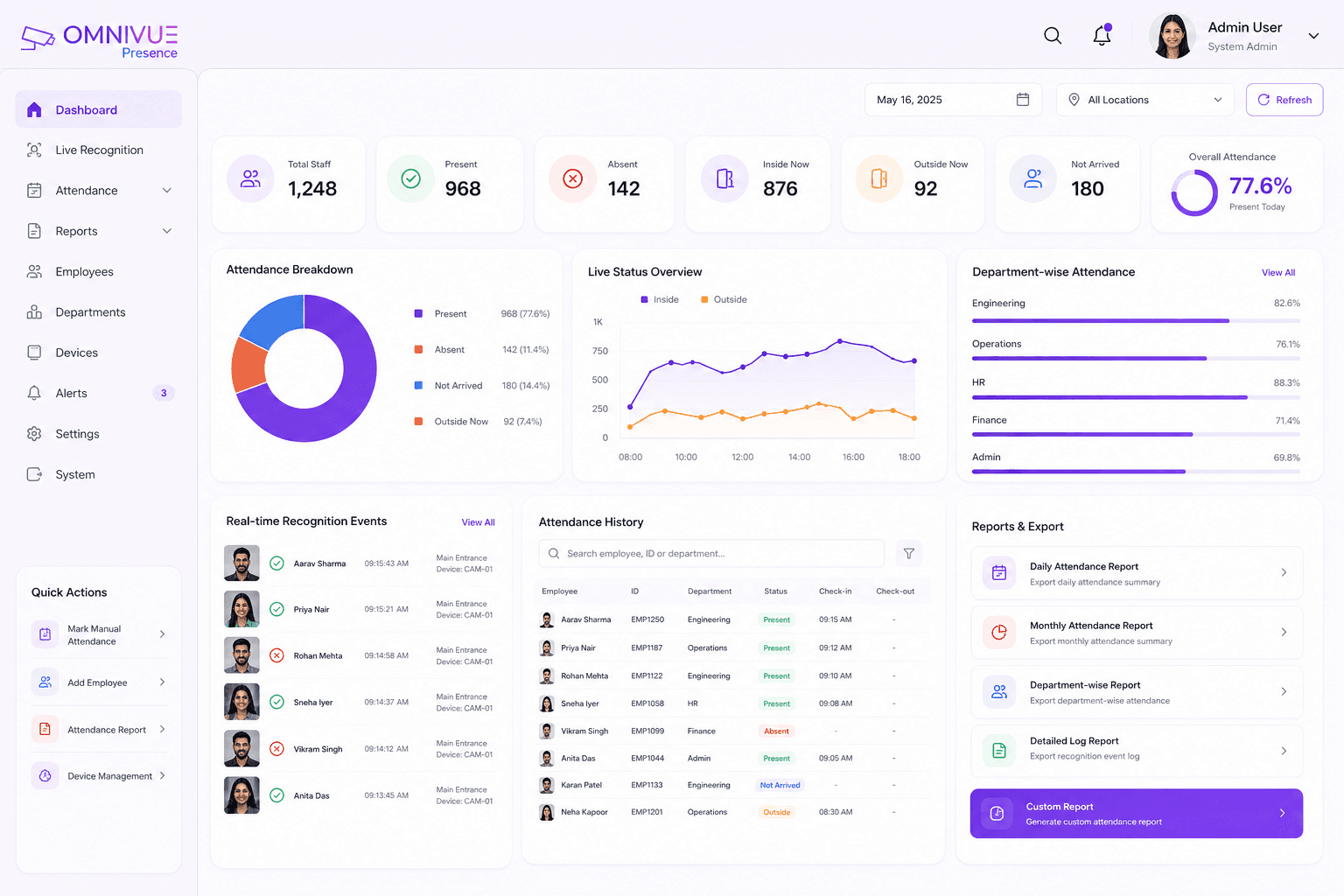
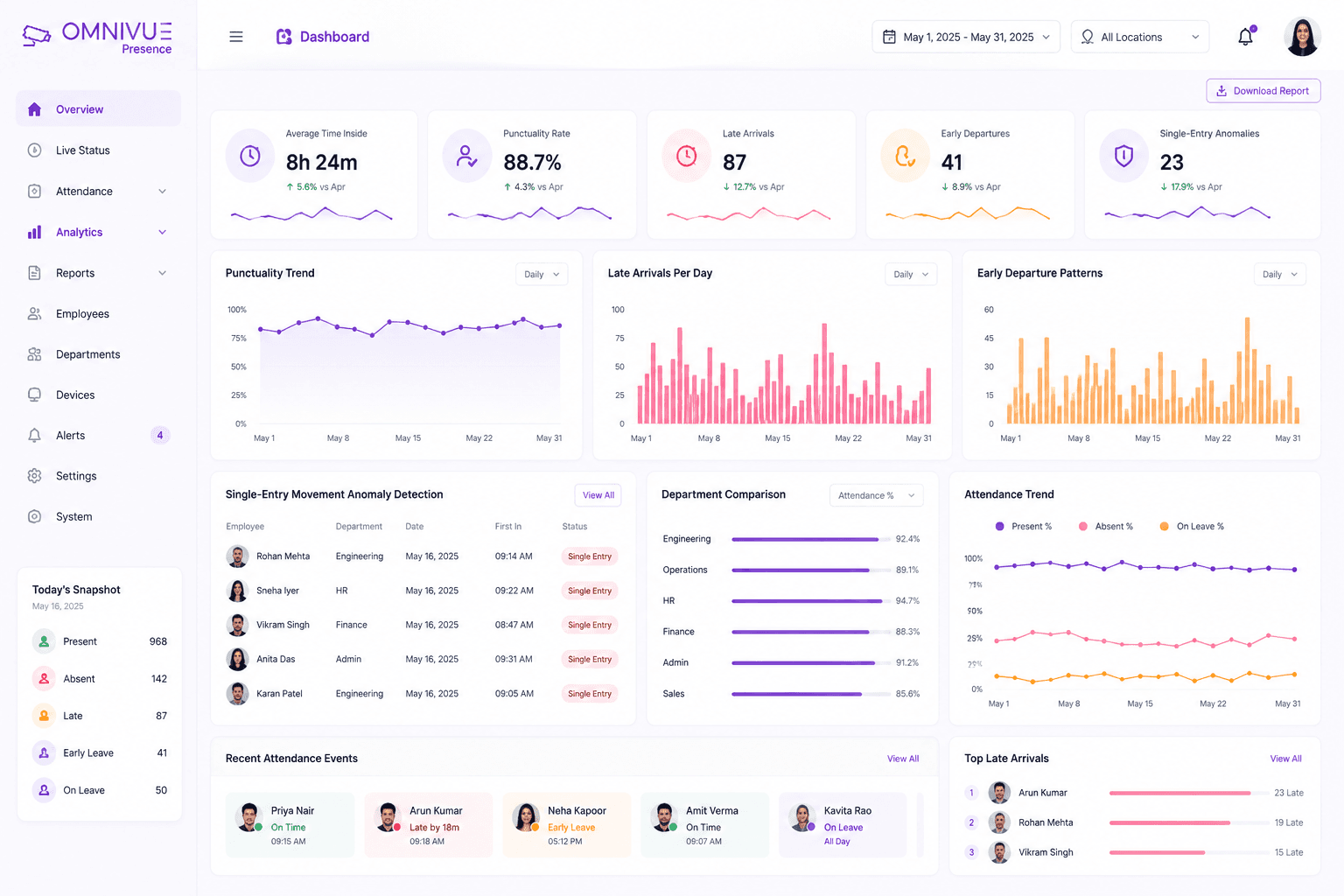
Attendance dashboard
See attendance, live status and department visibility from one view.
Presence gives teams daily attendance summaries, real-time event logs, individual recognition records, searchable history and exportable reports.
Daily attendance summary
Real-time attendance logs
Individual recognition events
Searchable attendance history
Department-wise attendance
Real-world accuracy
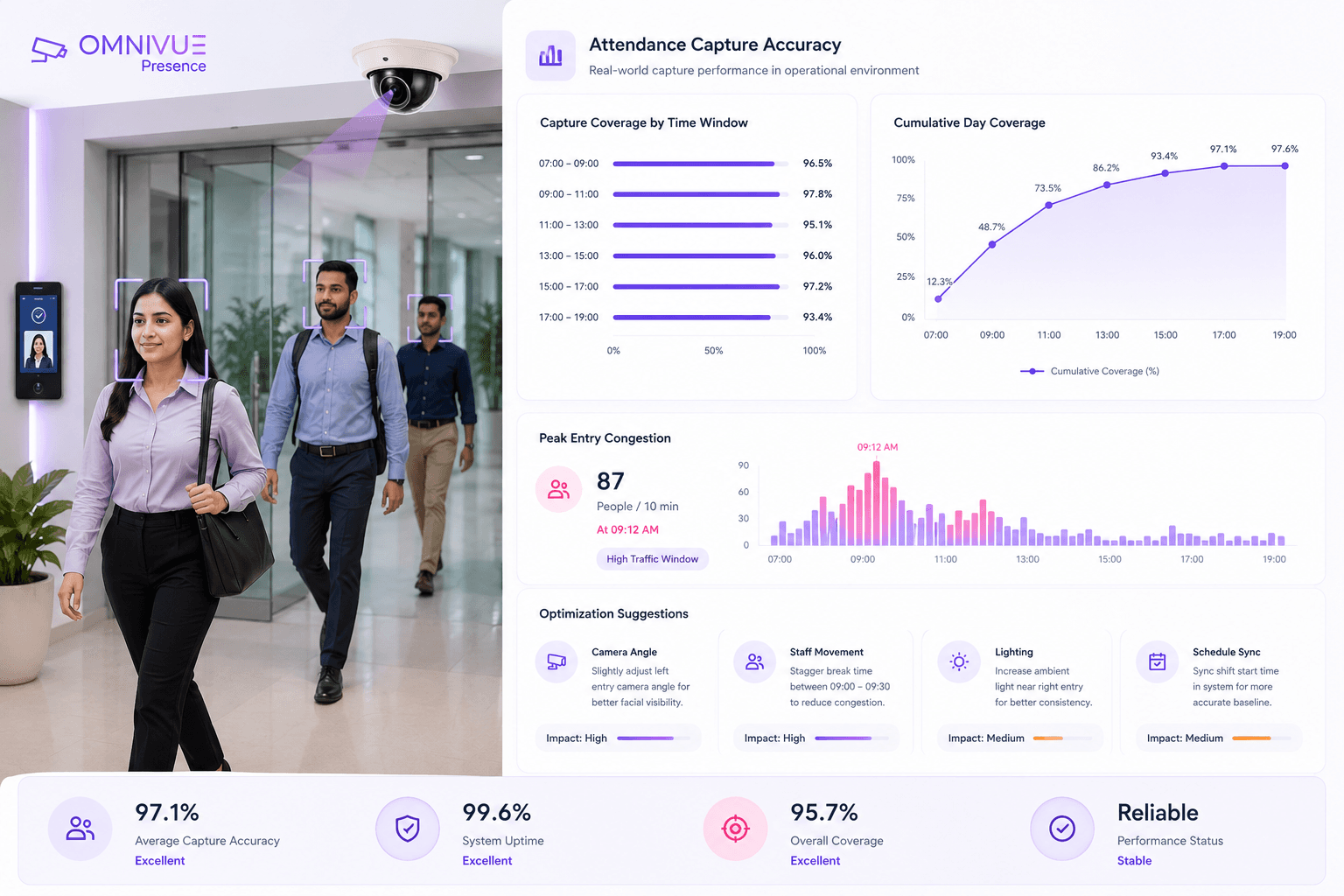
Built for natural movement, with a clear path to higher consistency.
Passive capture environments are practical and user-friendly, but peak traffic, group movement and face angle can affect capture quality. Presence is designed to analyze those gaps and improve through deployment optimization.
Passive capture works naturally
Attendance can be captured without forcing people to stop, making it practical for offices and institutions.
Peak traffic affects capture quality
High-density group movement, limited pause time and non-frontal face presentation can reduce capture consistency.
Full-day reconciliation improves coverage
Individuals missed during peak entry can often be captured later through distributed movement during the day.
Optimization improves consistency
Controlled capture zones, better lighting and improved enrollment can move performance toward 98–99%.
Workforce analytics
Move from attendance records to governance insights.
Presence can support administrative trend analysis such as punctuality, time-inside behavior, potential early departures and single-entry movement anomalies.
Touchless attendance
Reduce queues, manual registers and physical attendance devices with camera-based recognition.
Operational visibility
See present, absent, inside, outside and not-arrived counts from one dashboard.
Workforce trends
Monitor punctuality, early departure patterns and presence behavior at department level.
Audit-ready records
Maintain searchable recognition events, attendance summaries and exportable reports.
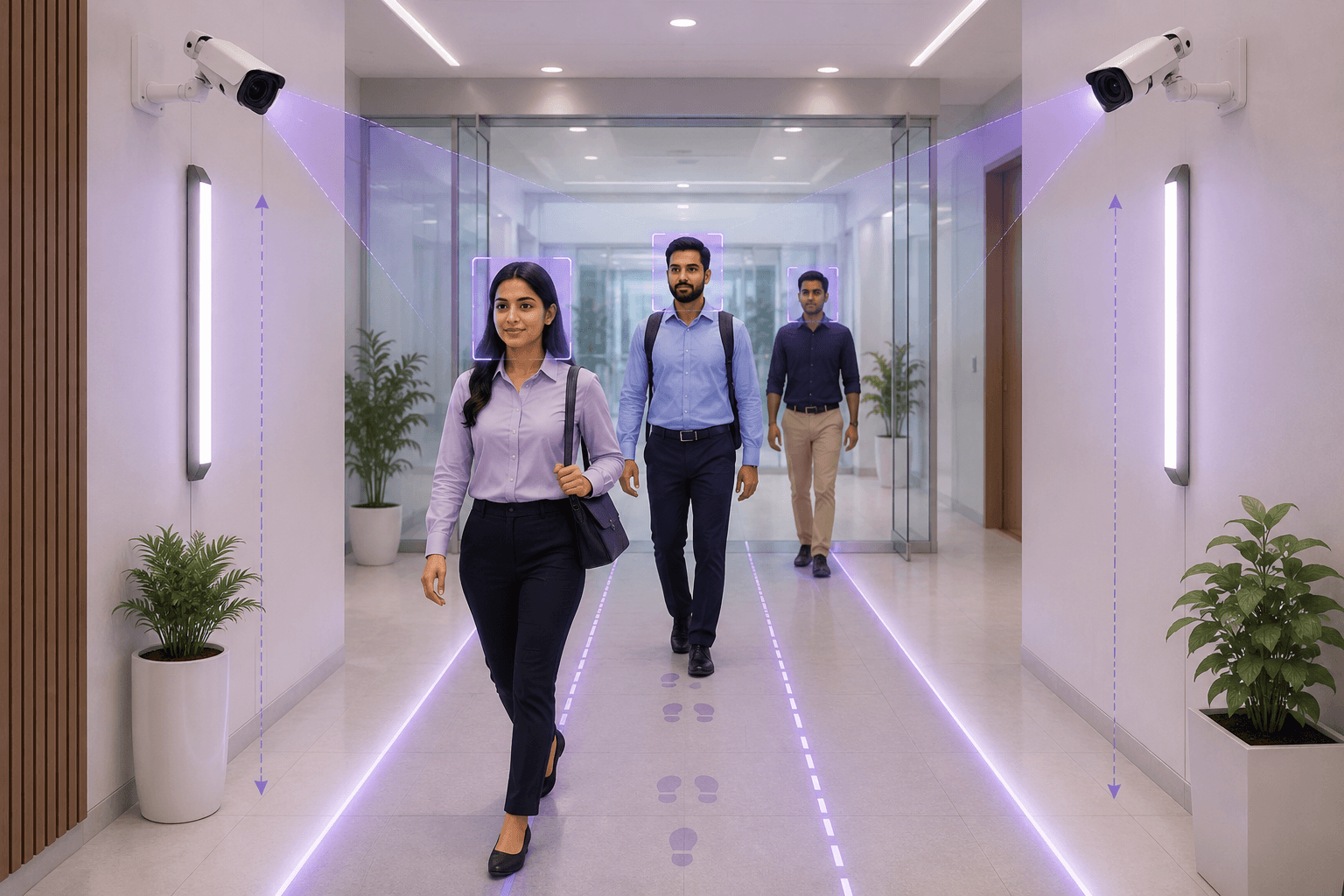
Deployment optimization
Improve capture consistency with the right entry setup.
For precision-grade attendance, capture quality improves with a structured entry channel, suitable camera height, face-level lighting and high-quality enrollment images.
How Presence works
From camera capture to attendance record and workforce insight.
Presence converts camera-based face recognition events into attendance logs, movement history, analytics and exportable reports.
Capture
Camera captures employees naturally as they move through entry and exit areas.
Recognize
Presence matches faces against enrolled personnel using local AI processing.
Reconcile
The system consolidates entries, exits and movement events into daily presence records.
Report
Dashboards, analytics and reports help administrators review attendance and trends.
Architecture
On-prem attendance intelligence with simple deployment.
Presence is designed for local processing, secure storage, role-based dashboards and optional scale across multiple offices or institutions.
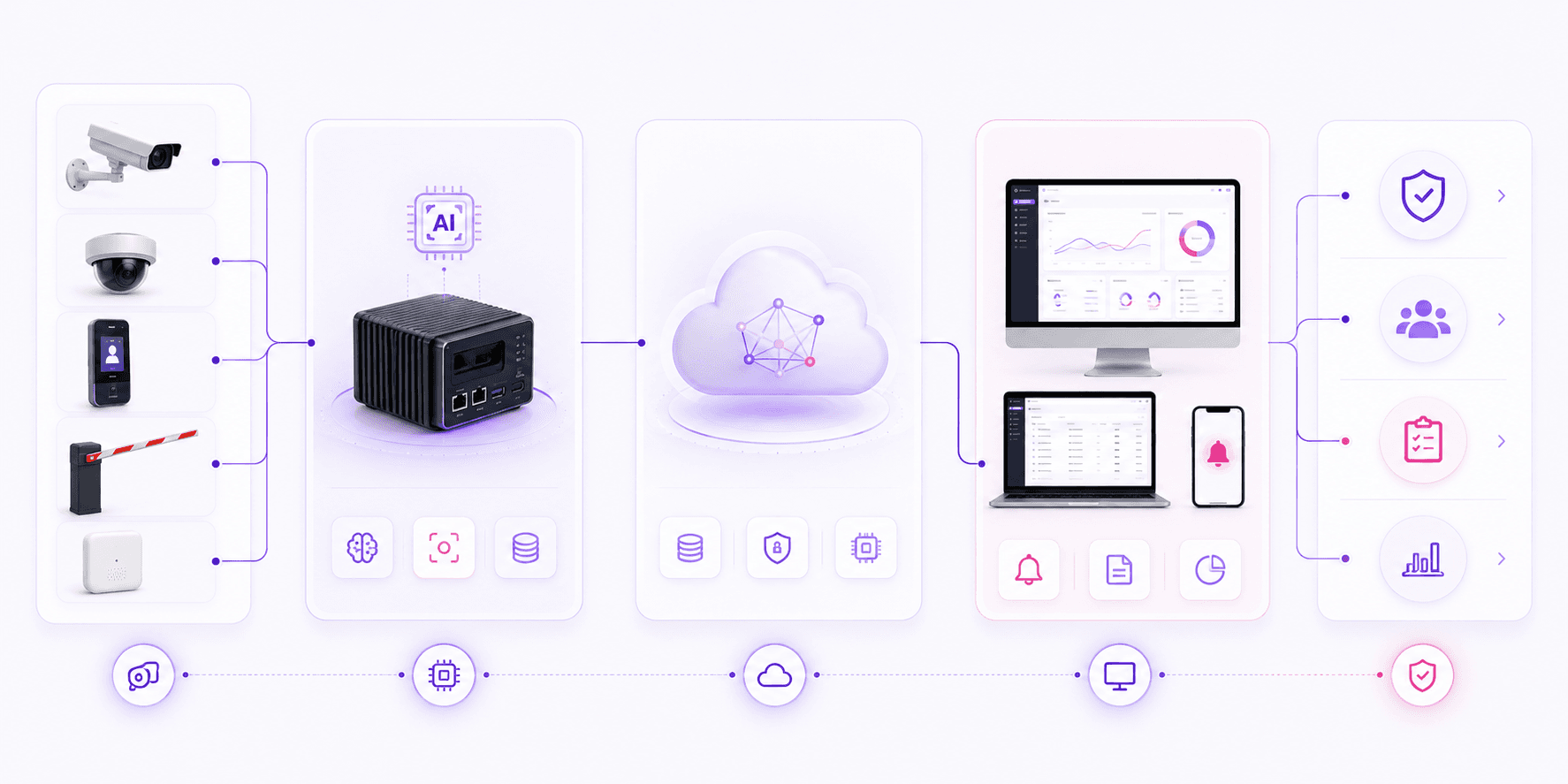
Input Layer
Edge Layer
Platform Layer
Application Layer
Outcome
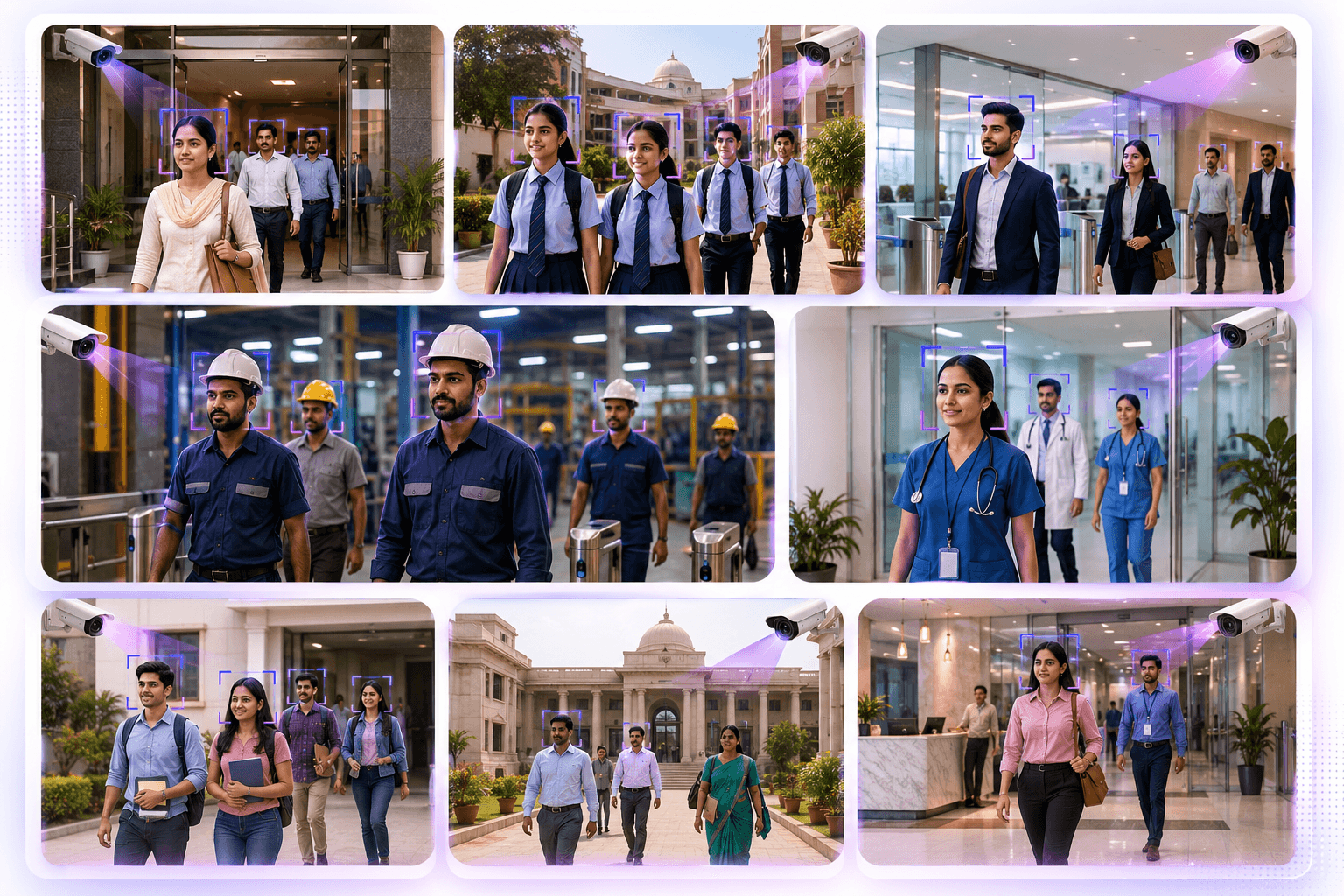
Built for scalable attendance
Attendance visibility for offices, institutions and distributed teams.
Presence can be deployed for organizations that need centralized attendance visibility, local processing and governance-ready reports.
Omnivue Presence
Want to see how Presence fits your attendance workflow?
Share your employee count, entry points, camera availability, attendance policy and deployment preference. Our team will suggest the right Presence setup.
What we’ll review
You do not need a finalized technical scope. A short discussion around your entry points and attendance process is enough to recommend the right starting setup.