

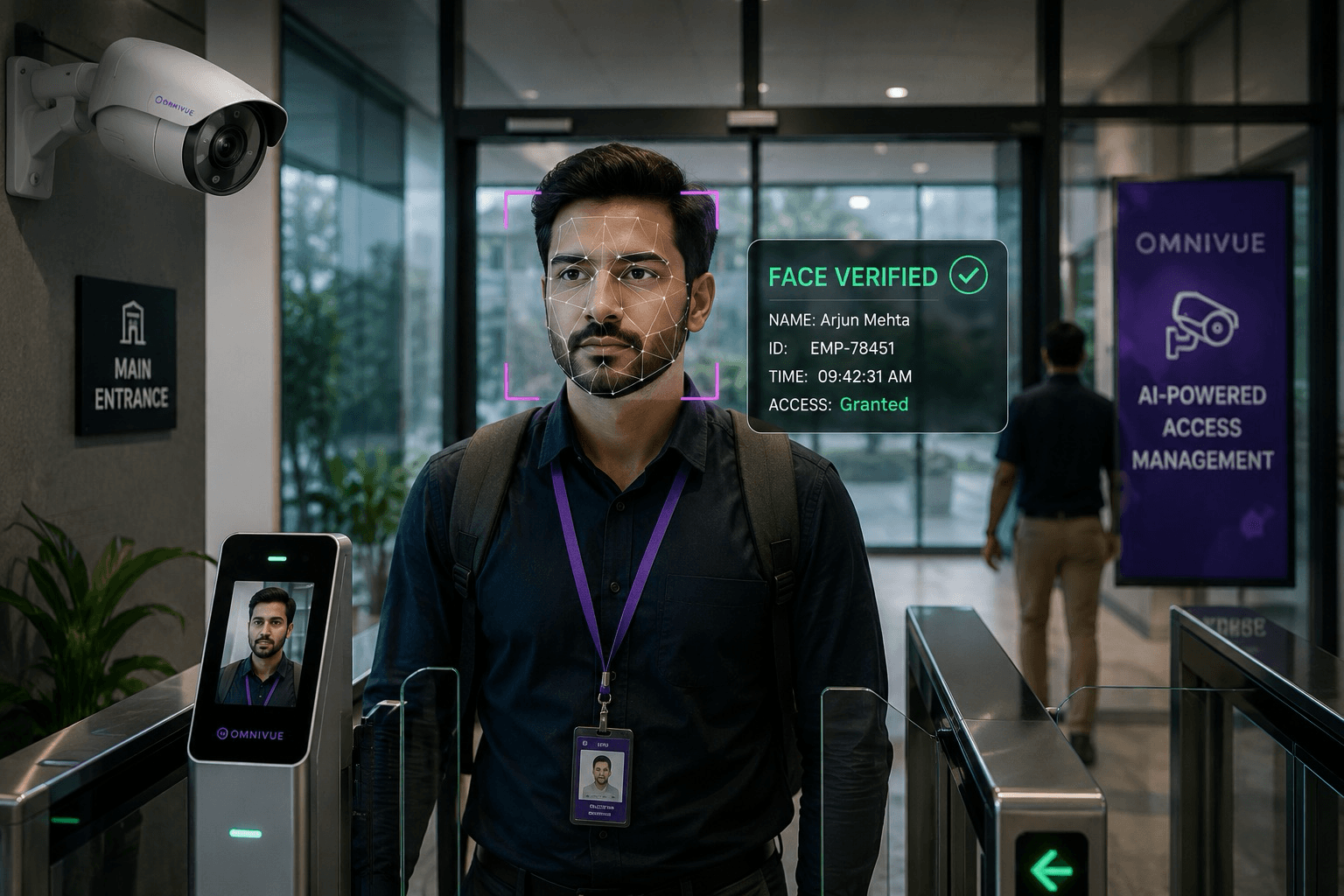
Intelligent access control for people, visitors and vehicles.
Sentinel helps organizations verify identities, manage entry and exit movement, monitor exceptions, and maintain audit-ready access records from one connected dashboard.
Deployment note
Used for access management workflows at Army War College, Mhow, Indian Army.
Access Points
Multi-gate
Deployment
On-prem
Actions
Real-time
What Sentinel manages
More than face recognition. A complete access workflow.
Sentinel connects identity, access points, visitor movement, alerts, approvals and records into a single operational view.
People Access
Verify employees, visitors, contractors and authorized personnel at controlled entry points.
Entry & Exit Control
Manage access events across gates, lobbies, turnstiles, receptions and restricted areas.
Visitor Workflows
Support visitor approvals, contractor access, manual overrides and auditable access records.
Inside / Outside Visibility
See who is inside, outside, not arrived, or outside longer than expected.
Alerts & Exceptions
Raise alerts for denied access, watchlist matches, unusual activity and workflow exceptions.
Reports & Audit Trail
Generate access logs, exception reports, activity history and compliance-ready records.
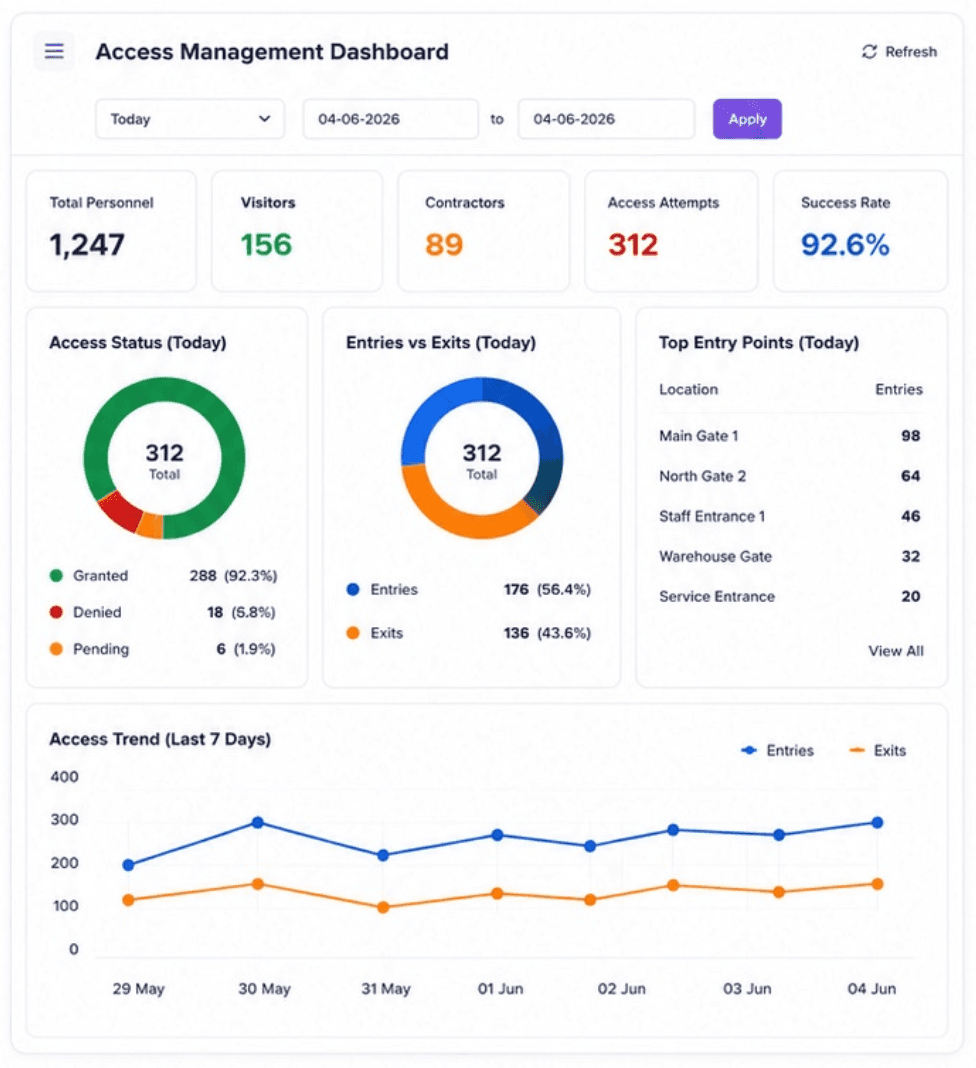
Live access overview
Know who is inside, outside, delayed or waiting for approval.
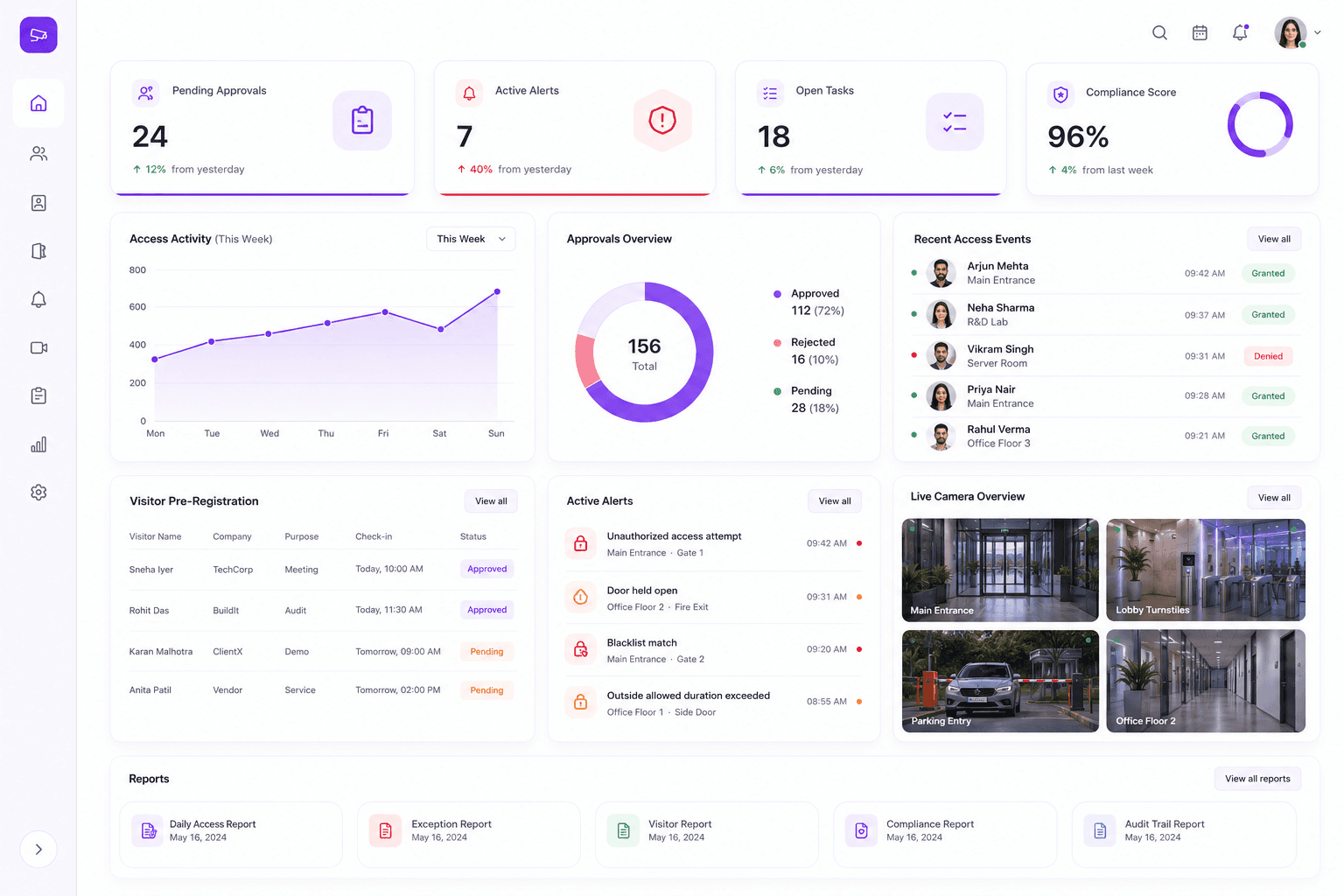
Sentinel gives teams live visibility into access movement, entry and exit counts, active access points, exceptions and personnel status.
Inside / outside status
Top outside duration
Entry and exit activity
Department-wise visibility
Exception alerts
Access decisions
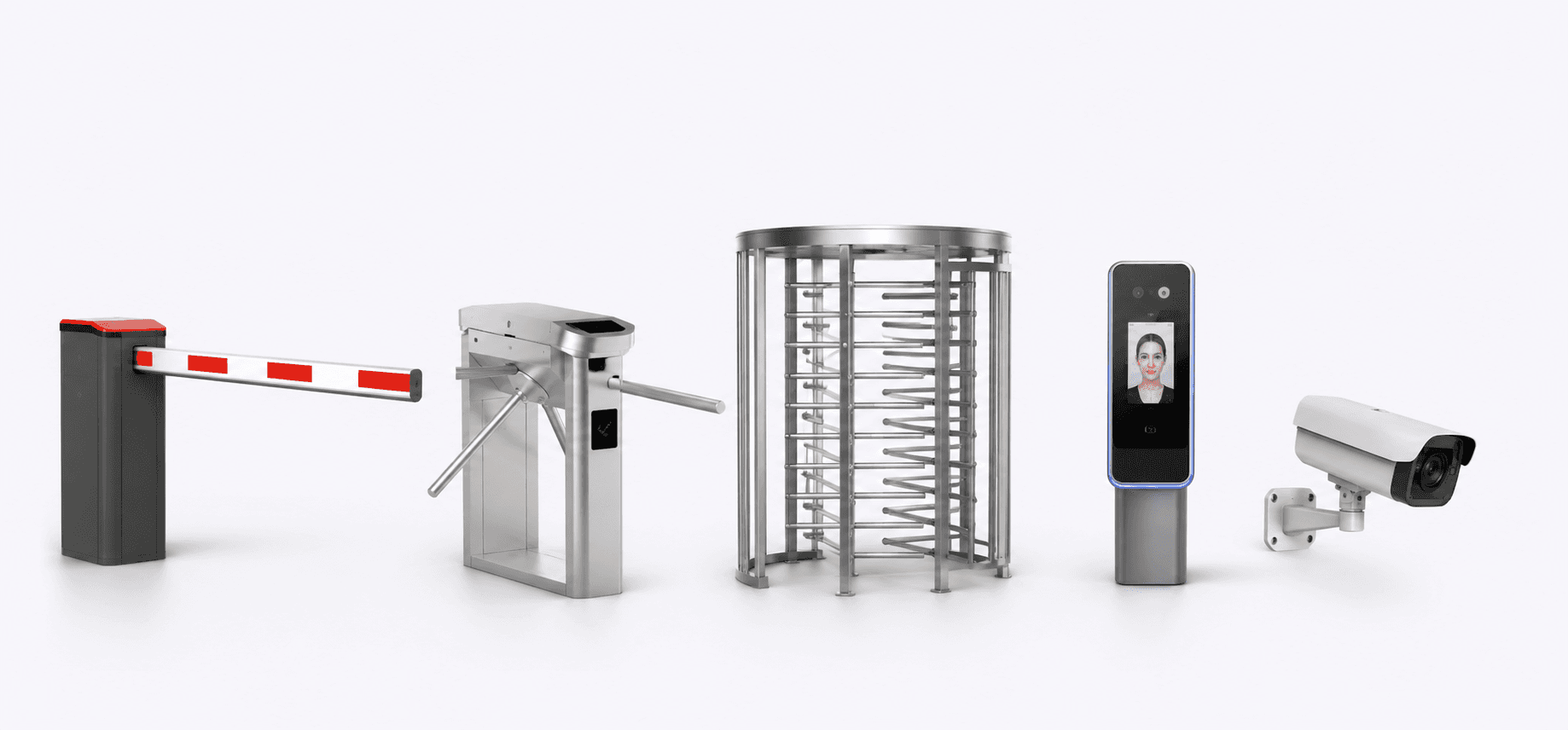
Connect verification with barriers, turnstiles and access actions.
Sentinel can support access decisions using identity verification, configured access rules, approval status and watchlist screening. Actions can be connected to dashboards, alerts, barriers, turnstiles or manual review workflows.
Identify
Camera or access terminal captures the person, vehicle or access attempt.
Verify
Sentinel checks identity, role, access rules, watchlists and approval status.
Decide
The system grants, denies, flags or routes the access event for review.
Act
Barrier, turnstile, dashboard alert, WhatsApp alert or audit event is triggered.
Smart alerts
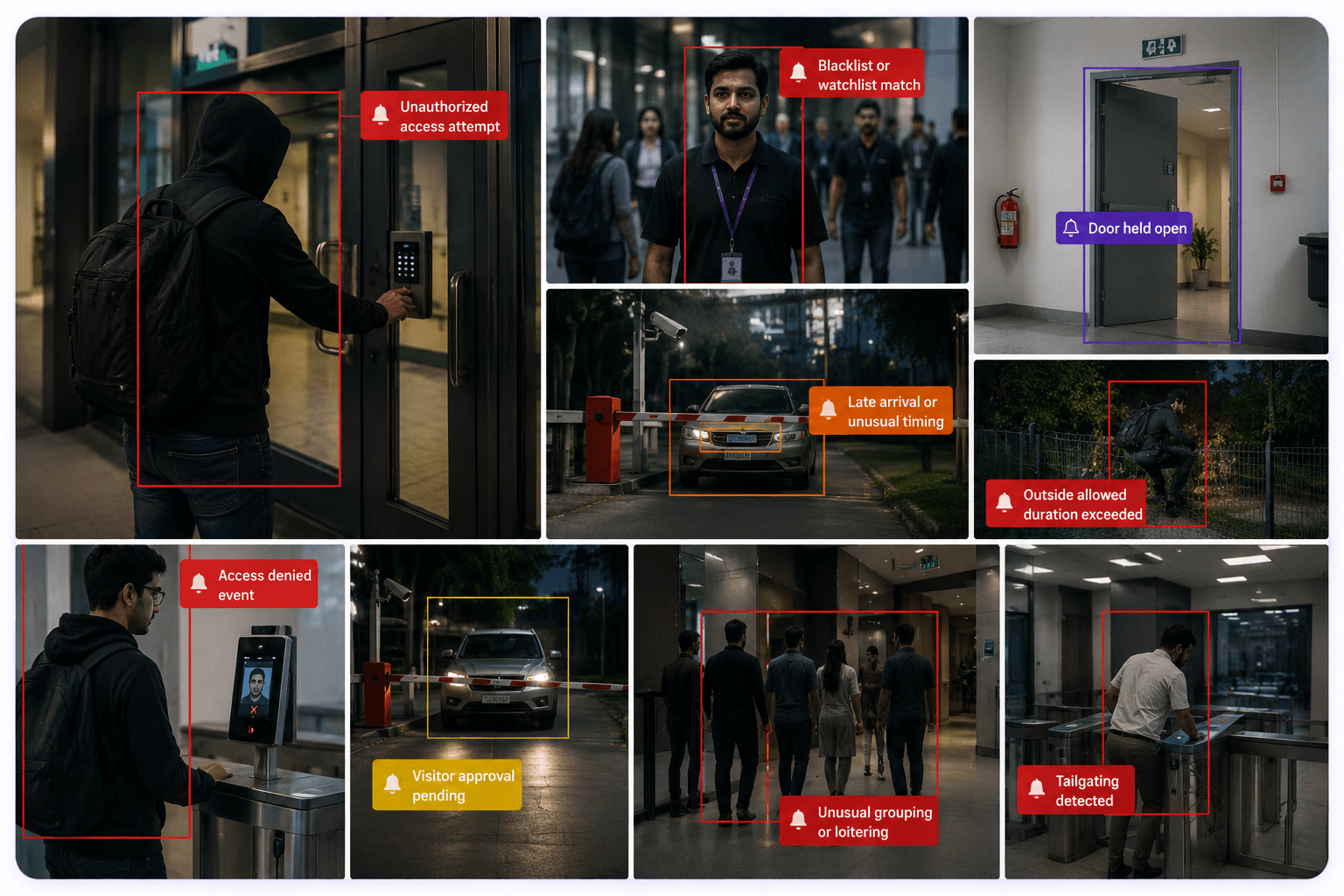
Turn exceptions into alerts with evidence.
Sentinel helps teams identify access exceptions, unusual behavior and rule violations with event evidence, timestamps, camera context and optional alert delivery.
Unauthorized access attempt
Blacklist or watchlist match
Door held open
Late arrival or unusual timing
Outside allowed duration exceeded
Visitor approval pending
Access denied event
Unusual grouping or loitering
Operational efficiency
Manage approvals, alerts, events and reports from one place.
Beyond entry verification, Sentinel supports daily access operations: pending approvals, visitor pre-registration, active alerts, recent events, live camera views and compliance reports.
Stronger access control
Reduce unauthorized movement with AI-assisted verification and rule-based access decisions.
Faster response
Critical access events become real-time alerts instead of being discovered later in footage.
Complete visibility
Track entry, exit, inside, outside, visitor and exception activity from one dashboard.
Audit-ready history
Every access attempt and exception can be stored as a searchable, evidence-backed record.
How Sentinel works
From CCTV feed to access decision and audit record.
Sentinel is built to convert visual activity into structured access events, decision workflows and searchable records.
Step 01
Capture
Existing cameras and access devices capture movement.
Step 02
AI Analysis
On-prem edge AI analyzes the event in real time.
Step 03
Verify
Identity, rules and watchlists are checked.
Step 04
Alert
Exceptions are shown on dashboard or sent as alerts.
Step 05
Record
Every event is stored for review and reporting.
Architecture
Powerful intelligence. Simple architecture.
Sentinel is designed for dependable access operations with edge processing, local workflows and optional integrations with access control infrastructure.
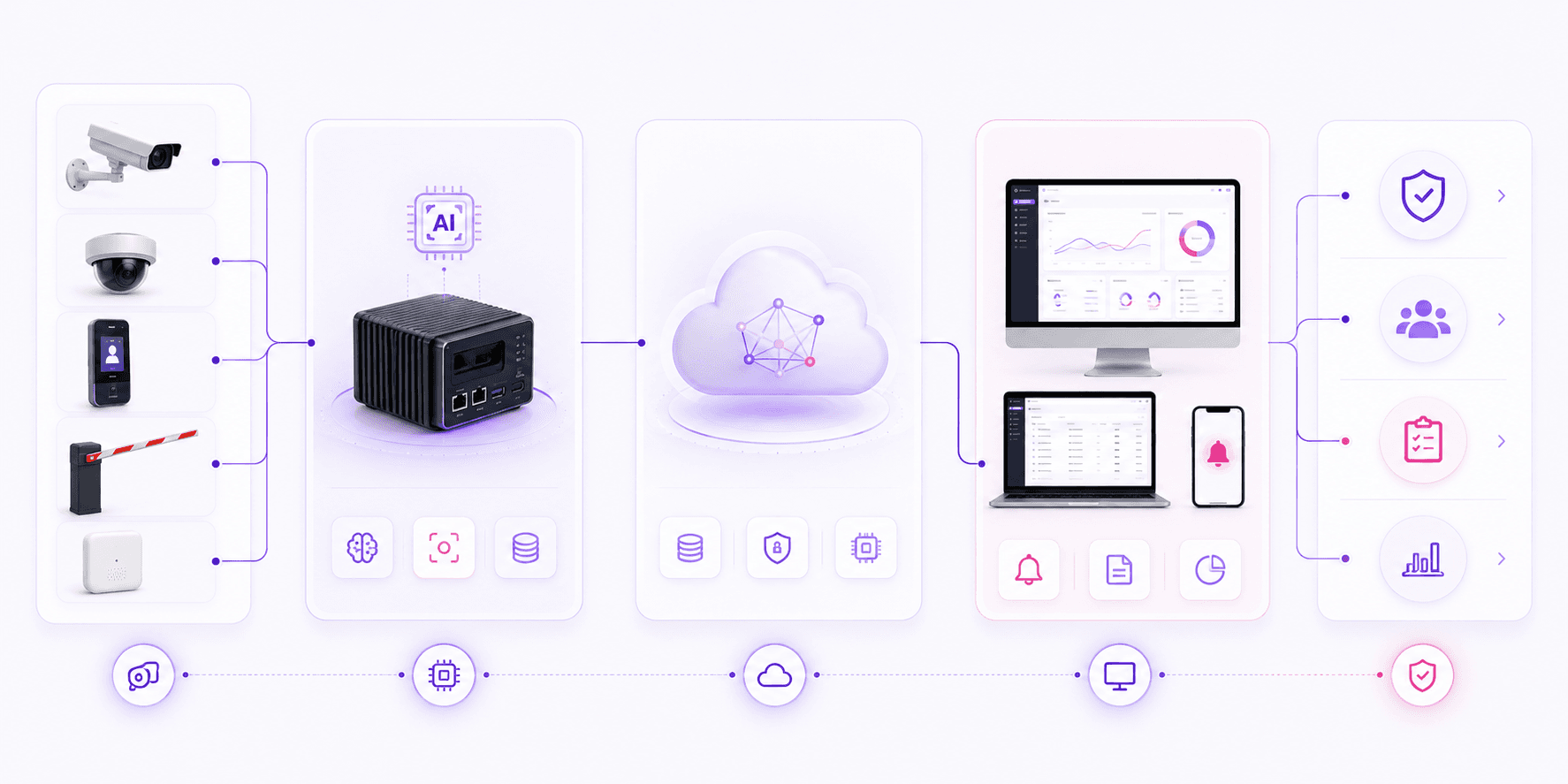
Input Layer
Edge Layer
Platform Layer
Application Layer
Outcome
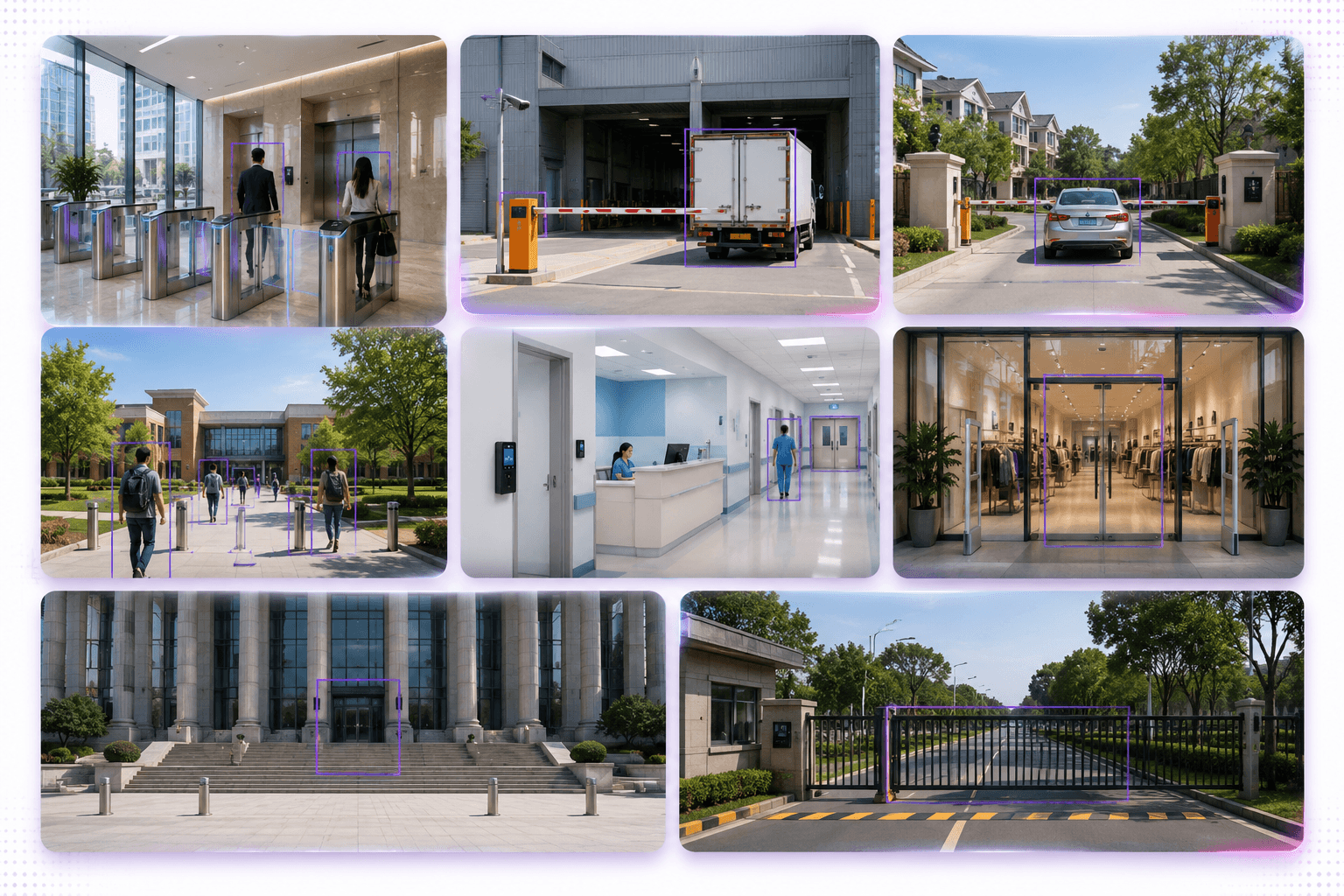
Built for different environments
Secure access workflows for many operational environments.
Sentinel can be adapted for organizations that need stronger control over people movement, entry points, visitors and access records.
Deployment proof
Used in secure-premises access management.
Sentinel is used for access management workflows at Army War College, Mhow, Indian Army. Public details should remain limited to approval-safe information, while deeper references can be shared during qualified sales discussions.
Access control workflows
Entry and exit visibility
AI-assisted verification
Audit-ready reporting
Omnivue Sentinel
Want to see how Sentinel fits your access workflow?
Share your access points, camera availability, visitor workflow, barrier or turnstile requirements, and deployment preference. Our team will suggest the right Sentinel setup.
What we’ll review
You do not need a finalized technical scope. A short discussion around your access points and current infrastructure is enough to recommend the right starting setup.