
AI video intelligence shaped around how each industry operates.
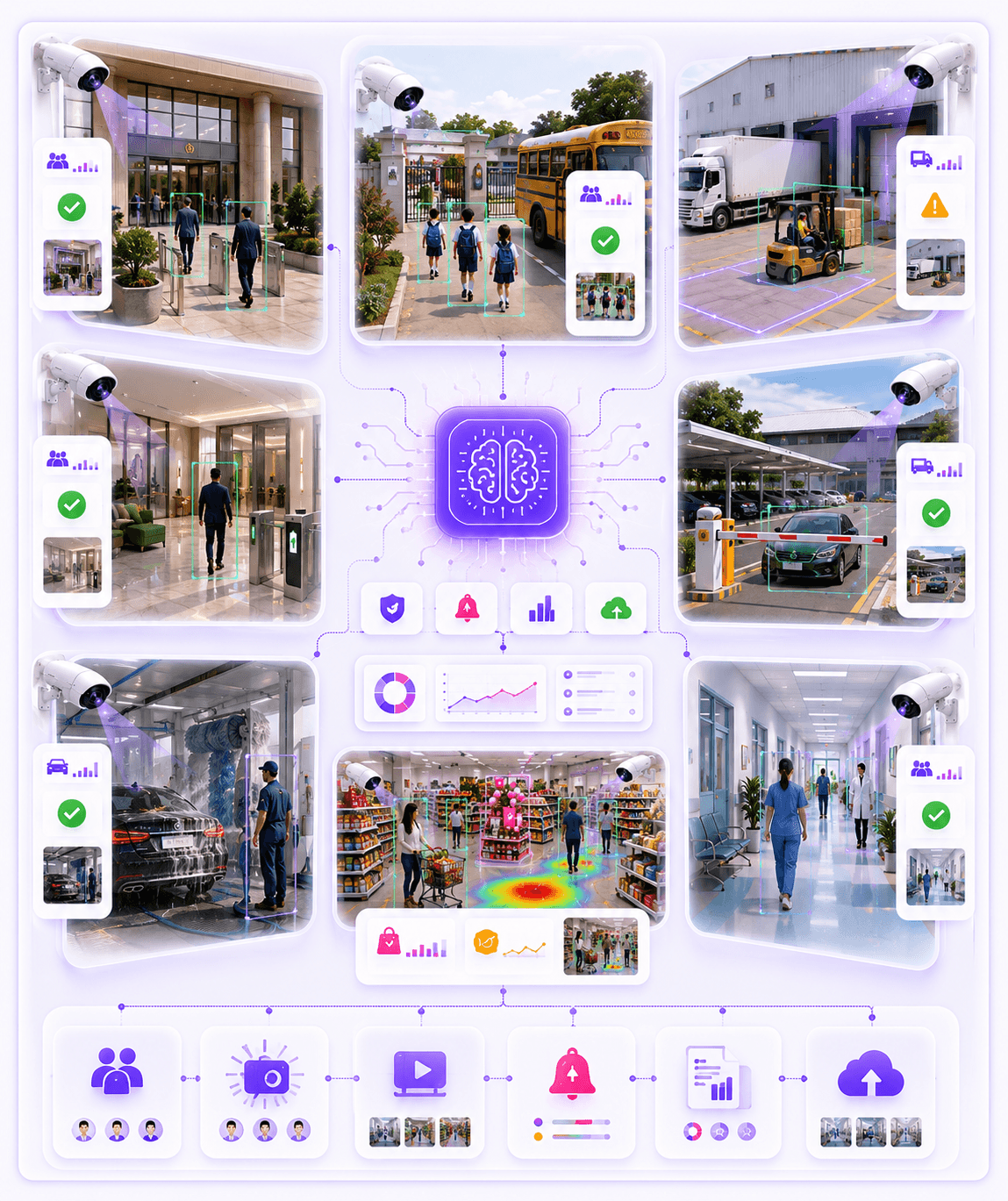
Omnivue converts existing CCTV cameras into practical workflows for attendance, access, parking, safety, retail, warehouse, facility and service operations.
Use existing cameras
Start from the CCTV and IP cameras already installed at your site.
Map your operational zones
Define gates, counters, bays, aisles, lobbies, yards and restricted areas.
Trigger alerts and workflows
Turn camera activity into alerts, approvals, evidence and reports.
10+
Industry workflows
Edge
Local deployment
CCTV
Existing cameras
AI
Alerts & evidence
Choose your operating environment
Start with the industry. Omnivue maps the modules behind it.
Buyers usually do not start by asking for a module. They start with a site problem: school attendance, warehouse movement, retail queues, car wash bays, parking gates or facility exceptions.
Navigation logic
Industry pages explain the full business workflow. Module pages explain the product capability behind that workflow.
Government & Public Sector
Attendance, access, visitor movement, public facility safety and audit-ready evidence.
Schools & Colleges
Staff attendance, student movement, gates, campus safety and incident evidence.
Warehouses & Logistics
Truck movement, loading bays, forklifts, no-parking zones and yard visibility.
Real Estate & Communities
Resident access, visitor gates, parking, lobbies, elevators and facility monitoring.
Factories & Industrial Sites
PPE compliance, forklift safety, restricted zones, emergency access and incidents.
Parking Operators
ANPR, active vehicles, tariff workflows, receipts, pass holders and barrier control.
Car Wash & Service Centers
Bay queues, service lanes, wash bays, staff activity and turnaround visibility.
Retail & Malls
Customer flow, queues, promotion engagement, POS visibility and loss-prevention evidence.
Hospitals & Campuses
Access points, visitor flow, restricted zones, queues, safety and facility operations.
Transport & Depots
Vehicle movement, gates, parking, depot safety, queues and operational evidence.
Operating layers
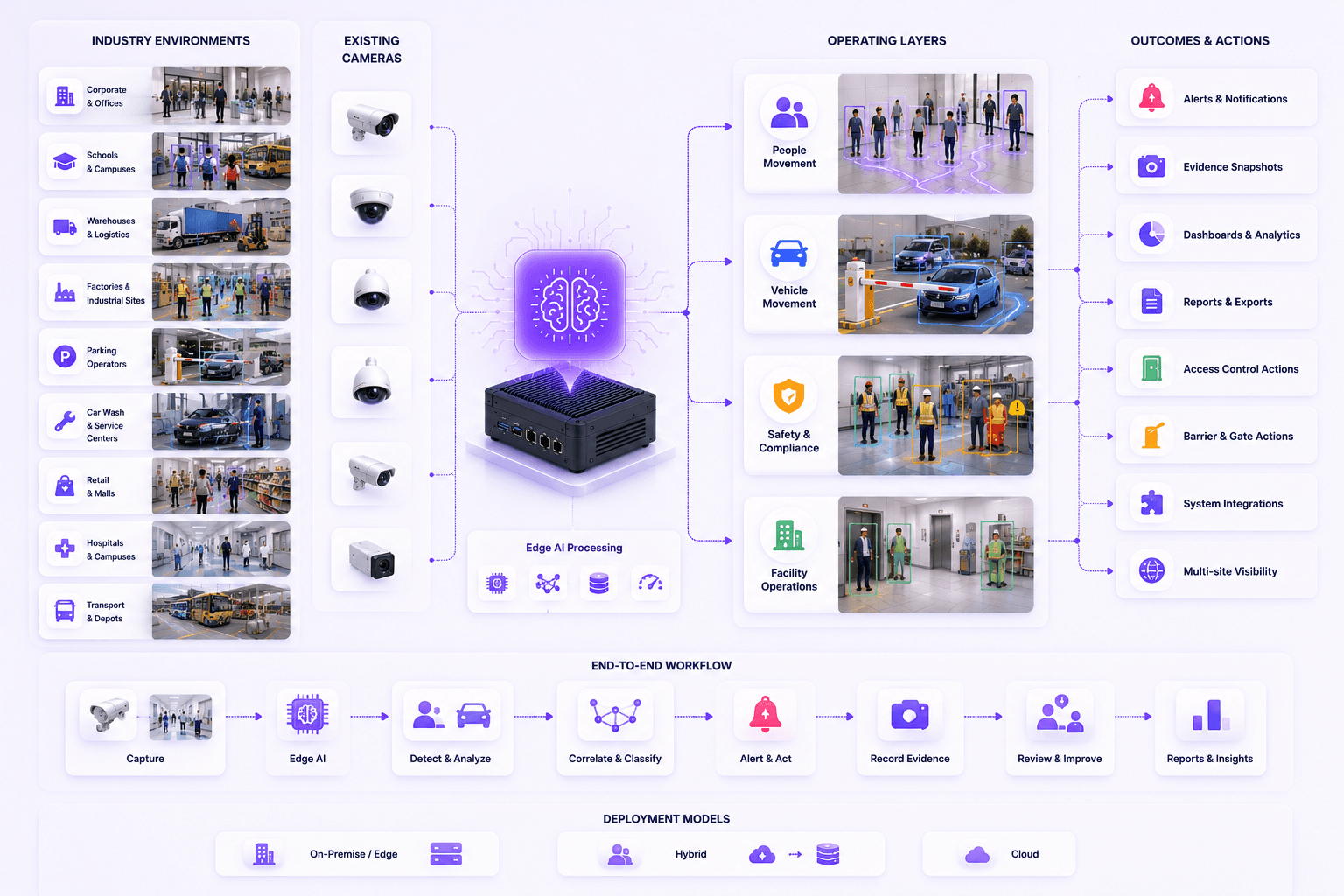
One platform, multiple operational layers across industries.
Every industry page connects real site operations with the right AI modules, edge deployment model, alerts, evidence and reports.
People movement
Attendance, visitors, staff presence, queues, customer flow and restricted-area movement.
Vehicle movement
ANPR, gate entry, parking, yard movement, speed, bay flow and service lanes.
Safety and compliance
PPE, emergency exits, obstruction, forklift activity, unsafe zones and audit evidence.
Facility operations
Lobbies, elevators, reception desks, guard posts, counters, stockrooms and service areas.
How to choose
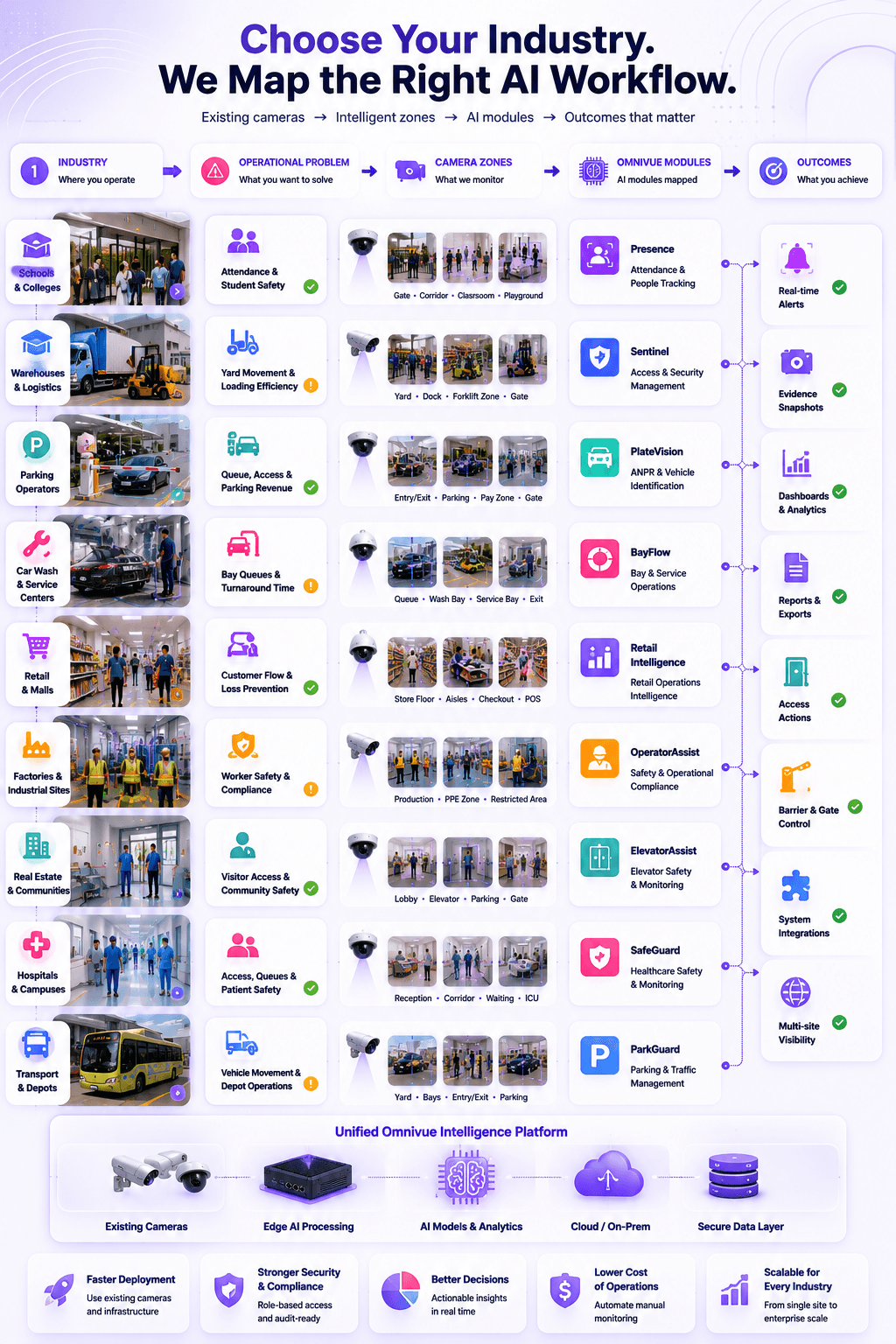
Choose by business environment, then map the workflow.
This structure keeps the website easy for buyers. Industries help them recognize their business situation. Solutions explain the problem category. Modules explain the product capability.
Choose your industry
Start with your operating environment: school, warehouse, retail store, car wash, facility or parking site.
Identify the daily workflow
Define what you need to improve: queues, attendance, access, safety, bays, parking or evidence.
Map cameras and zones
Use existing camera views and draw the operational zones where events should be detected.
Deploy the right modules
Omnivue combines the right modules for the industry instead of forcing one generic dashboard.
Buyer entry point
Built for buyers who know their environment before they know the module name.
Industry pages help customers understand how Omnivue fits into their actual site, daily operations and decision-making workflow.
I know my industry, but I am not sure which module fits.
I have cameras, but they are only used for manual review.
I need alerts, reports and evidence from my physical operations.
I want a practical AI deployment that can work on-premise or offline.
Tell us your industry. We’ll map the right Omnivue workflow.
Share your site type, camera layout, operational issues and reporting needs. Omnivue can recommend the right combination of modules, zones, alerts and deployment model.