How to Turn Existing CCTV Cameras into Operational Intelligence
Most organizations already have cameras. What they lack is a reliable way to turn video into decisions, alerts, evidence and operational action. Here is how an existing CCTV estate can become the foundation for AI-powered operations - without assuming that every camera must be replaced.
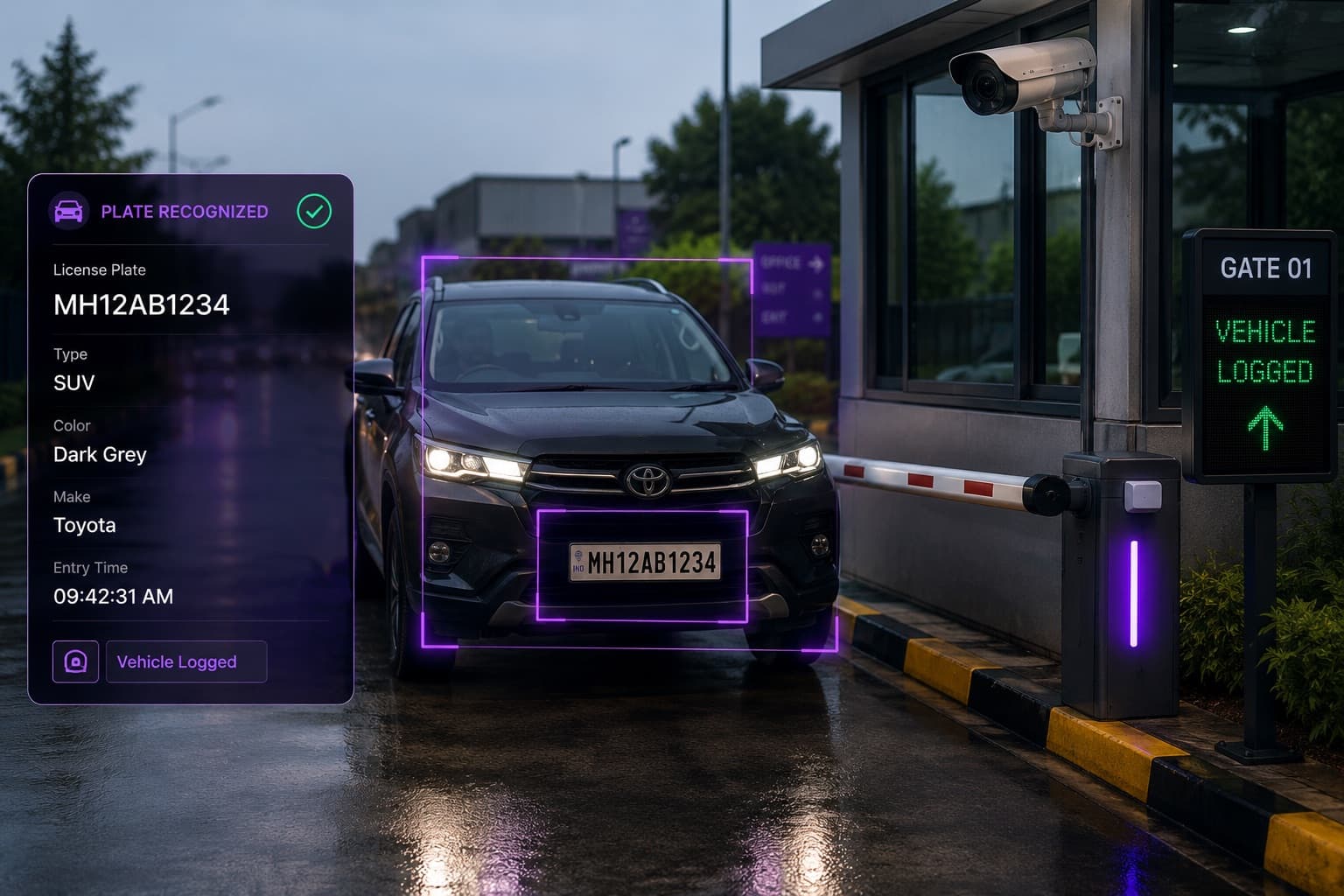
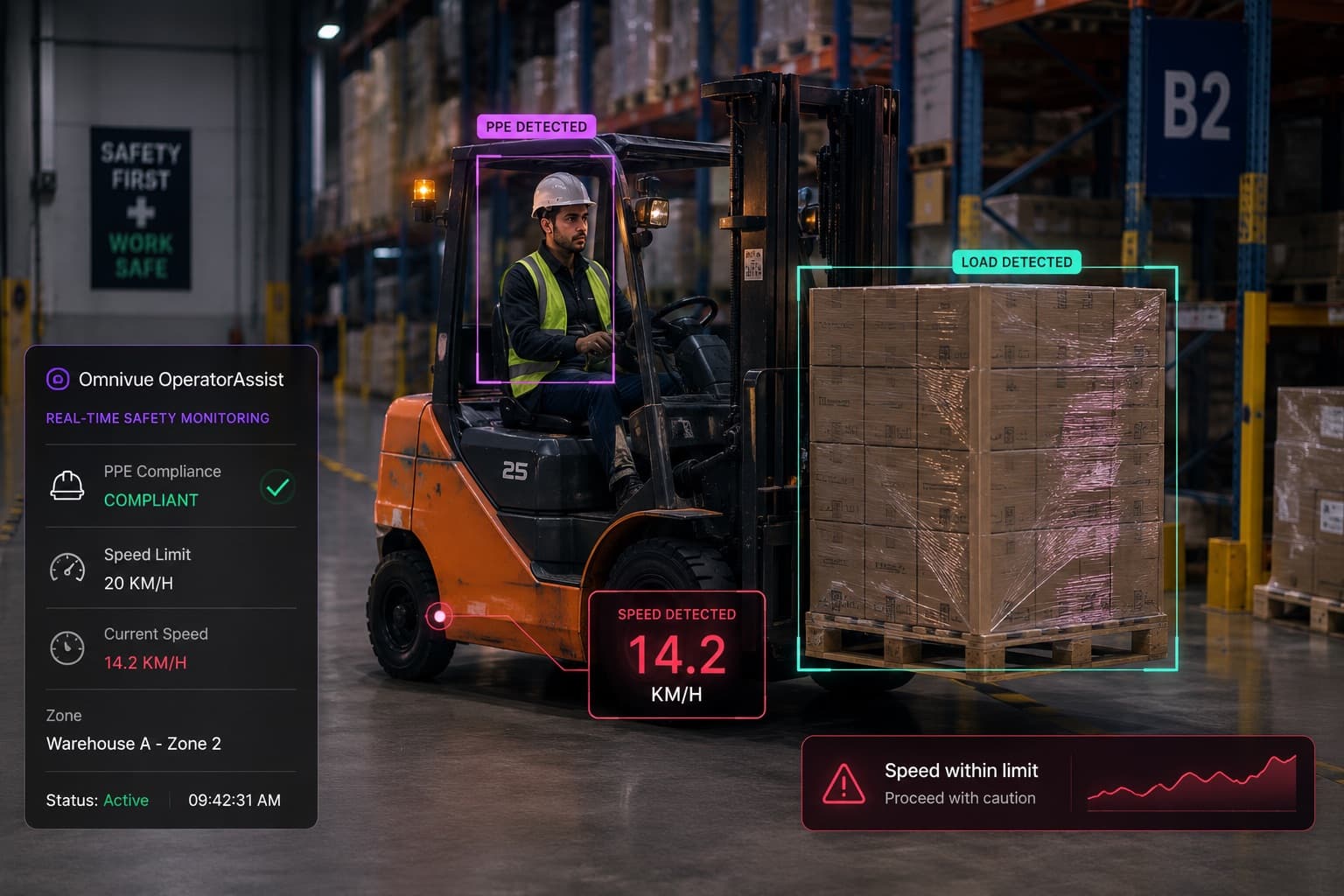
Most organizations do not have a camera shortage.
They have an intelligence shortage.
Warehouses, residential communities, factories, offices, campuses, parking facilities and retail stores may already have dozens - or hundreds - of cameras. These cameras continuously capture vehicle movement, access events, safety violations, queues, restricted-area activity and operational exceptions.
Yet most of that information remains trapped inside recorded video.
It becomes useful only after someone knows that an incident occurred, identifies the right camera, finds the approximate time and manually reviews the footage.
That is valuable for investigation. But it is not operational intelligence.
Operational intelligence begins when a camera feed can identify a relevant event, apply business rules and help a team take action while the event still matters.
That distinction determines whether an AI video project becomes useful infrastructure or another dashboard that operators eventually stop checking.
What Is Operational Intelligence from CCTV?
A conventional CCTV system is primarily designed to:
- Display live camera feeds
- Record video
- Store footage
- Help teams retrieve evidence
- Support post-incident investigation
An operational intelligence system goes further.
It interprets selected camera feeds to identify events that matter to a specific business process. Depending on the use case, the system may then:
- Notify a security or operations team
- Create a searchable event record
- Save a supporting image or video clip
- Update a dashboard
- Compare the event against an approved list
- Trigger a barrier or turnstile
- Escalate an unresolved condition
- Produce reports for audits and management reviews
The value does not come from detection alone.
A detected license plate, person, helmet or queue is only a data point. It becomes operationally useful when it is connected to a decision.
For example:
- A plate is read and checked against a resident, employee, visitor or blocked-vehicle list.
- A person enters a restricted zone and the relevant supervisor receives evidence.
- A worker is detected without required protective equipment and the event is logged by location, time and camera.
- A queue remains above a defined threshold and the store team is prompted to open another counter.
- A vehicle stops in a prohibited area and the event is escalated if it remains unresolved.
This is the shift from watching video to operating with video intelligence.
Can Existing CCTV Cameras Be Used for AI?
Often, yes.
Many modern IP cameras already provide the video streams required by an AI processing platform. If a camera supports a usable network stream - commonly through RTSP or an integration with an existing VMS or NVR - it may be possible to process that feed without replacing the camera.
However, "the stream is accessible" does not automatically mean "the camera is suitable for every AI use case."
A camera installed for general surveillance may be adequate for one task and unsuitable for another.
For example:
- A wide overview camera may help with crowd or queue monitoring.
- The same camera may not capture a vehicle plate clearly enough for reliable recognition.
- A gate camera may provide good facial images during the day.
- Backlighting at certain hours may significantly reduce consistency.
- A warehouse camera may show whether someone entered a zone.
- It may not show enough detail to confirm specific protective equipment.
A credible AI video project therefore starts with a camera and site feasibility assessment, not with a blanket promise that every installed camera will work.
Five Factors That Determine Whether a Camera Is AI-Ready
1. Camera angle
AI systems can only interpret what the camera can actually see.
A poor angle cannot be corrected by adding a more advanced model. If a face is consistently hidden, a plate appears at an extreme angle or safety equipment occupies only a few pixels, reliable analysis becomes difficult.
The camera should be positioned for the target workflow - not merely for broad scene coverage.
Questions to assess include:
- Is the subject facing or moving through a predictable direction?
- Is the required detail visible?
- Is the area obstructed by poles, doors, shelves or vehicles?
- Does the camera capture the complete event?
- Is the viewing angle appropriate throughout the operating day?
2. Image resolution and subject size
The camera's advertised resolution is not the only consideration.
A 4K camera viewing a very large area may provide less usable detail on the target object than a lower-resolution camera positioned closer to it.
What matters is the number of useful pixels available for the face, plate, person, helmet, vehicle or zone being analysed.
The system must be evaluated using actual footage from the intended location.
3. Lighting consistency
Daylight changes, shadows, headlights, reflective surfaces, warehouse glare and poorly lit entrances can all affect performance.
Key questions include:
- Does the image remain usable at night?
- Are faces backlit near entrances?
- Do headlights wash out vehicle plates?
- Are indoor lights switched off during some shifts?
- Does direct sunlight create severe contrast?
- Is infrared footage suitable for the intended analysis?
In some cases, changing the camera position or adding controlled lighting creates a larger improvement than changing the AI model.
4. Video-stream quality and stability
AI processing requires a stable, accessible stream.
The assessment should consider:
- Stream protocol and compatibility
- Resolution
- Frame rate
- Compression
- Network stability
- Packet loss
- Camera availability
- Sub-stream options
- Existing VMS or NVR restrictions
A camera that repeatedly disconnects or delivers heavily compressed footage can undermine the workflow even when its location is otherwise suitable.
5. Scene suitability
Some environments are naturally more complex than others.
A controlled gate with one vehicle lane is different from a crowded loading yard with overlapping vehicles, people and equipment. A fixed checkout queue is different from a large open retail floor.
The project team should evaluate:
- Traffic direction
- Density
- Occlusion
- Background movement
- Seasonal variation
- Uniform or PPE variation
- Camera vibration
- Weather exposure
- Changes between shifts
This is why pilot testing under real operating conditions matters.
Begin with the Operational Problem, Not the AI Feature
A common mistake is to begin with a list of technologies:
- Face recognition
- ANPR or ALPR
- Object detection
- People counting
- Behaviour analytics
- Intrusion detection
These describe capabilities. They do not define the operational result.
A better starting point is a clearly worded problem:
- Vehicles are entering manually because guards cannot verify every permit quickly.
- Safety supervisors cannot continuously monitor all warehouse zones.
- Parking teams cannot reconcile every entry, exit, pass and exception.
- Store managers do not know when queues exceed service thresholds.
- Security teams discover blocked emergency exits only during inspections.
- Attendance records require manual correction and reconciliation.
- Incident investigations take hours because video evidence is difficult to locate.
Once the operational problem is defined, the AI capability can be selected and connected to the relevant workflow.
This also prevents the project from becoming an unfocused attempt to "run analytics" across every camera.
Choose a Small Number of High-Value Camera Workflows
The first deployment should not attempt to make the entire camera estate intelligent at once.
Select one or two workflows with:
- A clear operational owner
- A recurring problem
- Suitable camera coverage
- Defined action after detection
- Measurable pilot criteria
- A realistic path to wider deployment
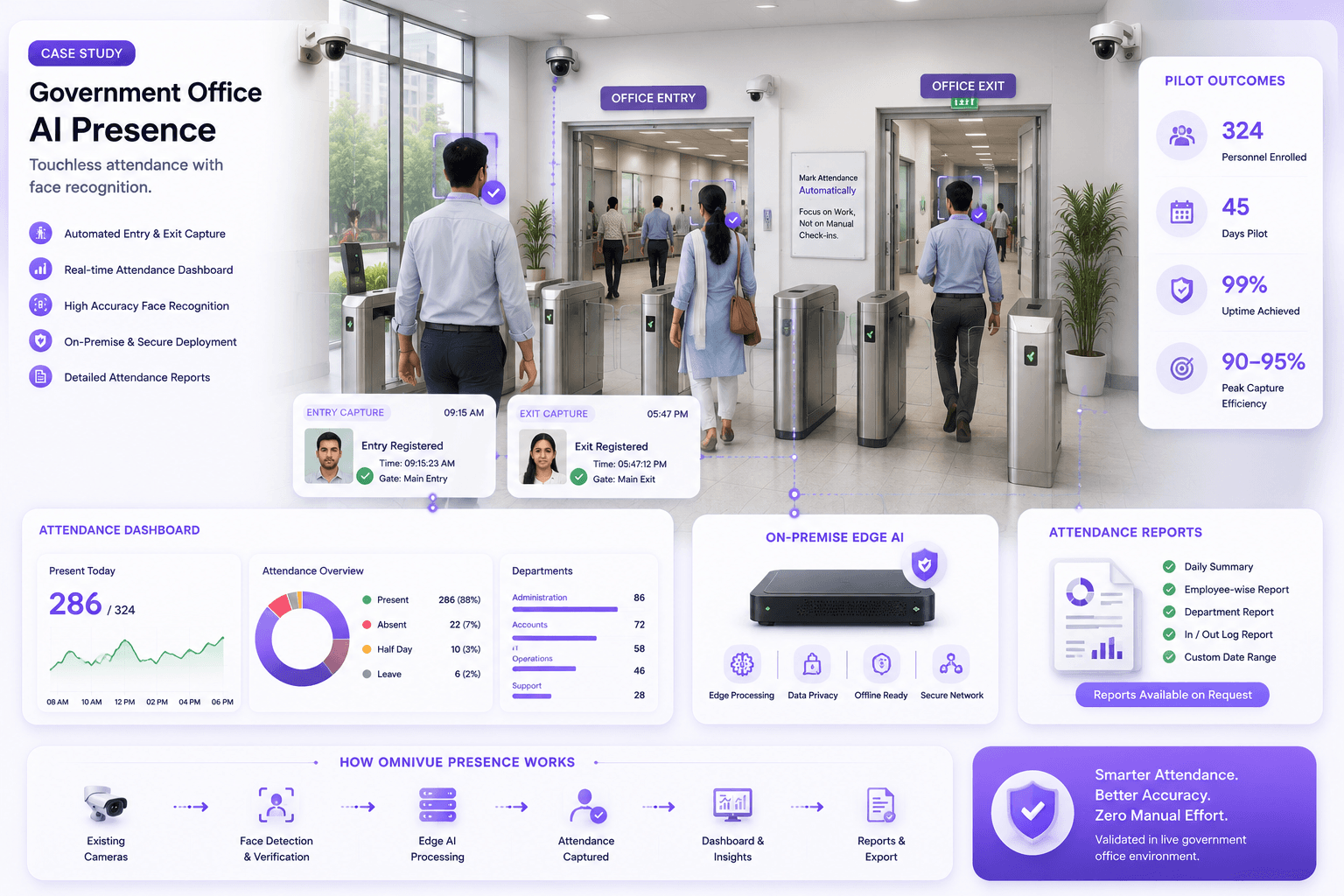
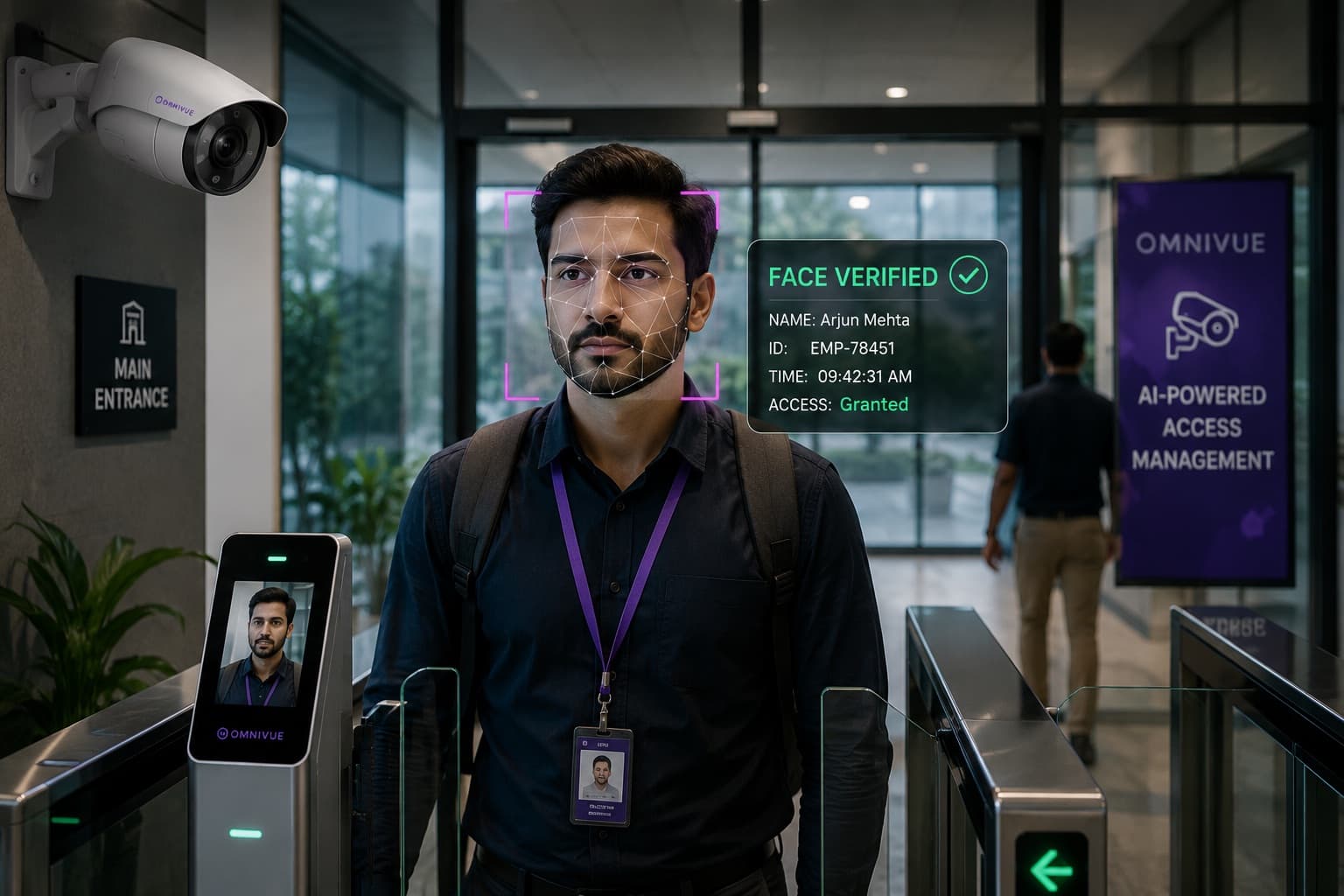
Access and visitor operations
Existing entrance cameras may support:
- Registered-person verification
- Visitor event logging
- Entry and exit records
- Watchlist alerts
- Turnstile or barrier workflows
- Exception review
The complete solution must also account for enrollment, approvals, rules, temporary access and manual overrides. Recognition by itself is not access management.
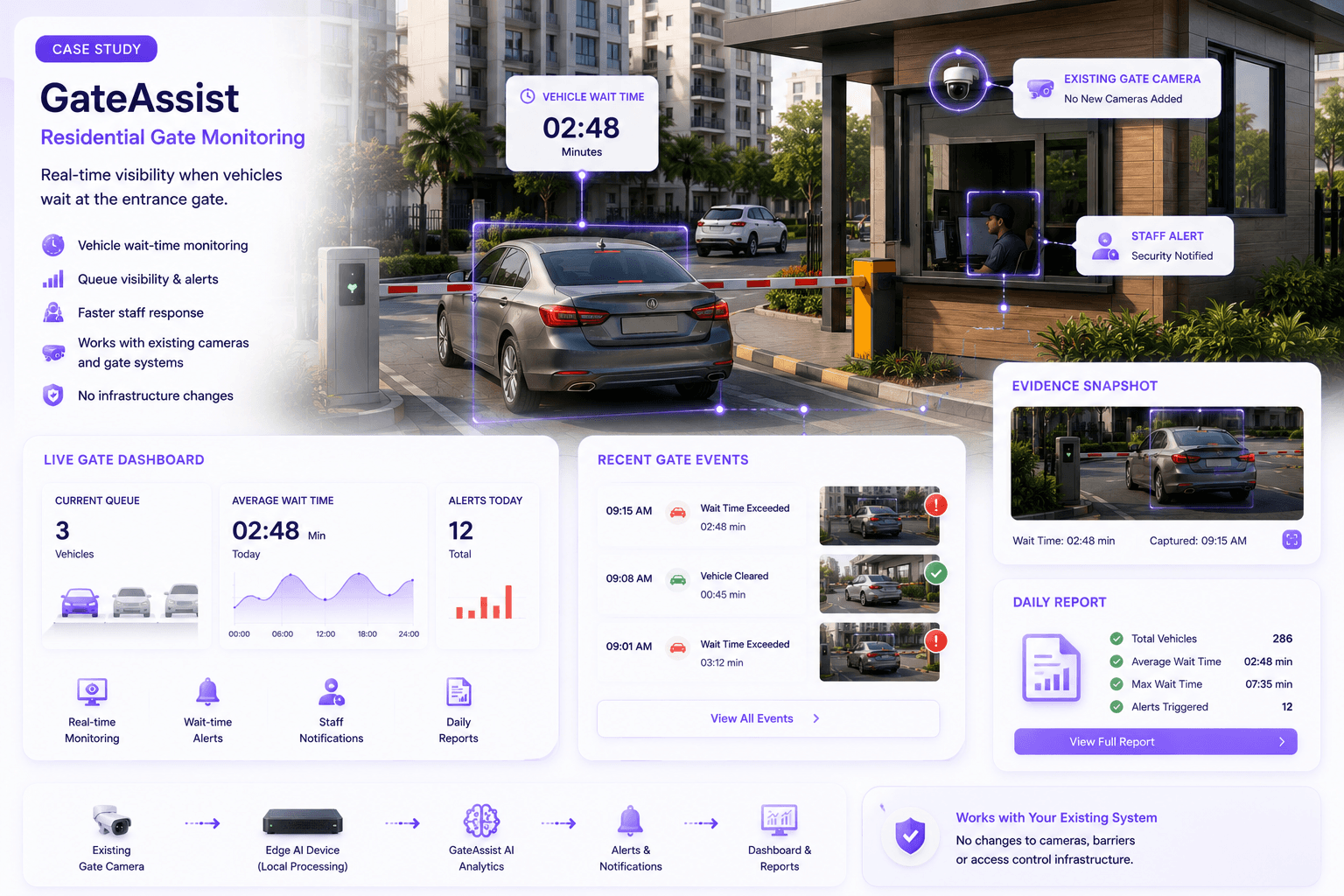
Vehicle access and parking
Gate cameras may support:
- License-plate recognition
- Permit validation
- Resident, staff and visitor identification
- Entry and exit logs
- Pass rules
- Barrier control
- Parking billing workflows
- Blocked or flagged vehicle alerts
Here too, reading the plate is only the first step. The operational value comes from connecting the plate to permissions, tariffs, exceptions and gate actions.
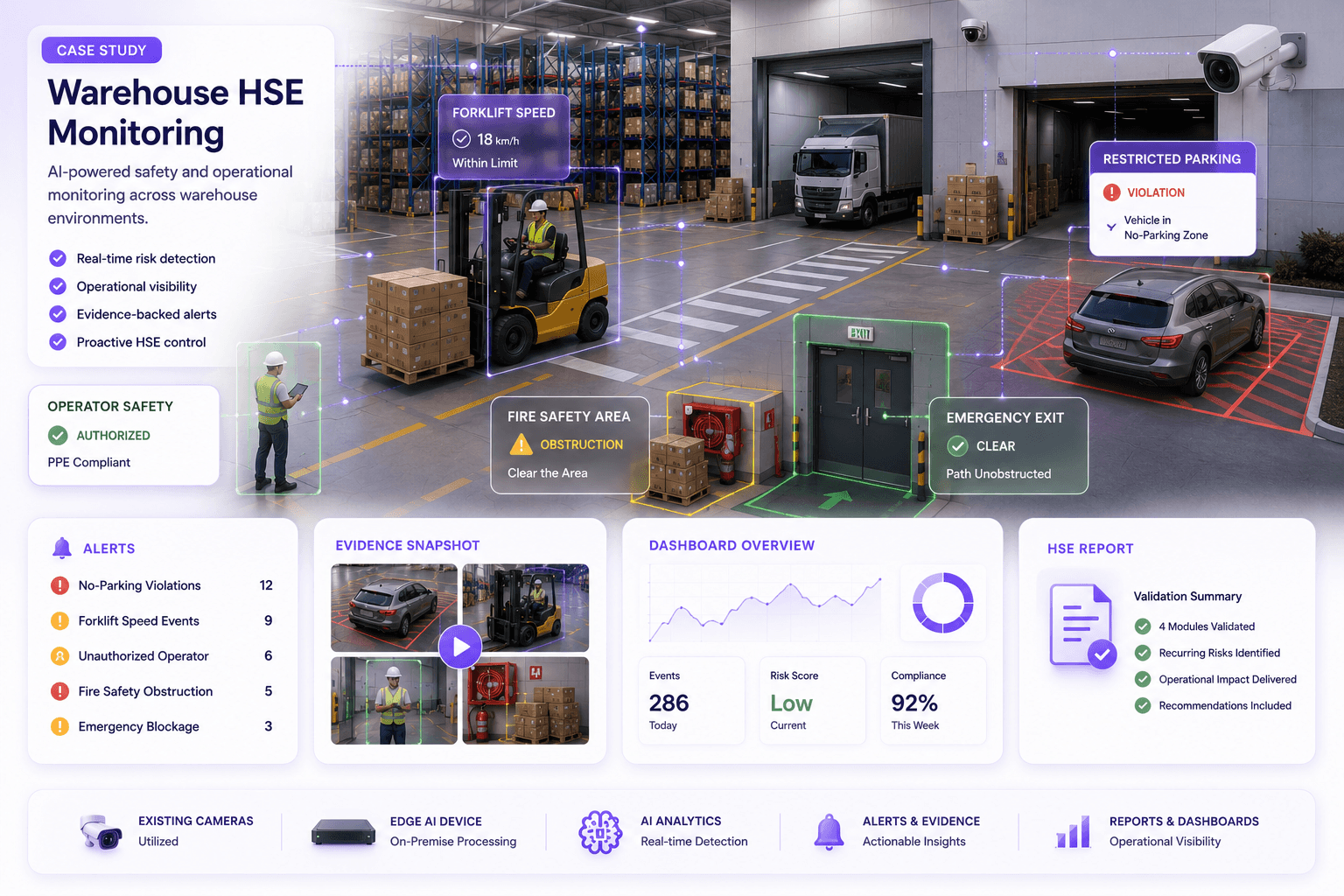
Warehouse and factory safety
Existing cameras may help identify:
- Helmet or PPE non-compliance
- Restricted-zone entry
- Unsafe vehicle movement
- Obstructed emergency exits
- Unauthorised parking
- People within defined risk zones
- Repeated safety exceptions
The alert should reach the person who can act on it, with enough visual evidence to verify the event.
Retail operations
Retail cameras may be used for:
- Footfall measurement
- Queue monitoring
- Zone engagement
- Dwell analysis
- Checkout visibility
- Restricted-area activity
- Selected loss-prevention workflows
The system should produce operational metrics that store and regional managers can use - not merely detection counts without business context.
Traffic and infrastructure
Roadside or checkpoint cameras may support:
- Stopped-vehicle detection
- Wrong-way movement
- Lane violations
- Vehicle classification
- Plate capture
- Incident evidence
- Congestion or queue conditions
Because outdoor environments vary considerably, these use cases require careful validation across distance, weather, lighting and traffic conditions.
Decide Where the AI Processing Should Run
There is no single deployment model that is right for every site.
The decision generally depends on security requirements, bandwidth, latency, scale, IT policy, existing infrastructure and operational continuity.
Edge deployment
Processing takes place at or near the site.
This can be appropriate when:
- Fast local response is important
- Internet connectivity is limited or unreliable
- Video should remain on-site
- Only selected events need to be transmitted centrally
- The site requires local operation during connectivity outages
On-premise deployment
AI processing and application infrastructure run within the organization's controlled environment.
This is often considered for:
- Government or high-security facilities
- Sensitive identity or access workflows
- Controlled data-retention requirements
- Restricted cloud usage
- Integration with local systems
- Sites requiring greater infrastructure ownership
Cloud deployment
Processing, management or selected services are hosted in the cloud.
This may suit:
- Distributed sites
- Centralized administration
- Faster provisioning
- Lighter local infrastructure
- Organizations with approved cloud policies and sufficient connectivity
Hybrid deployment
Many enterprise projects use a combination.
For example, video may be processed locally while event metadata, health status and authorized evidence are sent to a central application.
The deployment architecture should follow the organization's operational and security requirements - not a vendor's preference for one infrastructure model.
Connect AI Events to Existing Operational Systems
A standalone alert screen rarely creates lasting value.
Where appropriate, the intelligence layer should connect to systems already used by the organization, such as:
- Barriers
- Turnstiles
- Access-control systems
- Visitor-management platforms
- Parking systems
- VMS or NVR platforms
- HR or attendance systems
- Incident-management platforms
- Email, SMS or messaging services
- Business dashboards
- Enterprise APIs
The integration does not always need to be complex.
Sometimes the correct first step is a structured alert and searchable event log. In other cases, the workflow may need automatic validation and device control.
Without a clear answer, the project is still focused on detection rather than operations.
Define the Evidence and Audit Trail
Enterprise buyers should ask what the system records for every event.
Depending on policy and use case, an event record may contain:
- Timestamp
- Camera and location
- Event category
- Supporting image
- Short video clip
- Plate or identity result
- Rule applied
- Alert recipient
- Verification status
- Operator notes
- Escalation history
- Final resolution
This turns AI output into something supervisors, auditors and operations teams can review.
It also helps distinguish between:
- A detection
- A verified event
- A false or irrelevant event
- An acknowledged alert
- A resolved operational exception
That distinction matters when evaluating accuracy and business impact.
Run a Pilot with Defined Success Criteria
A pilot should not be an open-ended demonstration.
It should test a clearly defined workflow under actual site conditions.
A practical pilot plan should specify:
- Cameras included
- Operating locations
- Target events
- Testing period
- Day and night conditions
- Who will review results
- How events will be verified
- Required integrations
- Acceptable response time
- Accuracy or validation method
- Operational success measures
- Conditions for expansion
For example, a vehicle-access pilot might evaluate:
- Plate visibility at different times
- Correct matching against approved vehicles
- Handling of unreadable or unknown plates
- Event-log completeness
- Barrier-response logic
- Manual override
- Operator usability
- Network and system availability
A safety pilot might evaluate:
- Whether the required PPE is consistently visible
- Whether selected zones are properly defined
- Relevant versus irrelevant alerts
- Evidence quality
- Supervisor response
- Reporting usefulness
The goal is not to produce a polished demonstration. It is to determine whether the workflow performs reliably enough to support real operations.
Measure Outcomes, Not Detection Volume
A system that generates thousands of alerts is not automatically valuable.
Useful measures vary by use case, but may include:
Access
- Reduction in manual verification
- Faster entry processing
- Improved event traceability
- Reduction in unauthorized access exceptions
- Time required to investigate disputes
Parking
- Vehicles processed per lane
- Reduction in manual entry
- Improved permit compliance
- Revenue exceptions identified
- Queue time
- Accuracy of entry and exit records
Safety
- Verified safety events
- Recurring violation locations
- Time from event to response
- Audit coverage
- Reduction in manual monitoring effort
- Corrective actions completed
Retail
- Queue duration
- Service-threshold breaches
- Footfall trends
- Zone-engagement patterns
- Operational response to peak periods
- Evidence available for selected incidents
The metric should reflect the business problem that justified the deployment.
When Existing Cameras Should Be Repositioned or Replaced
"Use existing cameras" should not become an unrealistic promise.
Some cameras may need to be adjusted or replaced when:
- The target is too small in the image
- The camera angle is unsuitable
- Night footage is unusable
- The stream is inaccessible
- The camera is unstable
- Compression removes required detail
- The location does not capture the full event
- The device is too old for dependable network operation
- Environmental conditions exceed the camera's capabilities
The objective is not to preserve every camera at any cost.
It is to avoid unnecessary replacement while making targeted improvements where the workflow requires them.
A responsible assessment may conclude that:
- Some cameras can be reused as they are.
- Some require repositioning or configuration changes.
- Some should be dedicated to a specific workflow.
- A small number require replacement.
- Additional cameras are needed only at uncovered decision points.
That is very different from beginning with a complete rip-and-replace proposal.
A Practical Roadmap for CCTV Modernization
- Identify the operational priority - choose a recurring problem involving access, vehicles, safety, queues, attendance, traffic or incident evidence.
- Map the relevant cameras - determine which cameras currently observe the complete event.
- Assess technical feasibility - review streams, angles, lighting, resolution, networks, VMS access and processing requirements.
- Define the workflow - document what should happen from detection through verification, alerting, logging and action.
- Select deployment architecture - choose edge, on-premise, cloud or hybrid based on security and operational requirements.
- Run a controlled pilot - test the workflow at the actual site with measurable success criteria.
- Review operational outcomes - evaluate usefulness, not only model output.
- Improve cameras selectively - reposition, reconfigure or replace only where the evidence justifies it.
- Integrate and train - connect the workflow to relevant systems and ensure operators understand exceptions and escalation.
- Expand by workflow - add cameras, sites or additional use cases after the first workflow is stable.
From Recorded Footage to Actionable Operations
The future of CCTV is not simply better recording.
It is the ability to help physical operations teams recognize important events sooner, apply consistent rules, preserve evidence and act with less dependence on continuous manual observation.
Existing CCTV infrastructure can often provide the starting point. But successful modernization requires more than connecting a model to a video stream.
It requires:
- Suitable cameras
- Clearly defined operational problems
- Deployment planning
- Business rules
- Evidence
- Integrations
- Exception handling
- Real-world pilot validation
- Measurable outcomes
When those elements are connected, cameras stop functioning only as passive witnesses.
They become part of the operating system for the physical environment.
CCTV AI readiness review
Find Out Whether Your Existing Cameras Are Ready for AI
Tell us about your site, current cameras and operational priority. We will help map a practical first workflow rather than presenting a generic product demonstration.