Camera Placement Matters More Than Buyers Expect
Buyers often compare AI models, dashboards and accuracy claims before checking whether the camera can capture the required evidence. In real deployments, a few metres of distance, a steep angle or uncontrolled glare can decide whether the workflow succeeds.
Buyers evaluating AI video analytics usually ask about model accuracy, processing hardware, dashboards, integrations and licensing.
Those questions matter. But one of the biggest determinants of performance is often decided before the AI platform processes its first frame: where the camera is installed and what that camera can actually see.
A sophisticated model cannot reliably read a plate that occupies only a handful of blurred pixels. It cannot confirm a helmet hidden by an overhead angle. It cannot verify a face that is backlit, turned away or captured from the top of the head. It cannot detect an obstruction outside the field of view.
In practical deployments, camera placement is not a minor installation detail. It is part of the solution design.
The most useful way to think about it is simple:
The AI model interprets evidence. The camera determines whether that evidence exists.
Why buyers underestimate camera placement
Most CCTV estates were designed for general surveillance. The goal was to cover a wide area, deter incidents and provide footage for review after something happened.
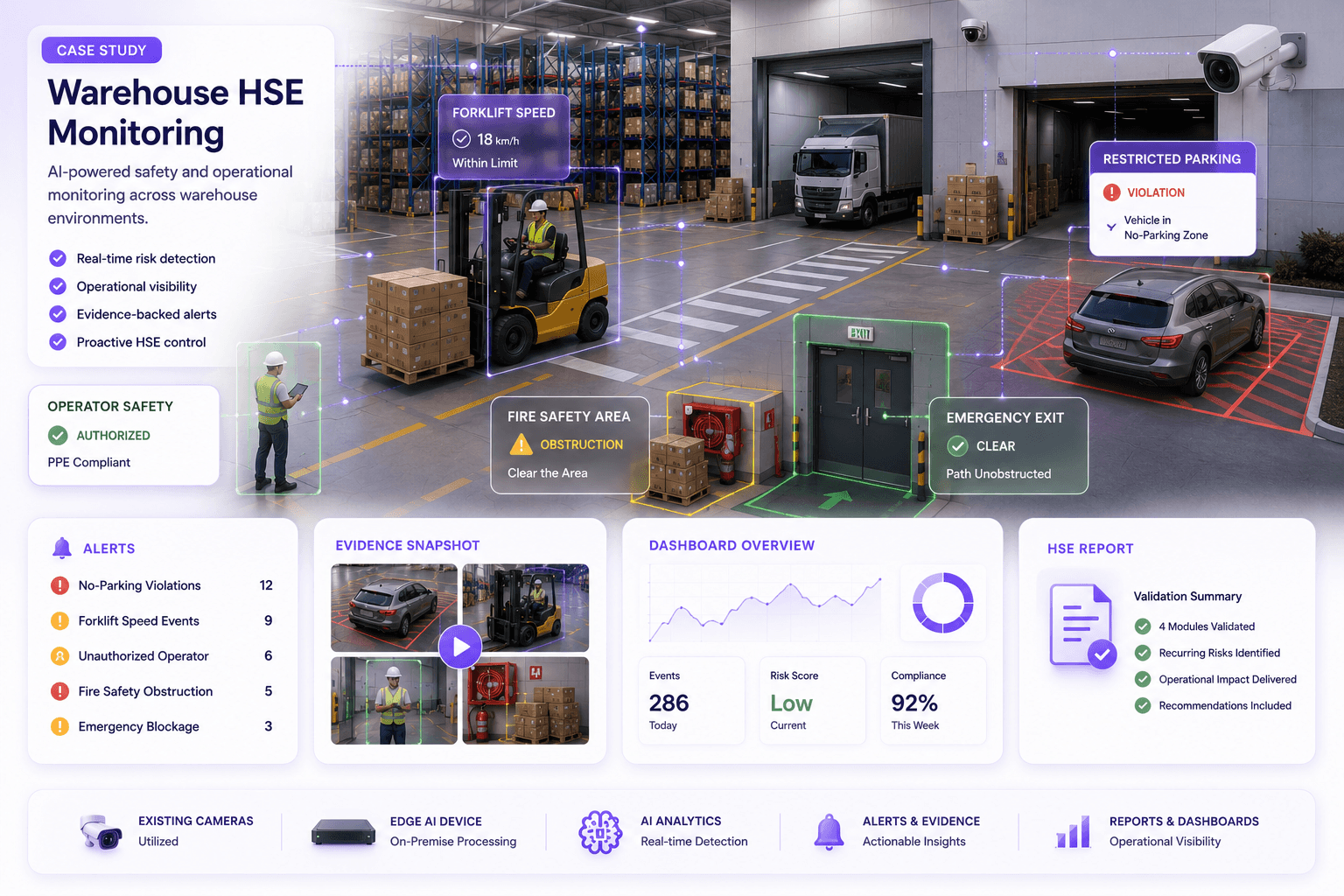
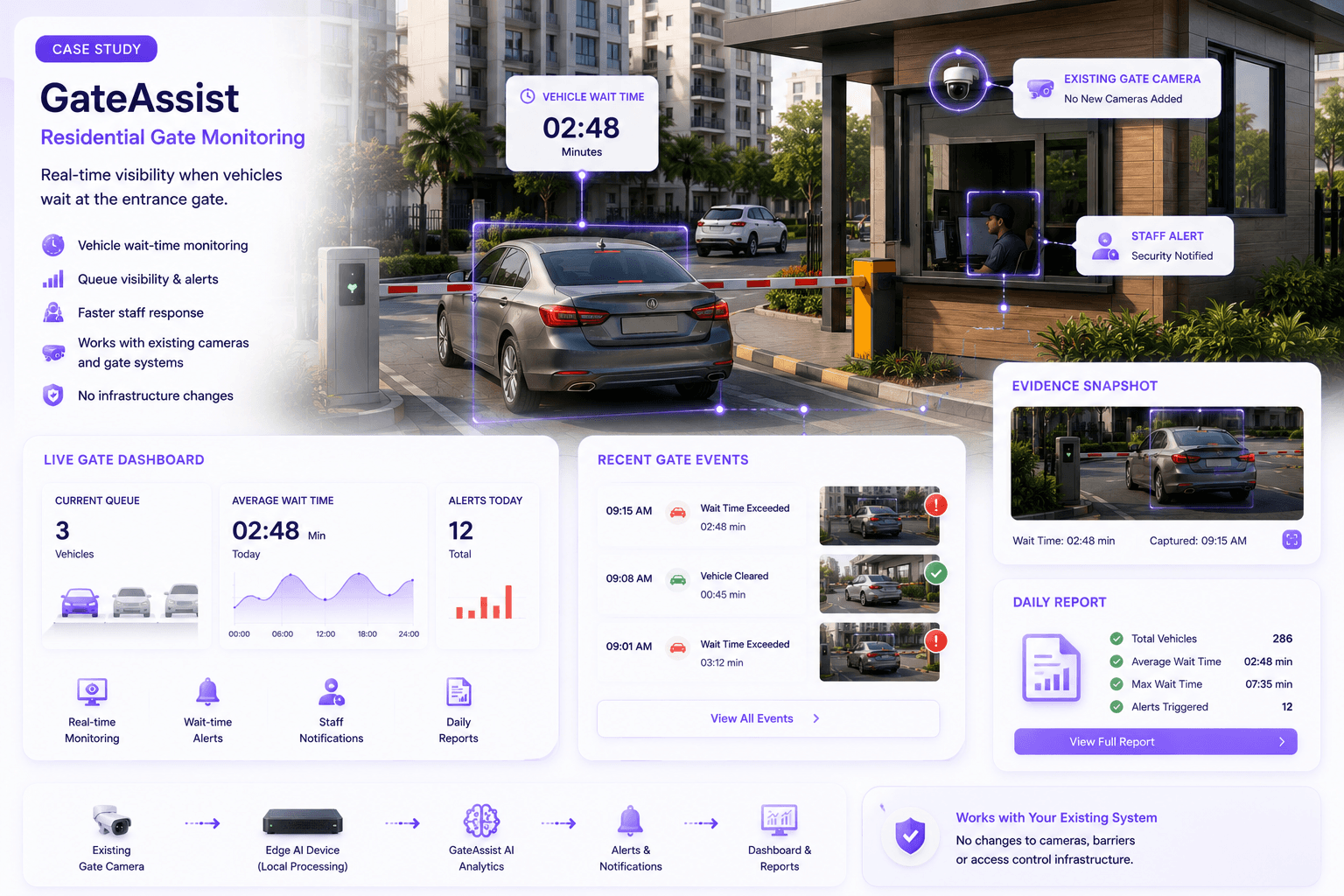
AI workflows are different. They usually require a particular visual condition at a particular decision point:
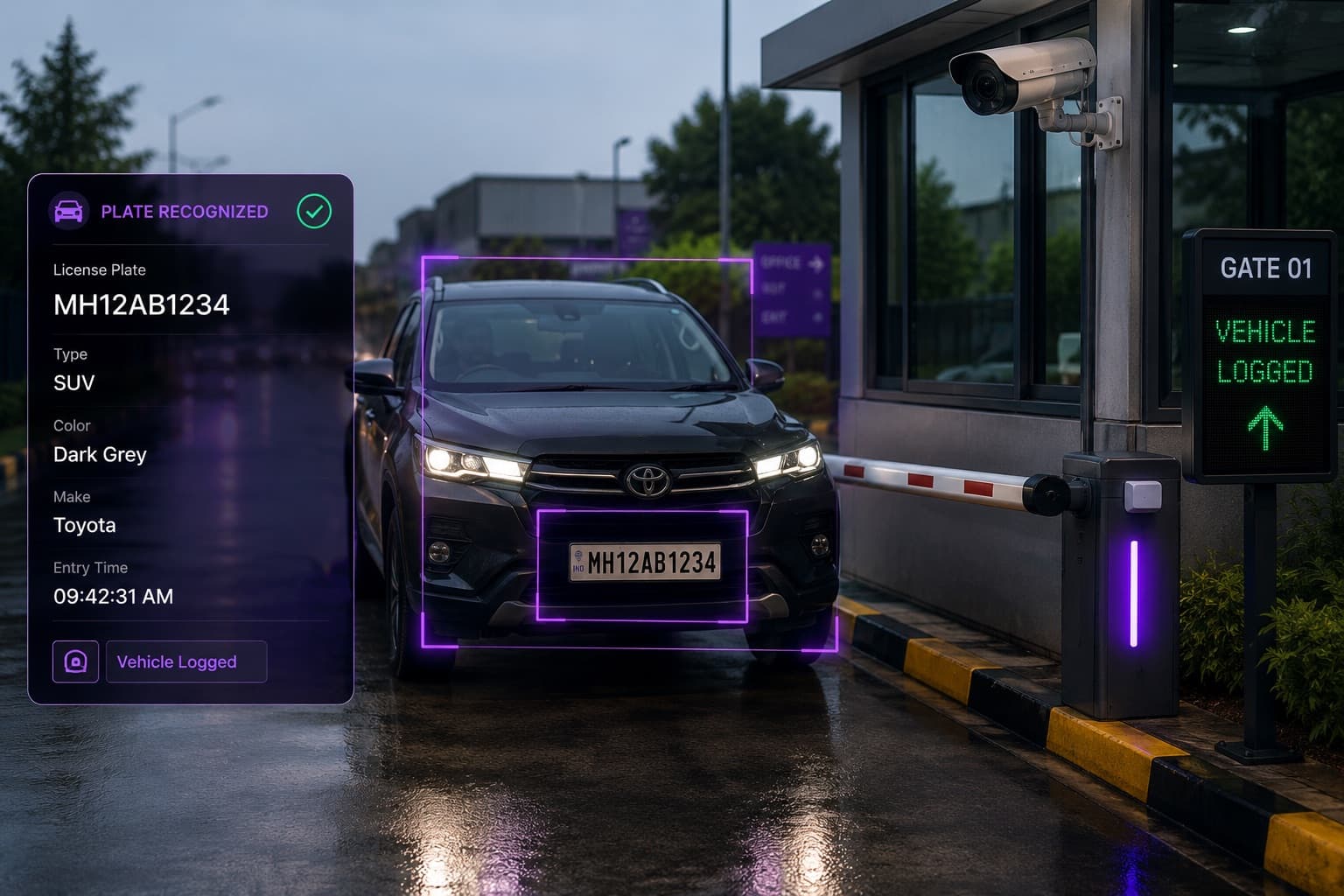
- A plate must be visible before the vehicle reaches the barrier.
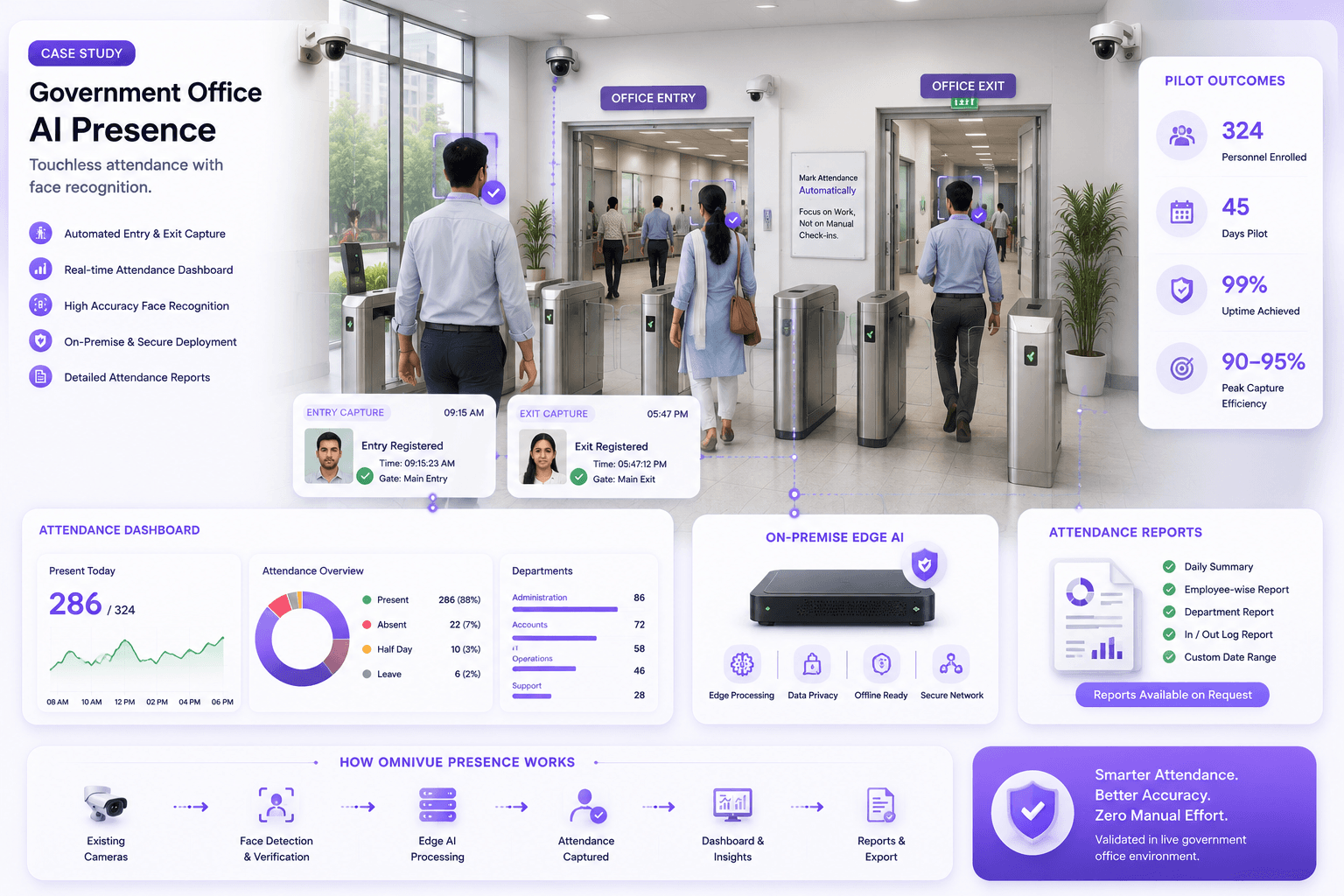
- A face must be captured at a usable angle while a person enters.
- A helmet, vest or other PPE item must occupy enough pixels to be distinguished.
- A queue must remain visible even when people overlap.
- A restricted zone must be fully inside the camera view.
- An emergency exit must be visible without shelves, vehicles or doors blocking the evidence.
A camera can be excellent for incident review and still be poor for a specific AI workflow. That does not mean the camera is defective or the AI is weak. It means the original surveillance objective and the new operational objective are different.
Coverage is not the same as usable evidence
A buyer may look at a monitor and conclude that a camera covers the gate, loading bay or checkout area. A person can understand the scene because the human brain fills gaps, uses context and tolerates ambiguity.
An AI workflow needs more consistent visual evidence. It depends on the target being large enough, clear enough and visible for long enough to support the intended decision.
For example, seeing a vehicle is not the same as reading its plate. Seeing a person is not the same as verifying identity. Seeing a worker is not the same as distinguishing a helmet from the background. Seeing a doorway is not the same as determining whether the emergency path is obstructed.
The seven camera-placement variables that shape AI performance
1. Distance and target size
The farther the camera is from the target, the fewer useful pixels describe the object of interest. High camera resolution helps, but resolution alone does not solve poor framing.
A wide 4K overview camera may capture an entire yard yet provide less plate detail than a well-positioned lower-resolution camera focused on one lane. The same principle applies to faces, PPE, labels, vehicle types and small safety objects.
The right question is not only how many megapixels the camera has. It is how many usable pixels the target occupies at the point where the decision must be made.
2. Horizontal and vertical angle
AI performance generally becomes less consistent as the subject is captured from a severe angle. The acceptable range depends on the use case, optics, environment and model, so it should be validated using actual footage.
Common problems include:
- ANPR cameras installed too far to the side of the lane
- Face cameras mounted high enough to capture mainly foreheads
- PPE cameras looking down from the ceiling so helmets merge with the floor or body
- Queue cameras placed where shelving or signage hides part of the line
- Gate cameras aimed at the barrier arm rather than the decision zone
A camera installed at the wrong angle may still produce attractive demo footage during controlled testing. The problem appears later, when vehicle positions, body orientation and traffic conditions vary.
3. Height
Mounting cameras high can improve protection and broad scene coverage. It can also reduce the detail needed for recognition or classification.
Height should follow the use case. A perimeter overview camera, a facial-capture camera and a PPE camera should not automatically be mounted using the same rule. In many deployments, a layered design works better: an overview camera provides context while a purpose-positioned camera captures the evidence required for the workflow.
4. Lighting and exposure
Lighting is often treated as a camera specification issue, but it is also a placement issue. A camera pointed toward a bright entrance, reflective glass, direct sun or vehicle headlights may produce inconsistent evidence even when the area appears adequately lit to a person.
The assessment should include:
- Morning and evening sunlight
- Backlighting at doors and gates
- Headlights and reflective plates
- Night-time colour or infrared behaviour
- Warehouse glare and dark aisles
- Rain, dust and wet reflective surfaces
- Automatic exposure changes when doors open
A small change in angle, controlled illumination or a dedicated capture point can sometimes improve results more than increasing compute capacity.
5. Motion and capture time
The system needs enough clear frames while the target is visible. Fast vehicles, short entry paths, camera vibration, low shutter speeds and aggressive compression can reduce usable evidence.
Placement should give the camera a predictable capture zone before the operational decision point. For a barrier workflow, the plate should be visible early enough to read, validate and act before the vehicle reaches the arm. For attendance, the face should remain visible through a natural walking path rather than requiring people to stop awkwardly.
6. Occlusion and scene complexity
A good camera position minimizes the chance that the target will be hidden by other people, vehicles, shelves, pillars, doors or equipment.
The same model may perform differently in a single-lane gate and a crowded loading yard because the visual problem is different. Dense scenes need more careful zoning, camera separation and workflow rules. Sometimes an additional camera at a better viewpoint is more practical than trying to infer every event from one wide feed.
7. Field of view and decision-zone design
Every AI workflow should have a defined decision zone: the area where the system is expected to observe, interpret and act.
That zone should be:
- Fully inside the field of view
- Large enough to provide multiple usable frames
- Positioned before the action point
- Free from predictable obstructions
- Consistent across day and night conditions
- Aligned with the business rule being applied
Without a clear decision zone, teams often debate accuracy using events the camera was never positioned to capture reliably.
Different workflows require different camera designs
ANPR and vehicle access
ANPR is especially sensitive to placement because a plate is small, reflective and often moving.
A practical design considers lane direction, vehicle speed, plate position, horizontal angle, headlight glare, barrier distance, day-and-night exposure and whether motorcycles or multiple lanes share the same view.
An overview camera may show the whole gate. A dedicated plate-capture camera should focus on the plate zone. The two cameras serve different purposes and can complement each other.
Face recognition and access management
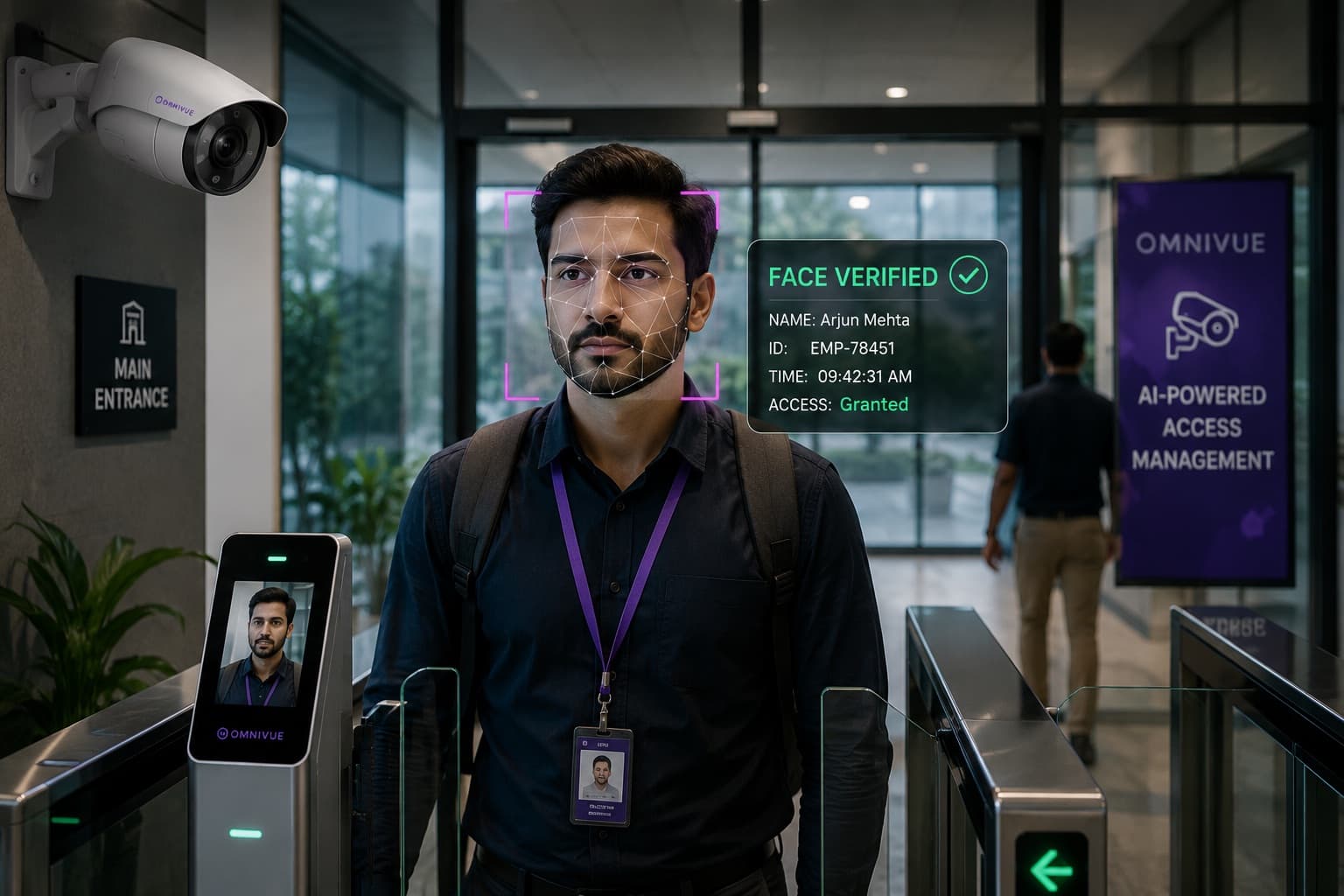
Face-based workflows need a frontal or near-frontal view, stable illumination and enough detail at the natural point of entry. Cameras mounted too high or too far away may capture people but not a consistent facial image.
The best placement often follows the way people already move: near a doorway, turnstile, reception point or controlled lane where direction and distance are predictable. The design should also account for privacy, enrolment quality, exceptions and alternative access methods.
PPE and industrial safety
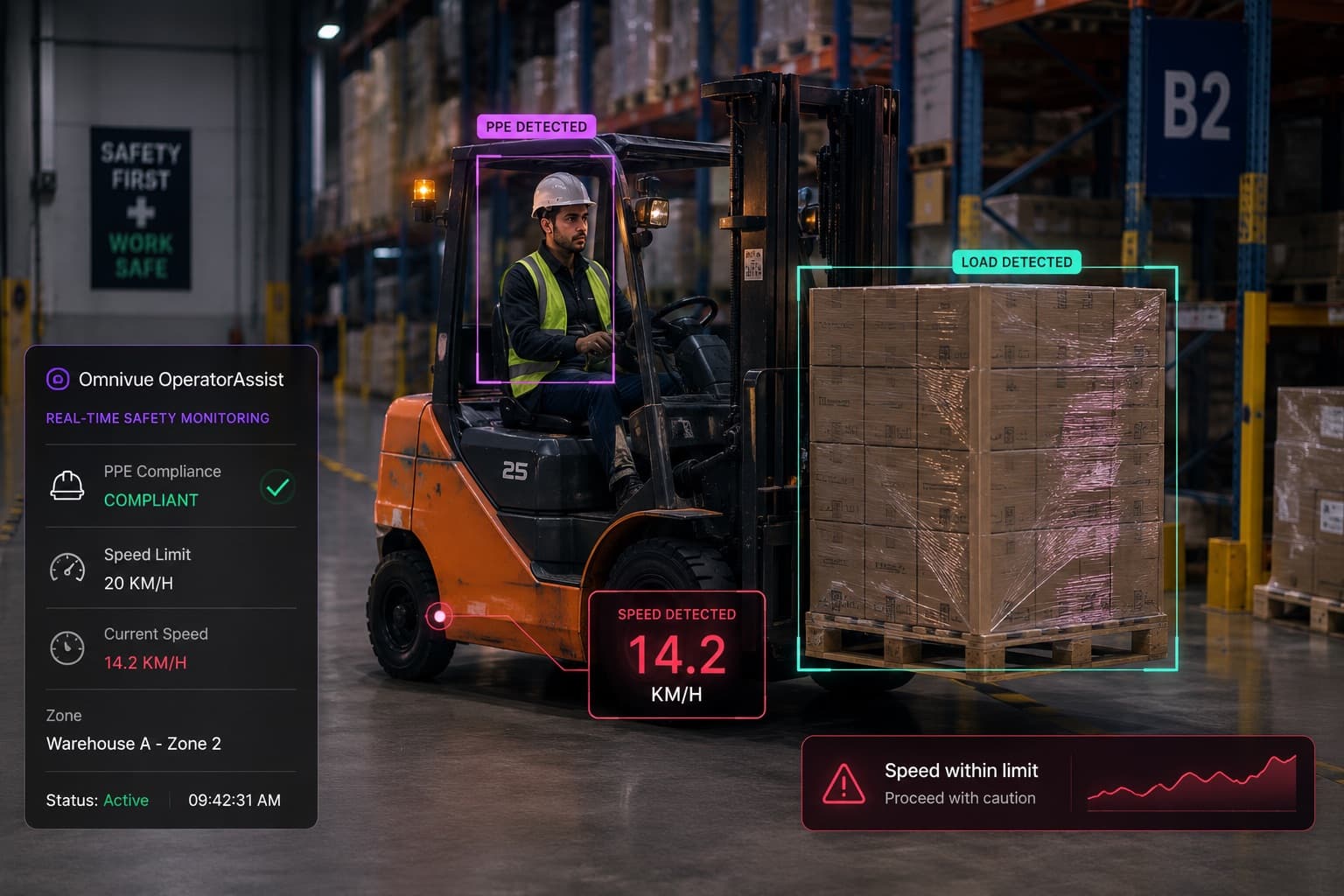
PPE detection requires the relevant item to remain visible. A camera suited to people counting may not distinguish a helmet, vest or other required equipment if the target is distant, partially hidden or viewed from an unsuitable angle.
The placement should reflect the actual safety question. Detecting whether a person entered a controlled zone may need one view; confirming specific equipment may need another. Lighting, uniform colours, stacking, machinery and worker overlap should be tested during normal operations.
Queue and retail analytics
Retail analytics can fail when cameras are placed for loss prevention but are expected to measure queues, dwell or zone engagement. Promotional displays, hanging signs, shelves and customer overlap can hide the path the system must measure.
Queue monitoring works best when the queue area is clearly defined and the camera can observe the line throughout peak conditions. Footfall counting generally benefits from controlled entry lines. Dwell and engagement use cases need zones that match the actual layout, not generic rectangles added after installation.
Emergency-exit and obstruction monitoring
For obstruction monitoring, the entire path or exit area needs to remain visible. A camera positioned too close may miss the wider obstruction. A camera positioned too far away may not provide enough evidence to classify the condition.
The design should consider doors opening, stored material moving, parked equipment, temporary barriers and changing warehouse layouts. The camera and zone must be reviewed when the physical environment changes.
Why model accuracy claims cannot replace a site assessment
Accuracy figures are useful only when the testing conditions resemble the intended deployment. A result produced on curated footage does not guarantee the same performance at a site with different angles, lighting, compression, uniforms, traffic patterns or camera quality.
Enterprise buyers should ask vendors to explain:
- What footage and conditions were used to validate the claim
- How camera suitability will be assessed
- What minimum visual conditions are required
- How day, night and peak-period variation will be tested
- How irrelevant alerts will be separated from verified events
- What changes are recommended when the camera is not suitable
A credible vendor should be willing to say that a camera needs adjustment. Promising perfect compatibility with every installed camera may make the sales conversation easier, but it creates risk for the pilot and the buyer.
The hidden cost of trying to solve placement problems in software
When footage is weak, project teams sometimes respond by changing thresholds, increasing compute, adding complex filtering or repeatedly retraining models. Some tuning is normal. But software cannot fully recover information that was never captured.
Trying to compensate for a poor view can create:
- More false alerts
- Missed events
- Slower processing
- Higher hardware requirements
- Complex site-specific rules
- Inconsistent results between locations
- Longer pilot cycles
- Operator distrust
A targeted camera adjustment may be cheaper and more reliable than months of software work. This is why camera design should be treated as part of AI solution engineering, not as a separate low-level installation task.
A practical camera-placement assessment
Before an AI pilot begins, review each proposed workflow using actual footage and site conditions.
Step 1: Define the decision
State exactly what the system must determine and what action follows. "Detect vehicles" is too broad. "Read the plate before the barrier, verify access permission and create an entry record" is a workflow.
Step 2: Identify the evidence
List the visual details required: plate characters, facial features, helmet, queue boundary, vehicle direction, exit path or another target.
Step 3: Mark the decision zone
Identify where the subject should be visible and how long it remains in that area.
Step 4: Review real footage
Inspect daytime, night-time, peak, low-traffic and difficult conditions. Avoid approving placement from a single still image.
Step 5: Test target size and clarity
Confirm that the relevant object occupies enough useful image area and is not consistently blurred, overexposed or hidden.
Step 6: Validate the workflow
Run the AI on representative footage, review relevant and irrelevant events, and confirm that the output supports the operational decision.
Step 7: Improve selectively
Re-angle, refocus, adjust exposure, add controlled lighting, define a better zone or install a dedicated camera only where needed.
Questions buyers should ask before approving camera placement
- What exact operational decision will this camera support?
- Where is the decision zone?
- How large is the target in that zone?
- Is the target visible from the required direction?
- What happens during night, glare, rain or peak congestion?
- Will people, vehicles, shelves or equipment block the view?
- Is there enough time to detect, validate and act?
- Does the stream remain stable at the required quality?
- Can the existing camera be repositioned or reconfigured?
- Is a dedicated capture camera more reliable than a wide overview?
- How will performance be verified before scaling?
What a good pilot should prove
A camera-placement pilot should not prove only that the model can produce detections. It should prove that the complete workflow works under normal site variation.
The pilot should evaluate:
- Day and night evidence quality
- Target visibility and useful capture duration
- Relevant versus irrelevant events
- Response time before the action point
- Performance during peak operations
- Exception handling
- Operator review and trust
- Changes required before wider rollout
This creates a more honest basis for scaling than a controlled demo using ideal footage.
Placement is a business decision, not only a technical decision
Camera placement affects more than accuracy. It affects hardware cost, network design, processing load, operator workload, integration timing and the credibility of the entire deployment.
A camera that produces reliable evidence can simplify the workflow. A weak view forces the system to manage ambiguity, increases manual review and makes every downstream step more expensive.
For buyers, the lesson is not that every project requires new cameras. The lesson is that existing cameras should be assessed against the intended workflow, and targeted changes should be made where the evidence requires them.
The strongest AI video deployments do not begin by asking how many analytics can be enabled. They begin by deciding what the operation needs to know, where that evidence appears and how the camera should capture it.
Because before the AI can make a reliable decision, the camera has to provide a reliable view.
Camera placement and AI readiness
Evaluate the view before evaluating the model
Omnivue helps enterprises and system integrators assess camera placement, image quality and workflow feasibility for access, ANPR, safety, retail, attendance and other operational video intelligence use cases.